21
Connections
Turn the unit off and disconnect the power cord before connecting other units.
Connect the power cord after all the connections are complete.
• Use the supplied power cord.
• Read the instruction manuals for the devices you’re going to connect with the unit.
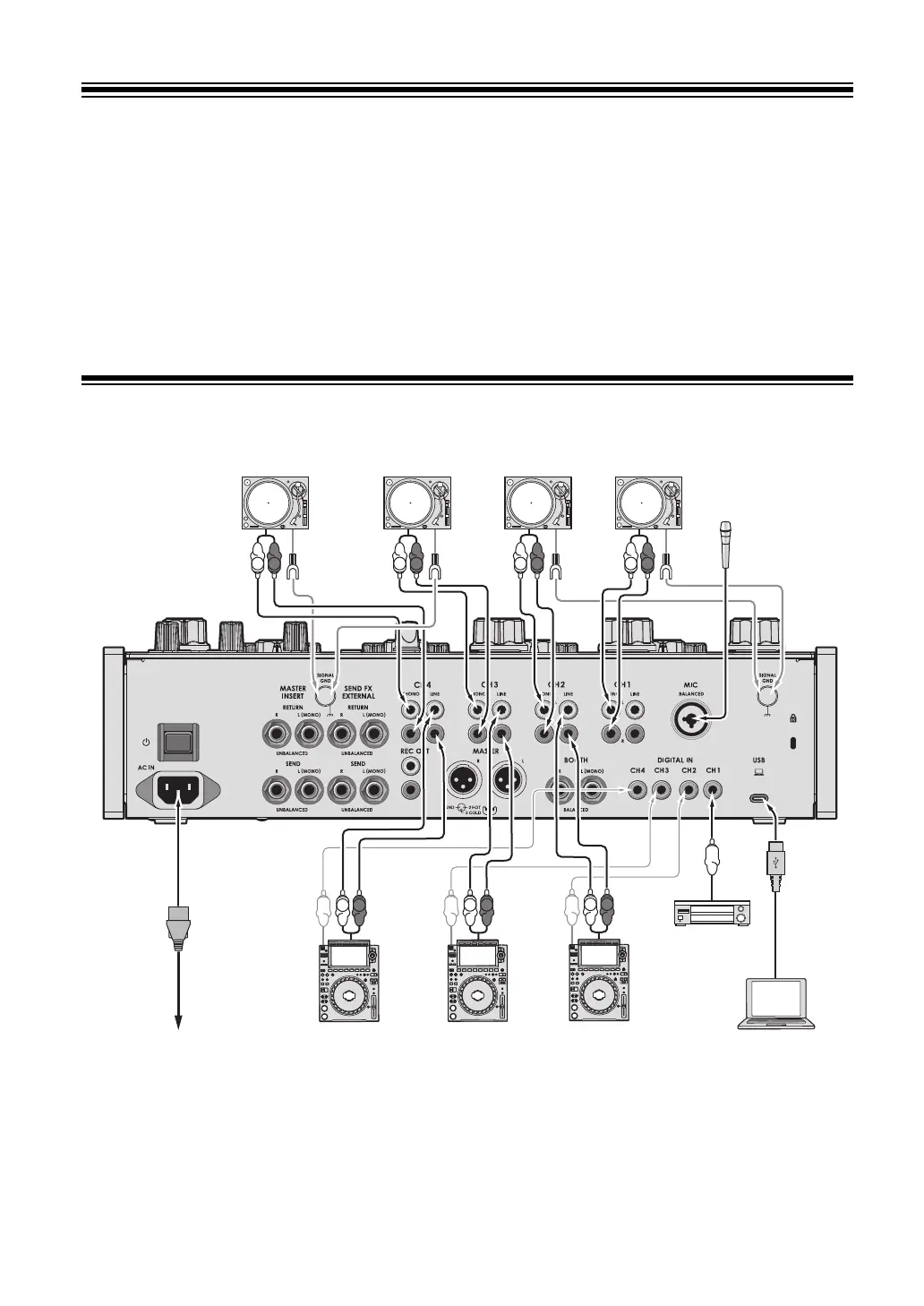
Connecting to the input terminals
• It’s recommended to connect this unit and a PC/Mac directly with a USB cable. When using
a USB hub, use a product recommended by the manufacturer of your PC/Mac. We don’t
guarantee the operation of all USB hubs.
• To input or output your PC/Mac’s audio to/from the unit, install the dedicated audio driver
software and/or Setting Utility on your computer (page 13).
PC/MacTo power outlet
Rear panel
AlphaTheta multi players
Digital audio
output device
Turntables
Microphone



 To Next Page