33
Monitoring sound
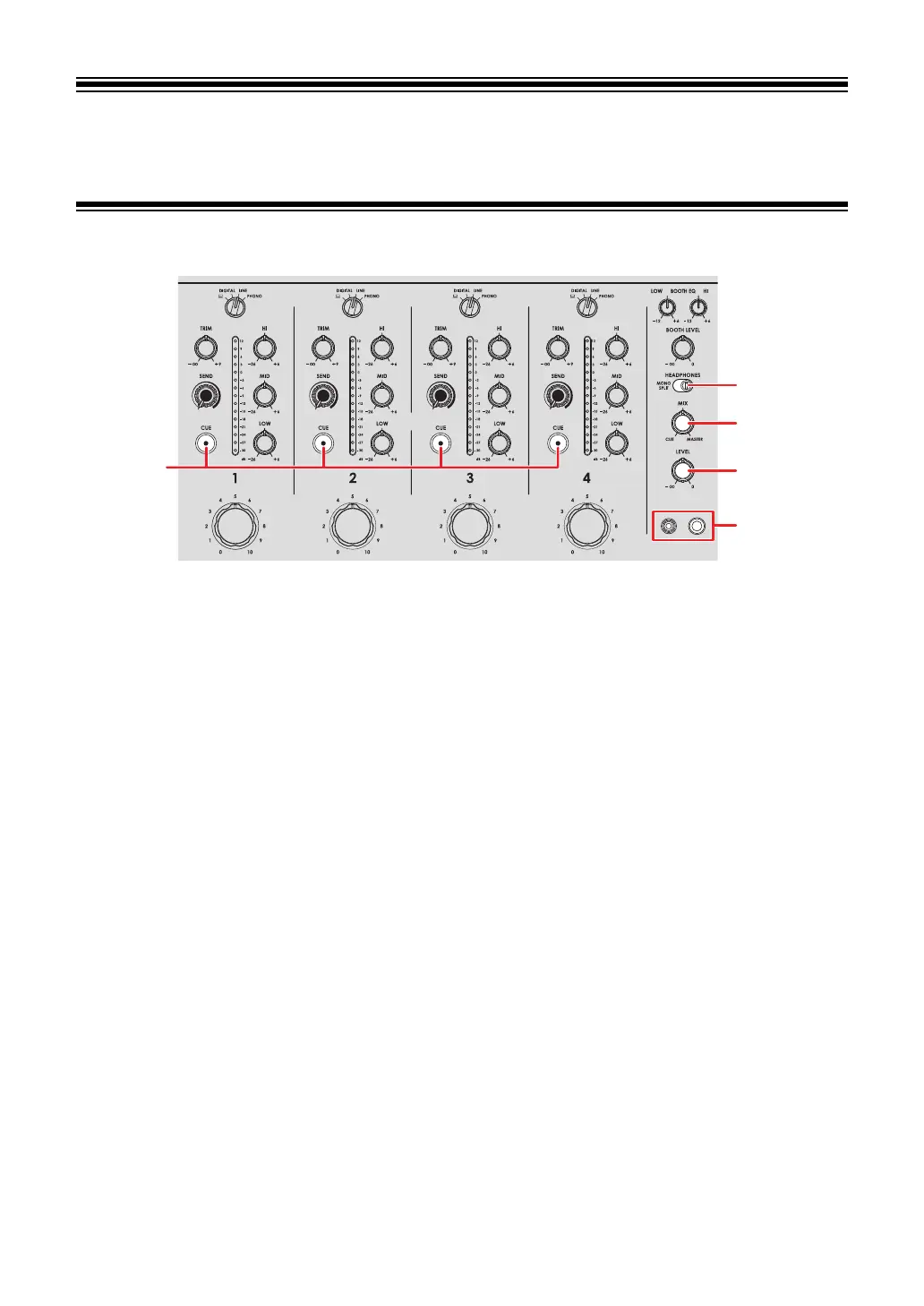
Headphones section
1. MONO SPLIT/STEREO switch
Sets the sound output method (MONO SPLIT or stereo) for the headphones.
— [MONO SPLIT]: Outputs the sound of the channel with the [CUE] button pressed
to the left channel of your headphones, and the master sound to the right channel.
—
[STEREO]: Outputs the stereo sound of the channel with the [CUE] button
pressed and the master sound according to the [MIX] knob setting.
2.
MIX knob
Adjusts the volume balance between the channel with the [CUE] button pressed and the
master sound.
3.
LEVEL knob
Adjusts the volume for the headphones monitor sound.
4.
CUE button
Outputs sound to the PHONES terminals.
5.
PHONES terminals
Connect headphones.



 To Next Page