38
SEND FX
You can add the sound of the built-in effects or an external effects unit to the master sound.
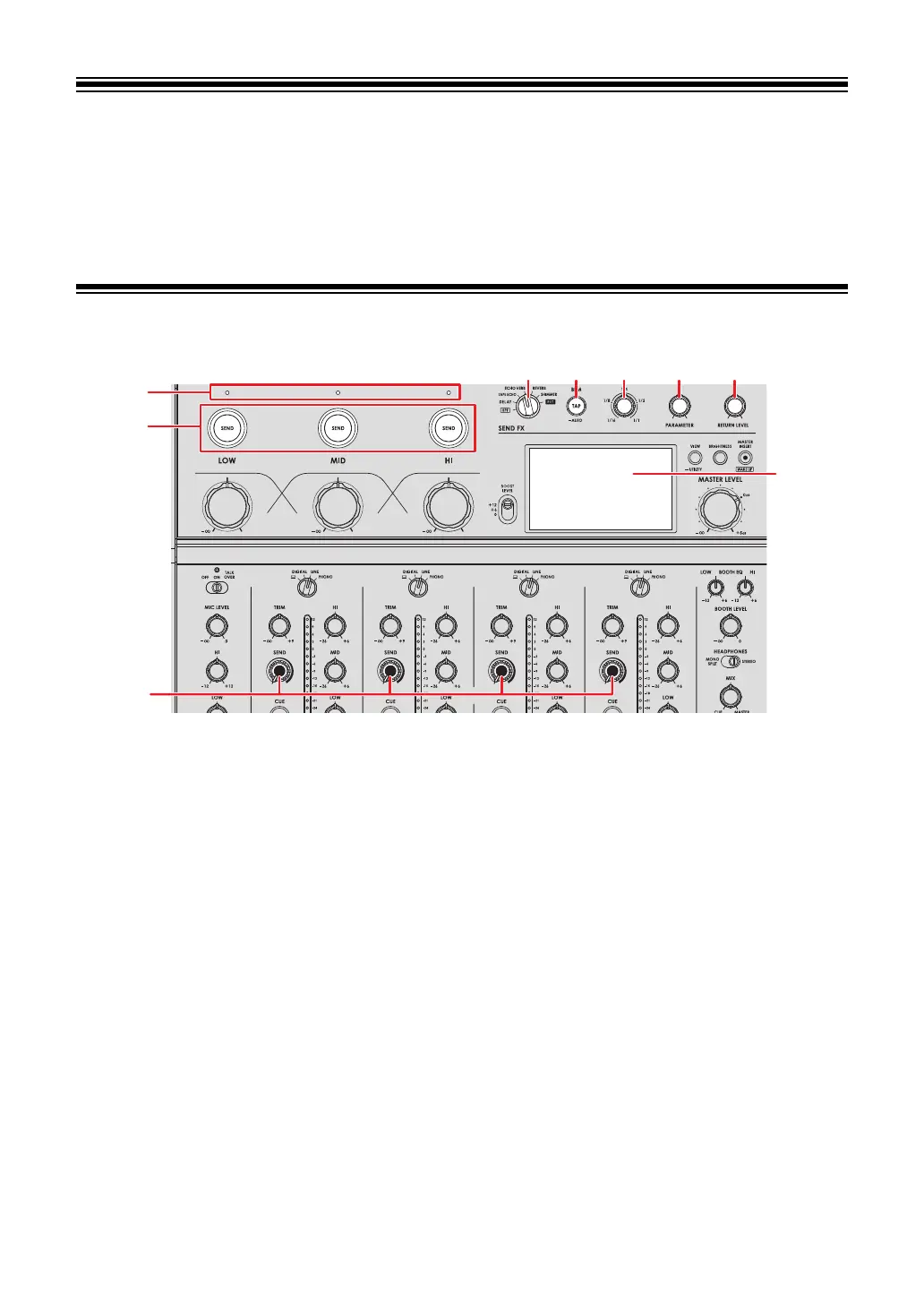
SEND FX section
1. SEND FX selector switch (page 42)
2.
TAP button
Selects the BPM measuring method (AUTO/TAP). The selected method is displayed on
the screen.
— AUTO: Press and hold the button to turn on Auto BPM mode.
Automatically measures BPM of the input sound (measuring range: 70 to 180).
— TAP: Tap the button to manually set a BPM (page 41).
• It’s automatically set to [AUTO] when the unit is turned on.
3.
TIME knob (page 42)
4.
PARAMETER knob (page 42)
5.
RETURN LEVEL knob (page 42)
6.
Screen (page 10)
7.
SEND knob (page 42)



 To Next Page