31
Master Isolator
You can adjust the master sound.
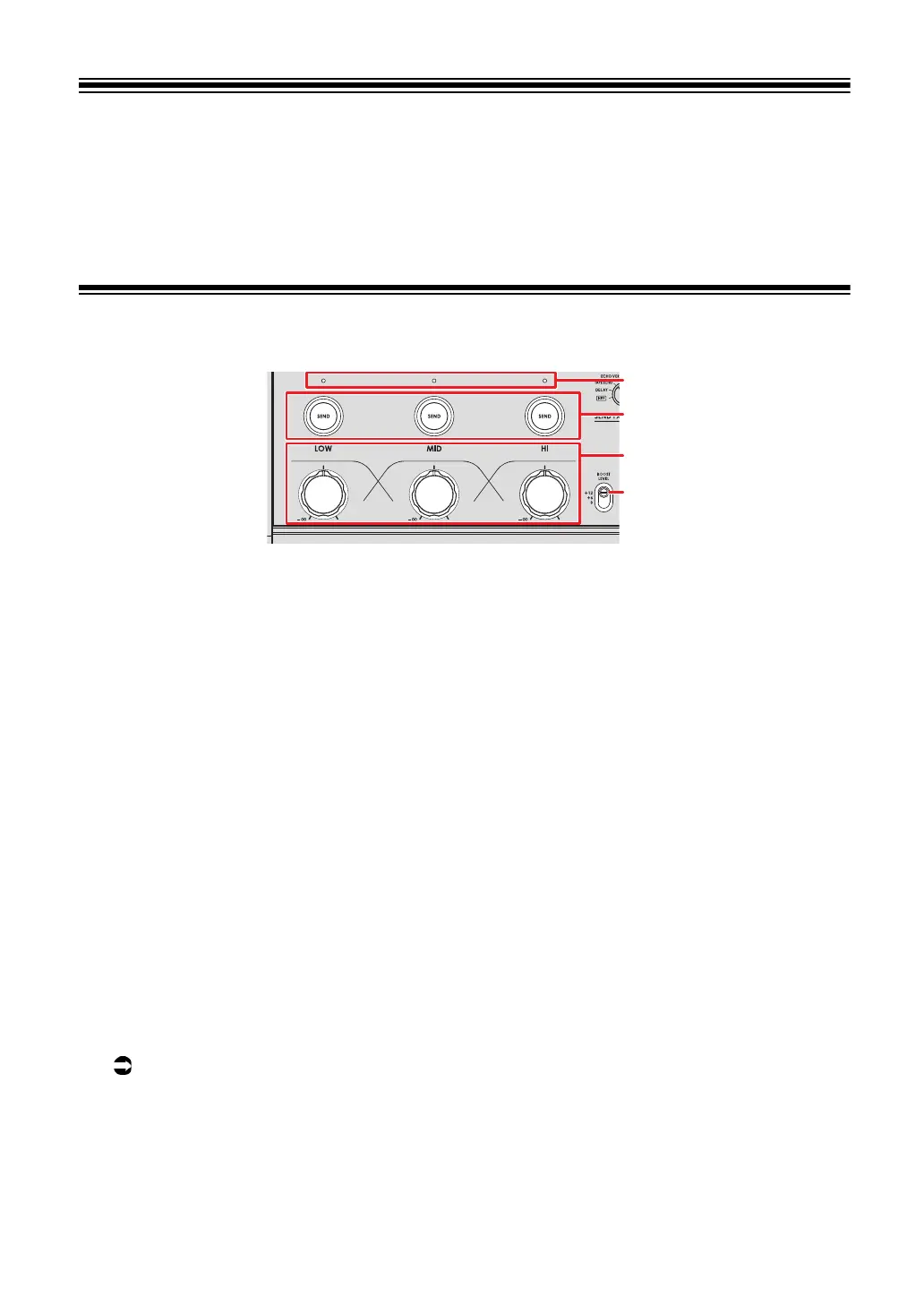
Master Isolator section
1. BOOST LEVEL switch
Sets the maximum volume that can be adjusted with the Master Isolator.
— +12: Can be adjusted up to +12 dB.
— +6: Can be adjusted up to +6 dB.
— 0: Can be adjusted up to 0 dB.
2.
LOW, MID, HI knobs
Adjusts the volume of each frequency band.
Each knob adjusts in the following range.
—
[LOW]: -∞ dB to the maximum level set with the [BOOST LEVEL] switch.
—
[MID]: -∞ dB to the maximum level set with the [BOOST LEVEL] switch.
— [HI]: -∞ dB to the maximum level set with the [BOOST LEVEL] switch.
3.
LOW, MID, HI SEND buttons
Selects the frequency band of the master sound to apply an effect to.
4.
LOW, MID, HI SEND indicators
Lights up when an effect is applied to that frequency band.
Read more: Routing effect sounds to the master output (page 40)
1
2
3
4



 To Next Page