36
Microphone
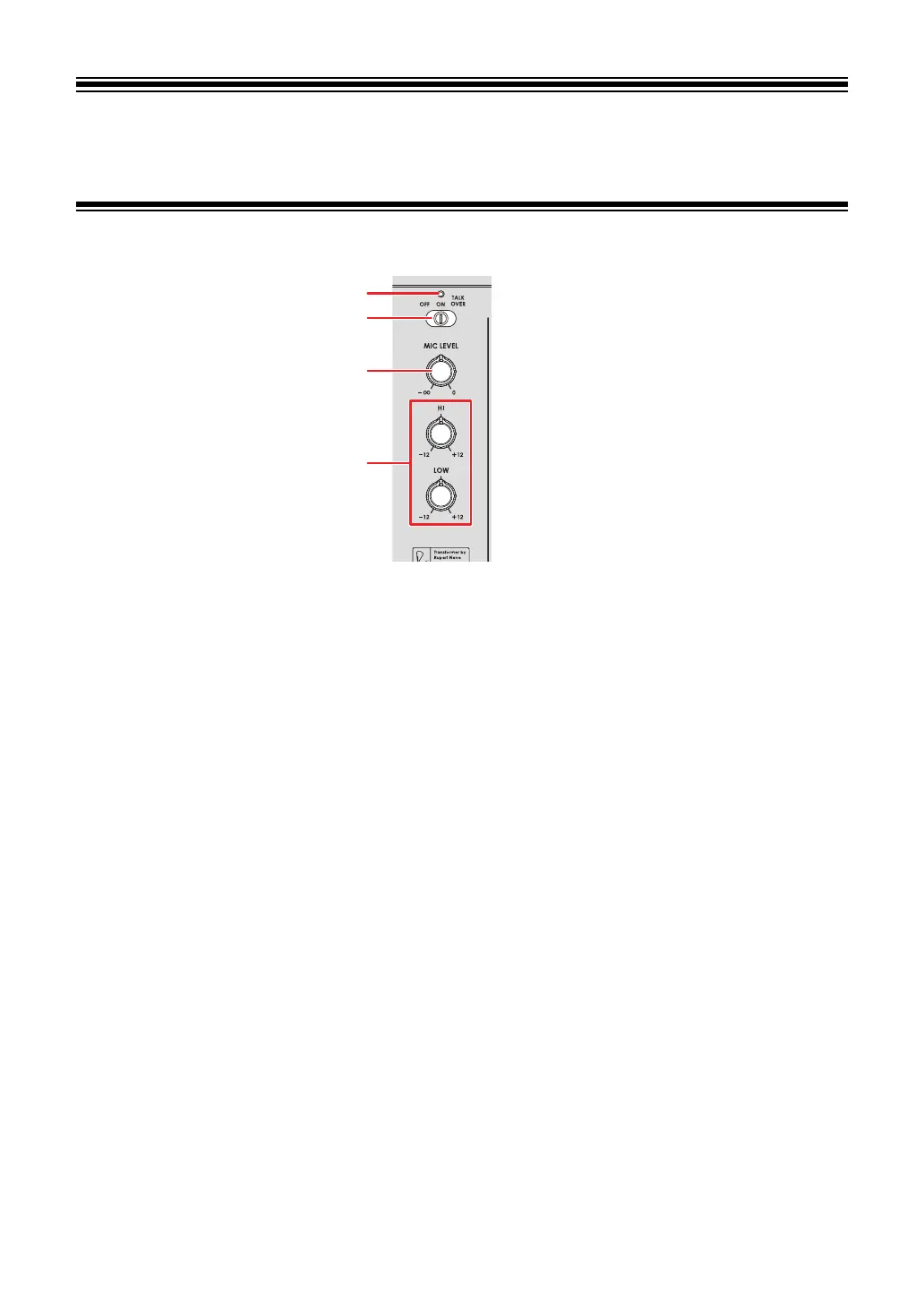
MIC section
1. MIC indicator
Indicates the microphone sound output as follows.
— Off: The microphone is off.
— Lights up: The microphone is on.
— Blinks: The microphone talkover is on.
2.
OFF, ON, TALKOVER selector switch
Sets the microphone sound output.
— [OFF]: Turns the microphone off.
—
[ON]: Turns the microphone on.
—
[TALKOVER]: Turns microphone talkover on. When sound is input to the
microphone, the volume other than the microphone channel is lowered.
3.
MIC LEVEL knob
Adjusts the volume of sound input from the [MIC] terminal.
4.
EQ (HI, LOW) knobs
Adjusts the volume of sound input from the [MIC] terminal.
Each knob adjusts in the following range.
—
[HI]: -12 dB to +12 dB
—
[LOW]: -12 dB to +12 dB



 To Next Page