35
Monitoring sound
Booth section
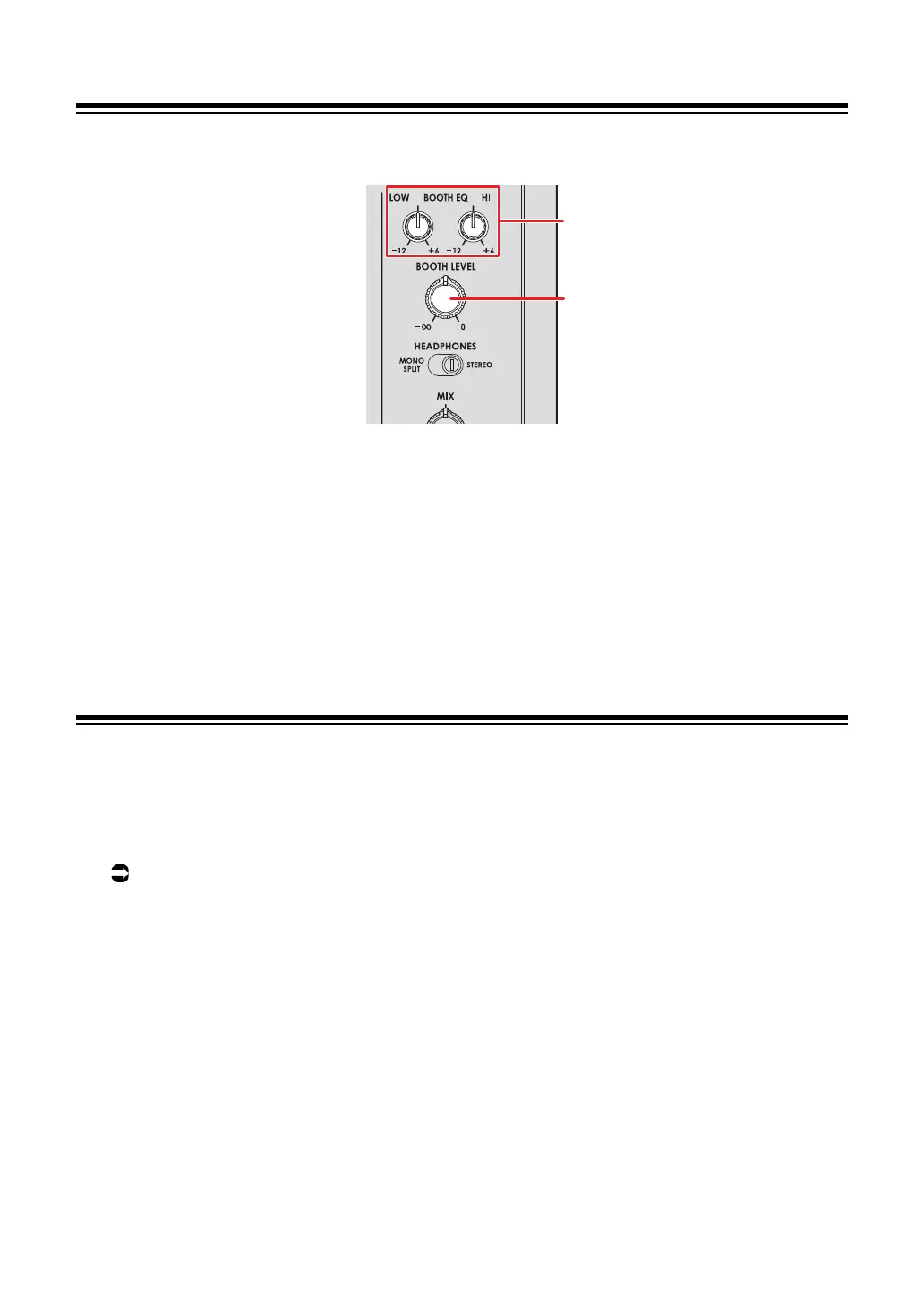
1. BOOTH EQ (LOW, HI) knobs
Adjusts the volume of each frequency band.
Each knob adjusts in the following range.
—[LOW]: -12 dB to +6 dB
—
[HI]: -12 dB to +6 dB
2.
BOOTH LEVEL knob
Adjusts the volume for the sound output to a booth monitor.
Using a booth monitor
1 Connect a booth monitor to the [BOOTH] terminals.
Read more: Connecting to the output terminals (page 22)
2 Turn the [BOOTH LEVEL] knob to adjust the volume for the
output sound.
3 Turn the [BOOTH EQ (LOW, HI)] knobs to adjust the sound.



 To Next Page