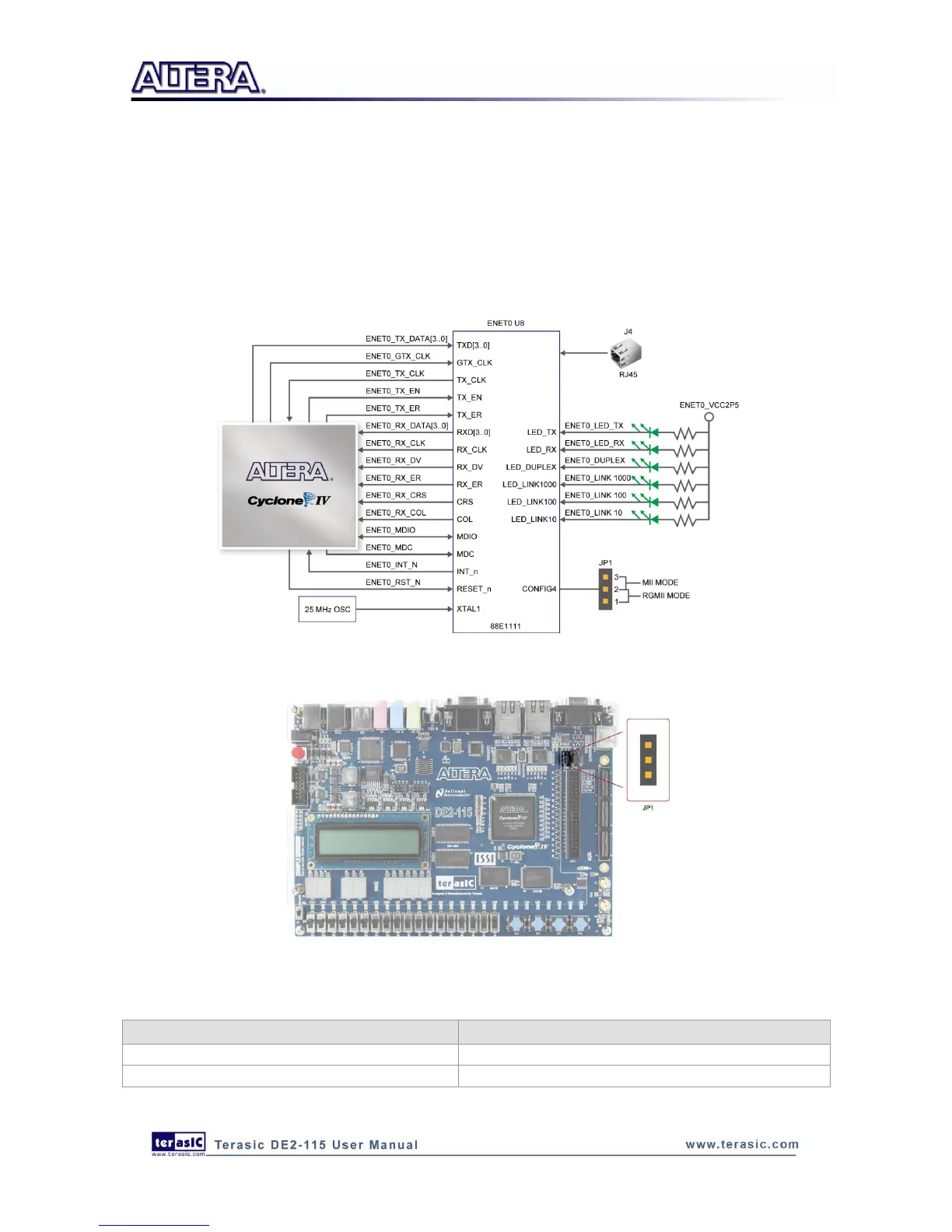
You will need to perform a hardware reset after any change for enabling new settings. Table 4-21
and Table 4-22 describe the working mode settings for ENET0 PHY (U8) and ENET1 PHY (U9)
respectively.
In addition, it is dynamically configurable to support 10Mbps, 100Mbps (Fast Ethernet) or
1000Mbps (Gigabit Ethernet) operation using standard Cat 5e UTP cabling. The associated pin
assignments are listed in Table 4-23. For detailed information on how to use the 88E1111 refers to
its datasheet and application notes, which are available on the manufacturer‟s website.
Figure 4-27 Connections between FPGA and Ethernet
Figure 4-28 Working mode setup header for Ethernet PHY
Table 4-21 Jumper Settings for Working Mode of ENET0 (U8)



 To Next Page