57
NOTE: In case of rain, rain sensor will close vent cover and stop fan. Once rain sensor dries, vent
cover will not open. It is possible to cancel this automatic closing feature using remote
control, please read the fan manual supplied to you at the dealership.
Manual operation of automatic model (while rain sensor is still wet)
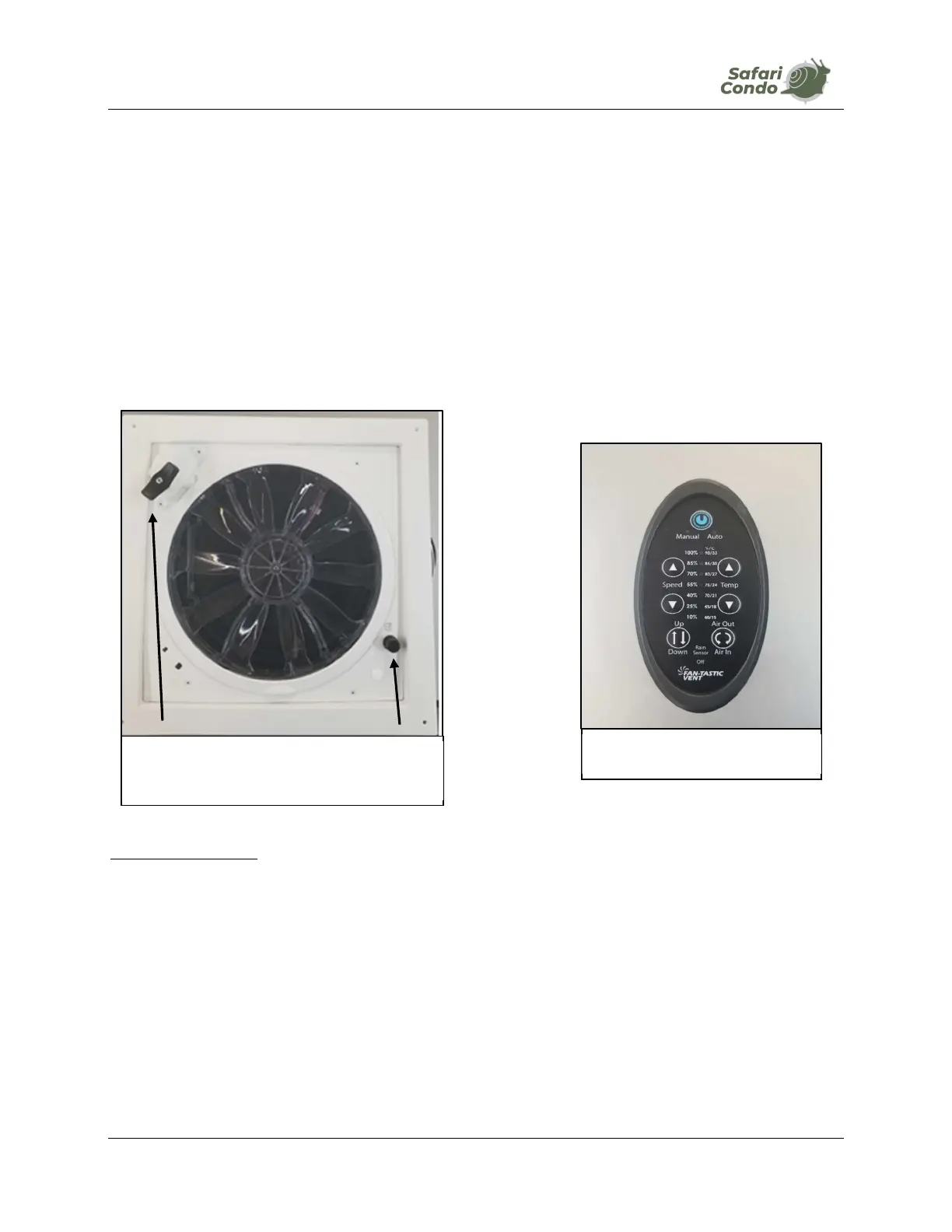
1. To open cover, turn crank slowly (photo K-11.1).
2. Select type of ventilation desired using remote control (photo K-12).
3. Set fan speed using remote control.
NOTE: If fan doesn’t work, check 4 A fuse (photo K-11.2) or 10 A fuse (photo H-2.1).
MaxxFan (optional)
1. Open roof vent mini-dome using button on frame or using remote control (photo K-14).
2. Choose type of ventilation, using remote control (photo K-14).
3. Set desired temperature. Fan will start or stop depending on temperature inside ALTO and
the temperature you have set. If Auto Mode is “On”, frame will show a green light.
4. In Auto Mode - green light on frame – cover may close to keep inside temperature as set.
The MaxxFan will not close automatically when it rains as it is designed to remain open during
rain and keep your ALTO dry. However, during violent rain and wind coming from the back of your
ALTO, it is recommended to close it or vent in “OUT” mode.
PHOTO K-12
Remote control
PHOTO K-11
1
2



 To Next Page