DE-3000 IOI 7-17
All rights reserved © ALTRONIC, LLC 2017
19
This screen indicates which digital outputs on the terminal board(s) are turned
on. In the above example, no outputs are currently turned on.
PRESS
VIEW
TERM. OUTPUT ENABLED
6
RUNNING
The above example shows digital output #6 on the terminal board is turned on.
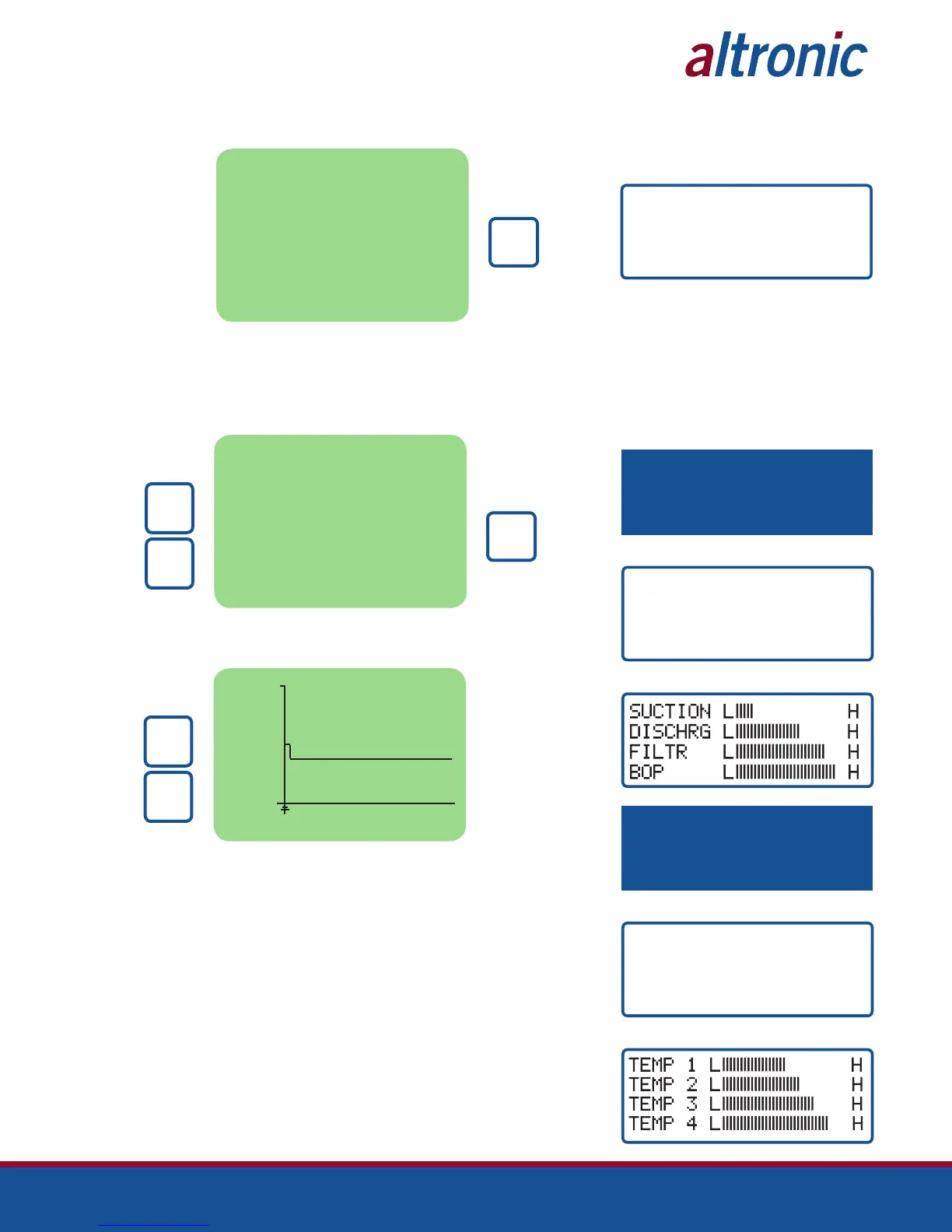
10.2 Pressing the VIEW key again presents a different screen depending on which dis-
play is being used. The 128x64 multi-color graphics display will show the screen
below. The 4x20 display will show the screen(s) at right.
SELECT CHANNEL FOR
GRAPHING MODE> 01
RUNNING
AFTER
SELECTION
PRESS
ENTER
PRESS TO
SELECT
CHANNEL
UNITS
↓
↑
UNITS
Use the UP and DOWN arrow keys to select which channel to graph. Only the analog
input channels may be selected. Press the ENTER key after a selection has been made.
100.0
0
CH02 55.1 PSIA
PRESS TO
SELECT
CHANNEL
UNITS
↓
↑
UNITS
New data is displayed on the left hand side and the oldest data is shown to the
right. New data will occur once per minute and makes the displayed information
‘move’ to the right hand side of the screen. The information is updated once per
minute allowing the user to view 90 minutes of past data on the screen.
Use the UP and DOWN arrow keys to graph other analog channels (including speed).
10.3 CLASSIC DISPLAY ONLY (NOTE: These screens are shown in right margin.)
The process information screens can be accessed from any of the home screens
(except the test home screen) or from the view channel screen by pressing the
VIEW key. There are six process screens: one, three and five each display up to
four user-programmed process variables; screens two, four and six display an
analog bargraph associated with the previous process variable screen. Thus, up to
12 process variables can be displayed both digitally and in bargraph format.
The analog values are monitored by a microprocessor on the terminal board and
are configured by using a PC and the terminal program. The bargraph end points
are set by the low and high setpoints of the safety shutdown function. Unused
channel screens will not be displayed.
TERM. OUTPUT ENABLED
6
NOTE: THE FOLLOWING SCREENS
DISPLAY THE FIRST GROUP OF FOUR
SELECTED ANALOG INPUTS IN DIGITAL
AND BARGRAPH FORM.
NOTE: THE FOLLOWING SCREENS
DISPLAY THE SECOND GROUP OF FOUR
SELECTED ANALOG INPUTS IN DIGITAL
AND BARGRAPH FORM.
TEMP 1 180 °F
TEMP 2 250 °F
TEMP 3 300 °F
TEMP 4 320 °F
PRESS “VIEW” FOR DIGITAL INFORMATION
PRESS “VIEW” FOR BARGRAPH SCREEN
PRESS “VIEW” FOR DIGITAL INFORMATION
SUCTION 22 PSIA
DISCHRG 100 PSIG
FILTR 10 PSIA
BOP 110 PSIG
PRESS “VIEW” FOR BARGRAPH SCREEN



 To Next Page