DE-3000 IOI 7-17
All rights reserved © ALTRONIC, LLC 2017
51
28.0
USB VIRTUAL COM PORT DRIVER INSTALLATION
Windows™ Operating Systems Supported: XP SP3, 7, 8, and 10
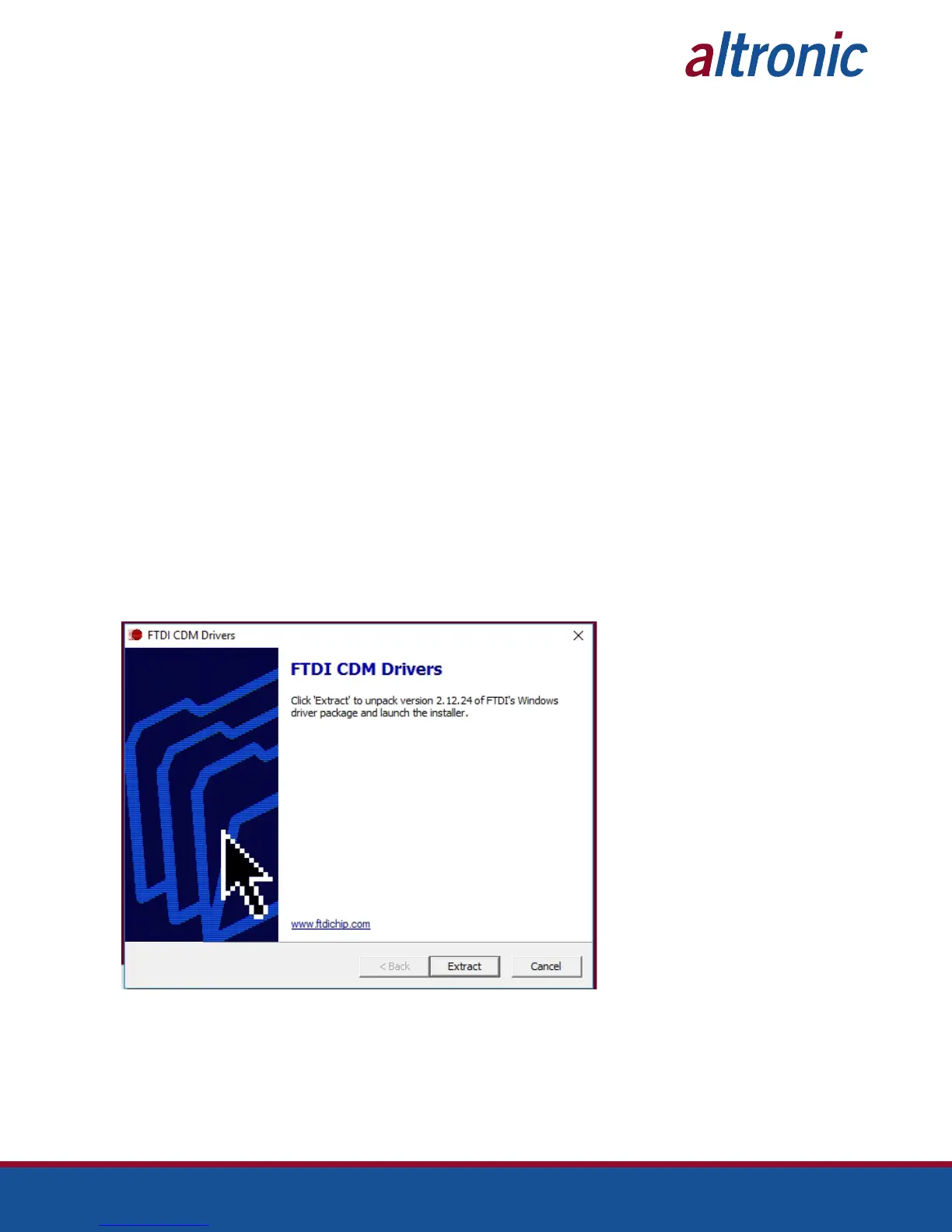
28.1 The Installation of the DE-3XXX Terminal Program has a routine that also installs
the “FTDI Chip CDM Drivers” that are updated for use with the latest versions of
Windows as noted in the title. The normal installation of the Terminal Program
will show these third party installation screens as shown starting in 28.2. Once
installed, the drivers should automatically be accessed when the Terminal Pro-
gram USB connection is made to the DE-3XXX.
If it should be necessary, you can uninstall the Virtual USB port drivers by fol-
lowing the directions in section 29.
In addition, you can “Update the Drivers” if you have acquired a newer FTDI
Chip CDM Driver, by following this same procedure.
Before installation:
•
Administrator access to the computer is required for this installation.
•
Make sure the device is NOT connected to the PC before proceeding.
28.2 (Skip this step if you are installing the DE-3XXX Terminal Program or follow this
step if you are reinstalling FTDI Chip CDM Drivers).
If you are not signed in to the computer on an administrator account, open the
CDM vX.XX.XX WHQL Certified file, right-click on it and select ‘Run as adminis-
trator’. When asked if you would like it to make changes to the computer, click
‘Yes’. This file can be found at:
C:\Altronic LLC\Altronic DE-3000 Terminal Program Vx.x\CDMxxxxx_SETUP
28.3 When the FTDI driver package opens, the following screen will appear. Click
‘Extract’.



 To Next Page