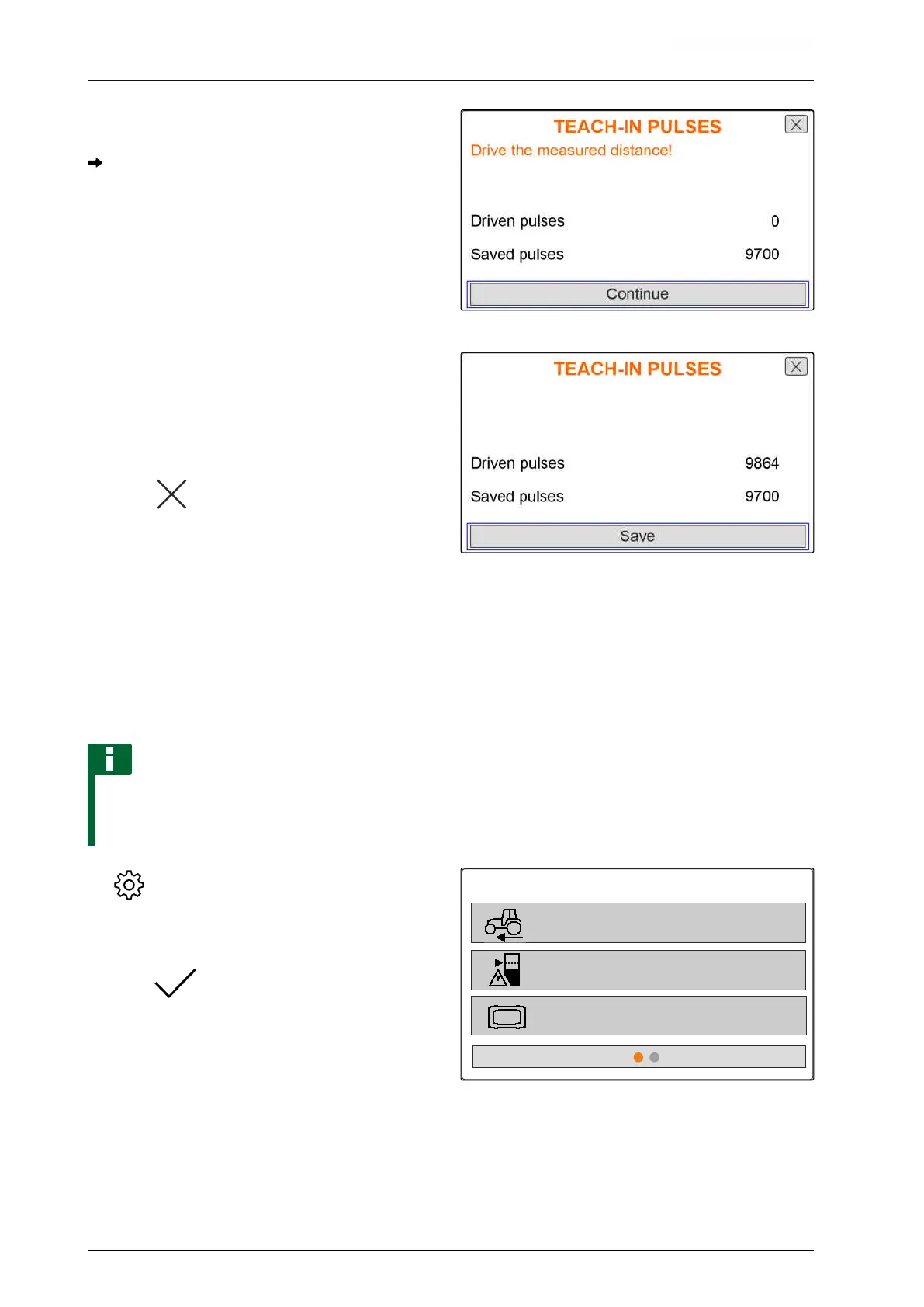
5. Drive to the end point.
The "Driven pulses" will be counted.
6. Select "Continue".
CMS-I-00005019
7. To accept the value,
select "Save"
or
To discard the value,
select .
CMS-I-00005020
7.1.3 Entering the simulated speed
To control electric metering drives, a speed signal is
required. If no speed signal is available, the simulated
speed can be used.
NOTE
The simulated speed must be maintained during
operation. When a speed signal is detected, the
simulated speed will be deactivated.
1. Call up "Implement" menu.
2. Select "Speed".
3. press .
IMPLEMENT
Speed
Low level and rate control
Terminal
CMS-I-00006087
CMS-T-00008861-A.1
7 | Adjusting the implement
Configuring the source for the speed signal
MG7387-EN-II | B.1 | 12.01.2022
22










 To Next Page