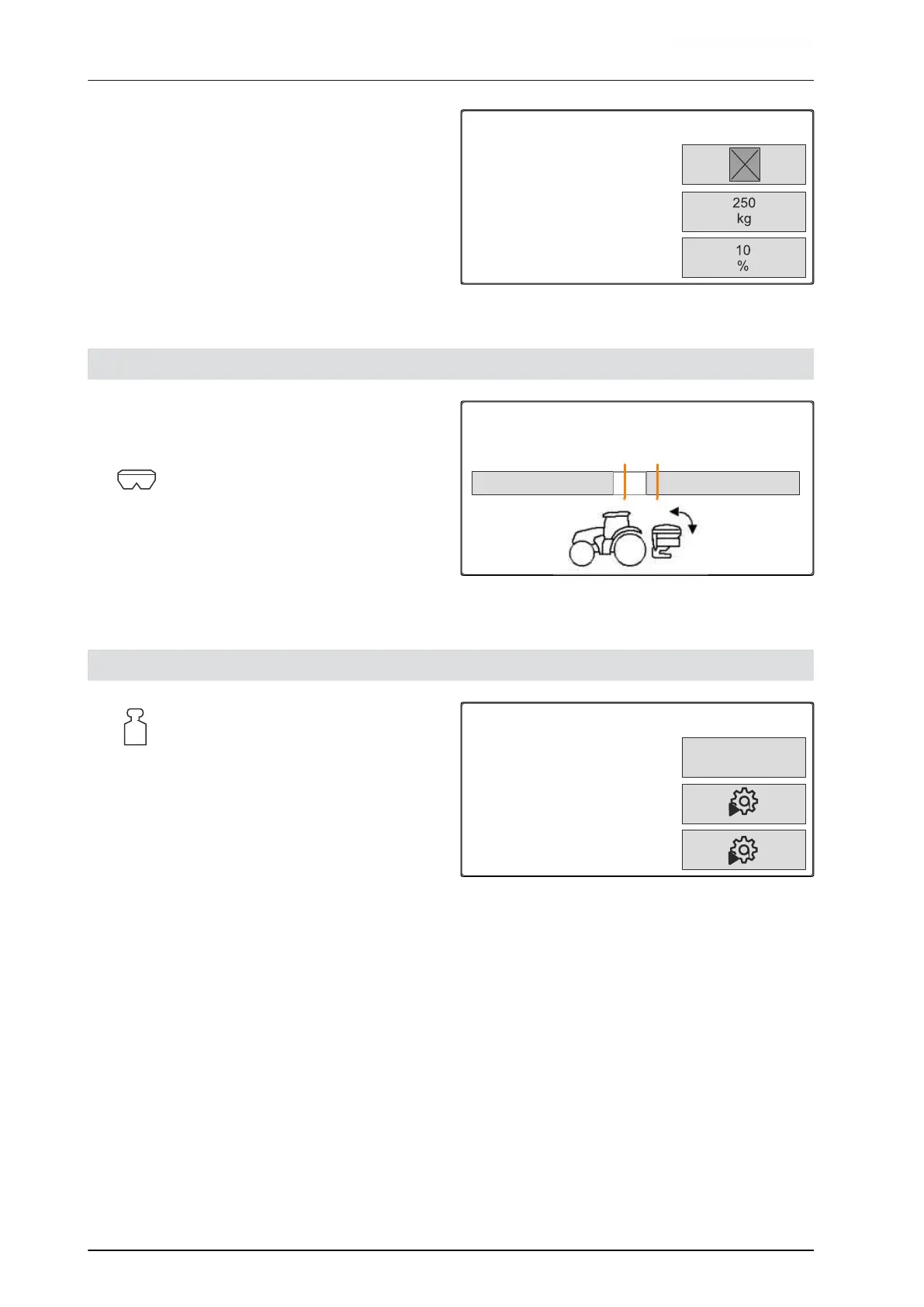
3. Enter the "Rate increment" for the percent change
in the spread rate.
LOW LEVEL
Notification when hopper
empty
Fill level alarm limit
Quantity increments
CMS-I-00006089
7.4 Aligning the implement horizontally
If the implement is equipped with a tilt sensor, the
hopper can be aligned horizontally to the ground.
1. Call up the "Hopper" menu.
2. Select "Tilt".
3. Align the implement using the top link so that the
lines frame the white area.
TILT
Position spreader horizontally
CMS-I-00006092
7.5 Select method for determining the calibration factor
1.
Call up the "Scale" menu.
2. Select "Settings".
3. To constantly determine the calibration factor
while spreading,
select "Automatic (online)" under "Working
weighing method"
or
To determine the calibration factor with a
calibration run when beginning spreading
operation,
select "Manual".
SCALE
Weighing procedure work
Tare the scale
Adjust the scale
Automatic
(online)
CMS-I-00006094
CMS-T-00008252-A.1
CMS-T-00008253-B.1
7 | Adjusting the implement
Aligning the implement horizontally
MG7387-EN-II | B.1 | 12.01.2022
24








 To Next Page