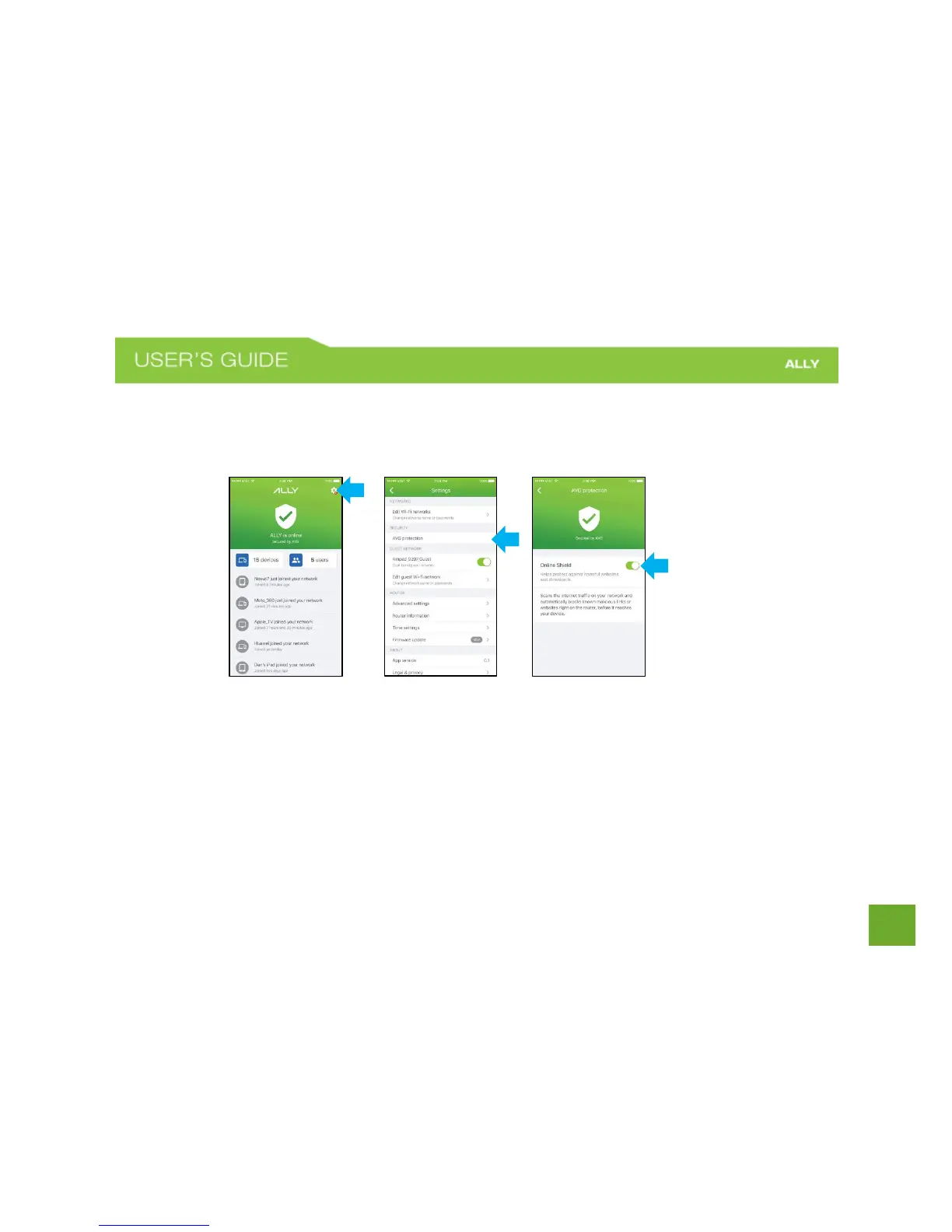
AVG protection
AVG protection helps you protect the devices on your network from malware and phishing attacks by blocking
harmful websites
To enable AVG protection:
a) On the Home screen, tap the gear icon in the upper-right corner to open the Settings menu.
b) Under the Security section, tap AVG protection.
c) Toggle the Online Shield switch to turn on.
You can turn off AVG protection at any time by following the same steps.















 To Next Page