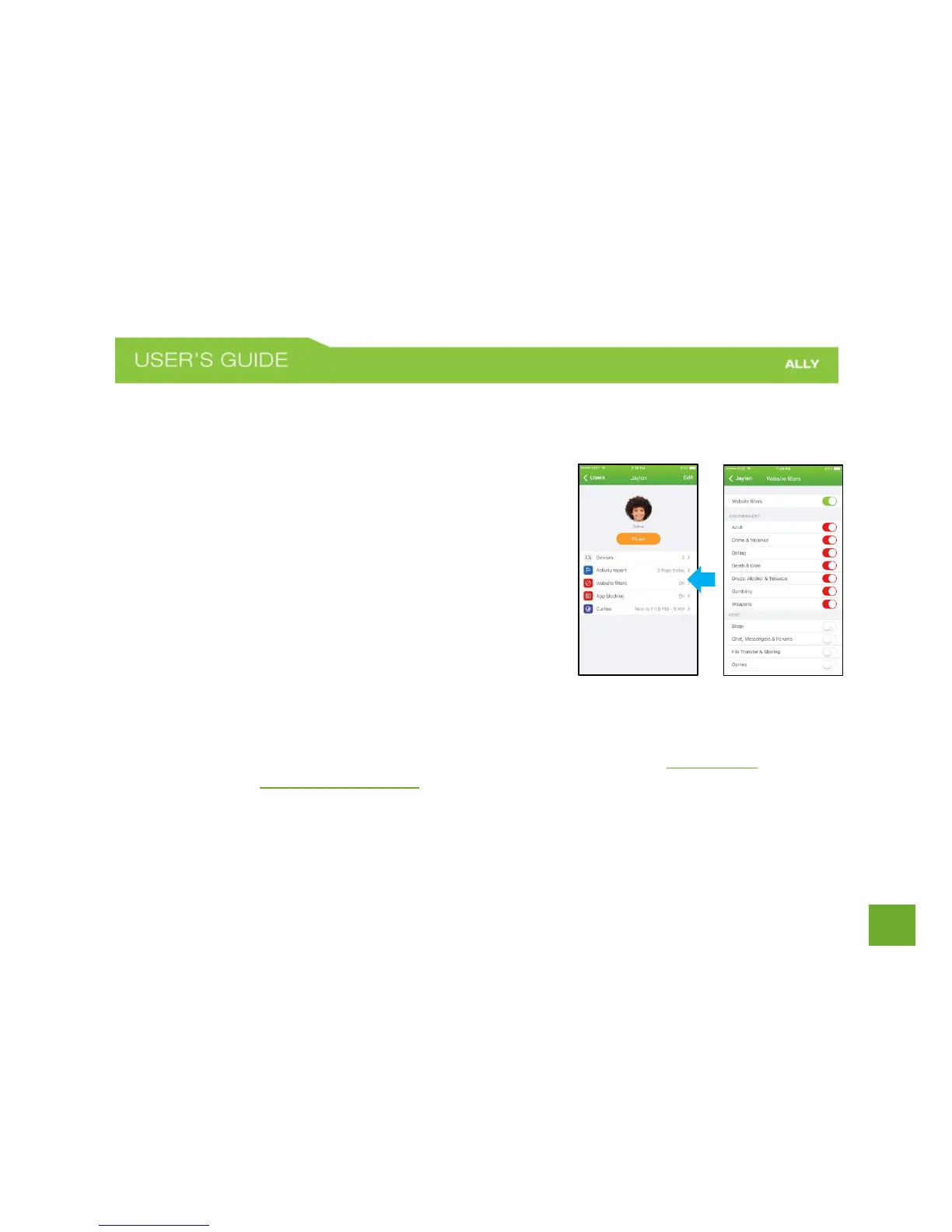
Website Filters
Website Filters let you set limits on what each family member can see and access online by filtering out
content and blocking specific websites.
To set Website Filters
a) On the User Profile screen, tap Website Filters.
b) Toggle the Website Filters switch to turn on.
c) Switch toggles on to filter out content. Switch toggles
off to allow content.
You can tap on a category to read a category
description.
d) Tap the Back button when finished.
To Block a specific website
a) On the Website Filter screen, tap Block a Website.
b) Enter the domain of the site that you want to block.
You can only enter domain names and not URLs. For example, www.xyz.com instead of
http://xyz.com/category.















 To Next Page