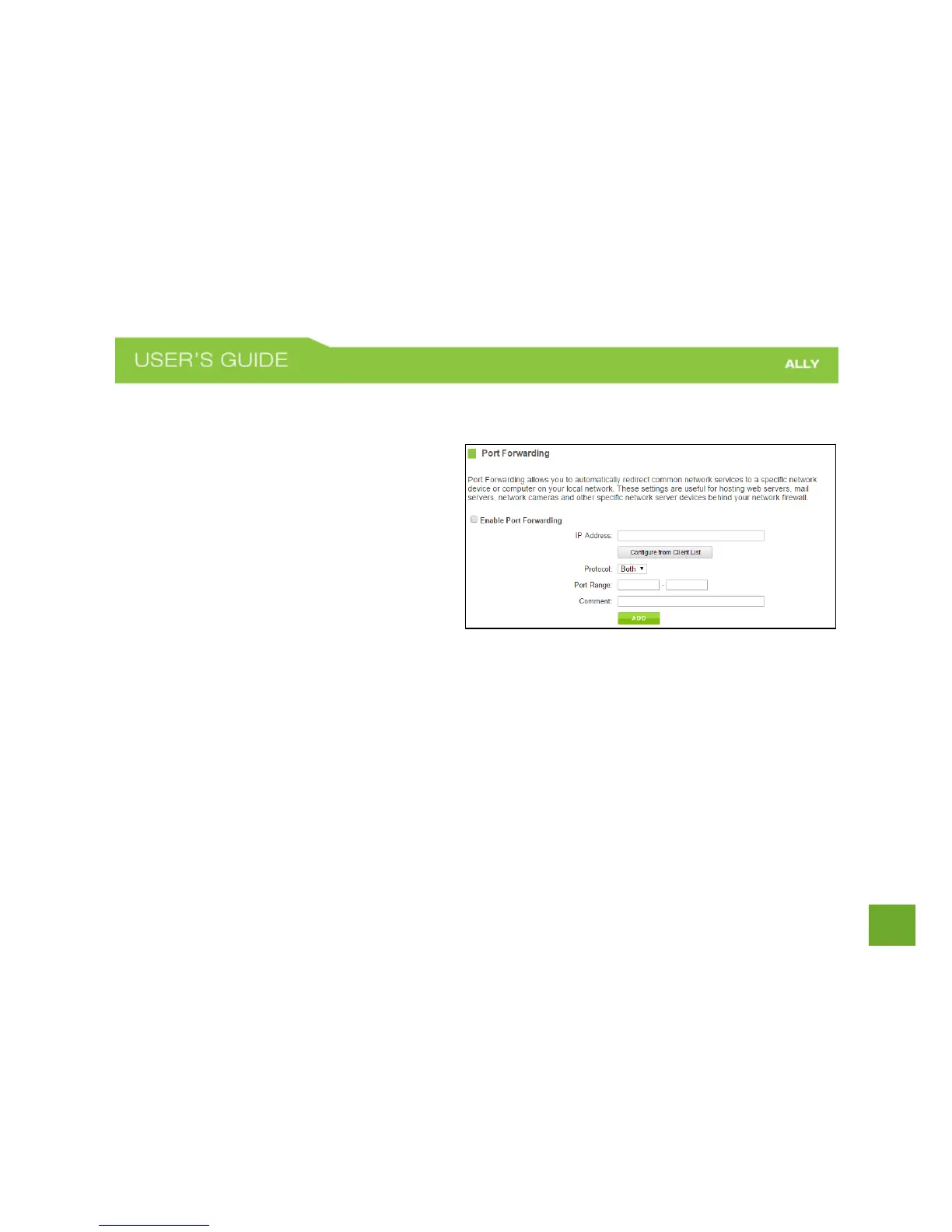
Firewall Settings: Port Forwarding
Port Forwarding is a rule that tells the Router that
if a specific type of request comes in on a specific
port, then that request should be forwarded to a
specific device on the private network.
Port Forwarding is often used for setting up
servers, cameras and other devices that require
remote access.
Enable Port Forwarding: Enables designated ports
to begin forwarding.
IP Address: The IP address of the device behind the Firewall that is being designated for Port Forwarding.
Protocol: Select UDP, TCP or Both for the protocols to be forwarded.
Port Range: Select a range of ports for the designated IP address that you wish to be forwarded.
Comment: Create a name that you can use to easily identify this Port Forwarding entry.















 To Next Page