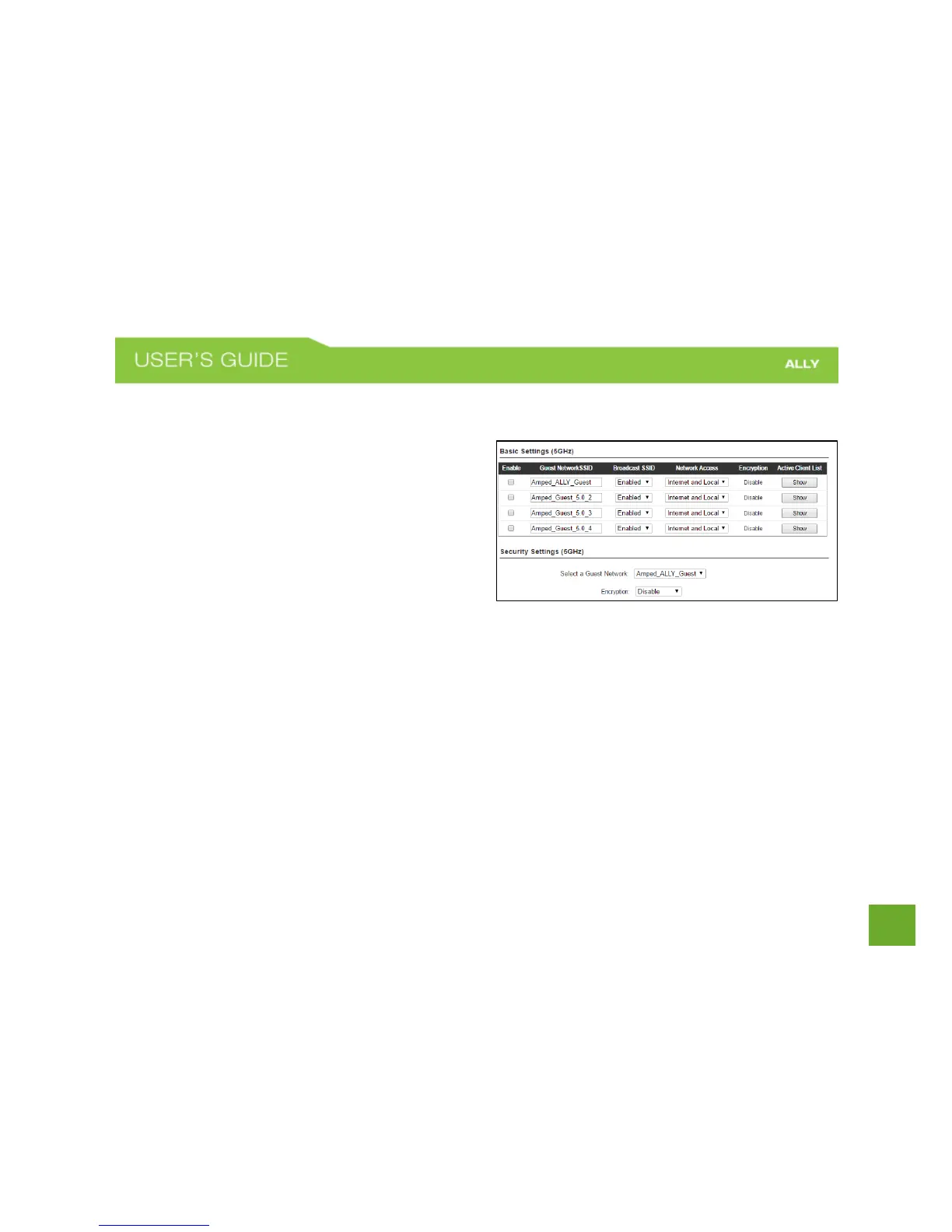
Wi-Fi Settings: Guest Networks (5.0GHz)
Click “Enable” to create a Guest Network. Guest
Networks provide a separate wireless network, with
unique settings for users to connect to.
SSID: This is the name of your Guest Network.
Broadcast SSID: Disable to hide your SSID from public
view. Users will need to manually enter the SSID into
their wireless software interface to connect.
Network Access: Restrict users connecting to your
Guest Network to Internet access only or both local network and Internet access.
Active Client List: View all computers and network devices that are connected to your Guest Network
wirelessly.
Security Settings: Change the type of wireless security settings for your Guest Networks by selecting the
specific Guest Network SSID from the drop down menu.
Encryption: Select the encryption type for your Guest Network.
Pre-Shared Key: The password for your Guest Network. This is the key used by devices connecting to your
Guest Network.















 To Next Page