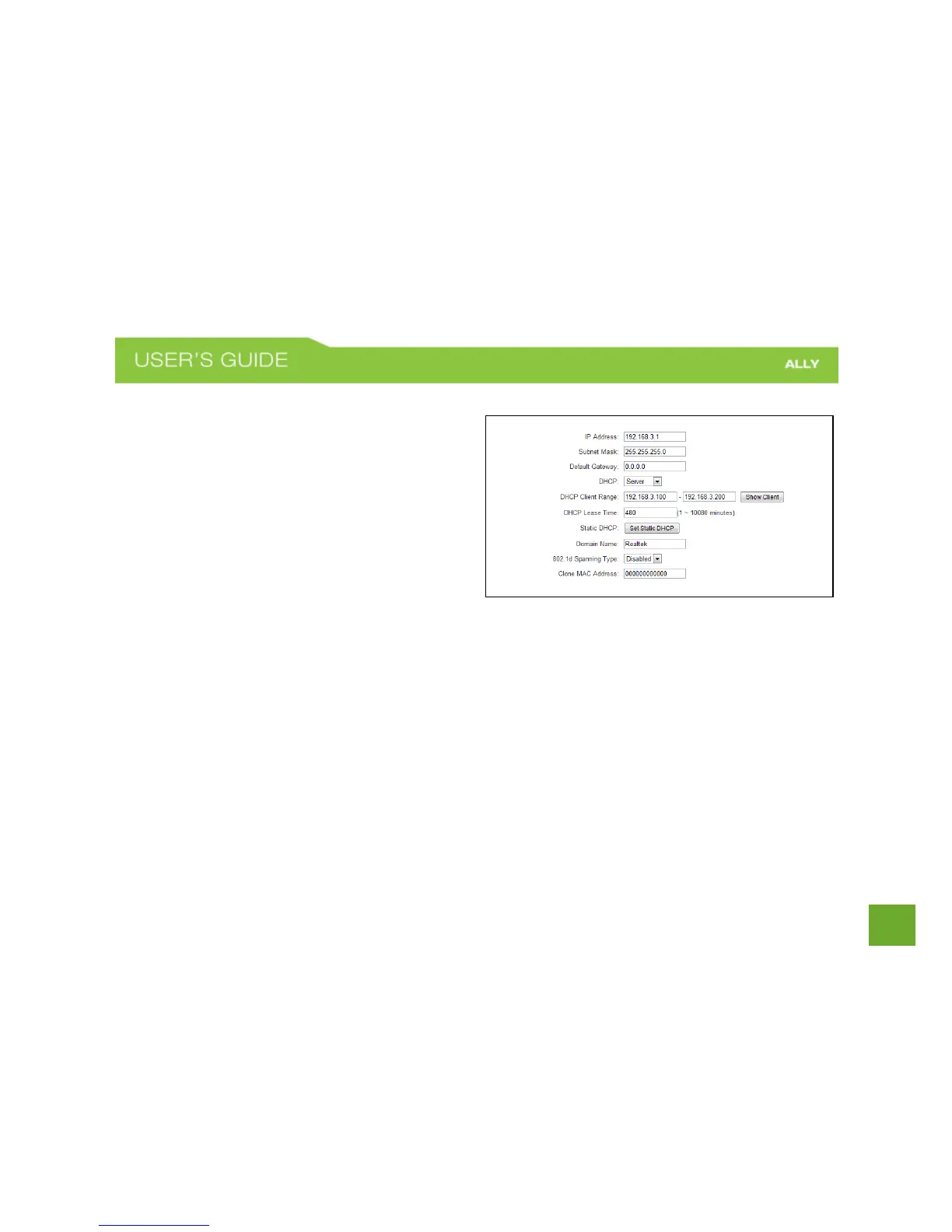
Network Settings: Local Network (LAN)
These settings are for your local network only and do
not apply to your Internet / ISP connection.
IP Address: The IP address of the Router.
Subnet Mask: The subnet of the Router.
Default Gateway: The access point to another network.
DHCP: Each network device on your local network will
have its own IP Address. The DHCP server
automatically assigns the IP addresses to each device connected to your network. Disabling DHCP will require
that each device on your network be assigned a manual or static IP address.
DHCP Client Range: The range of IP addresses provided by the DHCP server is defined by this field. You can
limit how many IP addresses are used in your network by setting a smaller or larger range.
DHCP Lease Time: The amount of time each device is given a specific IP is decided by the DHCP lease time.
After the Lease Time expires, the DHCP server will assign another IP address to the device.















 To Next Page