Chapter 2 — Instrument Overview 2-6 Secondary Function Menus
MS272xB + MS8911B UG PN: 10580-00175 Rev. N 2-7
2-6 Secondary Function Menus
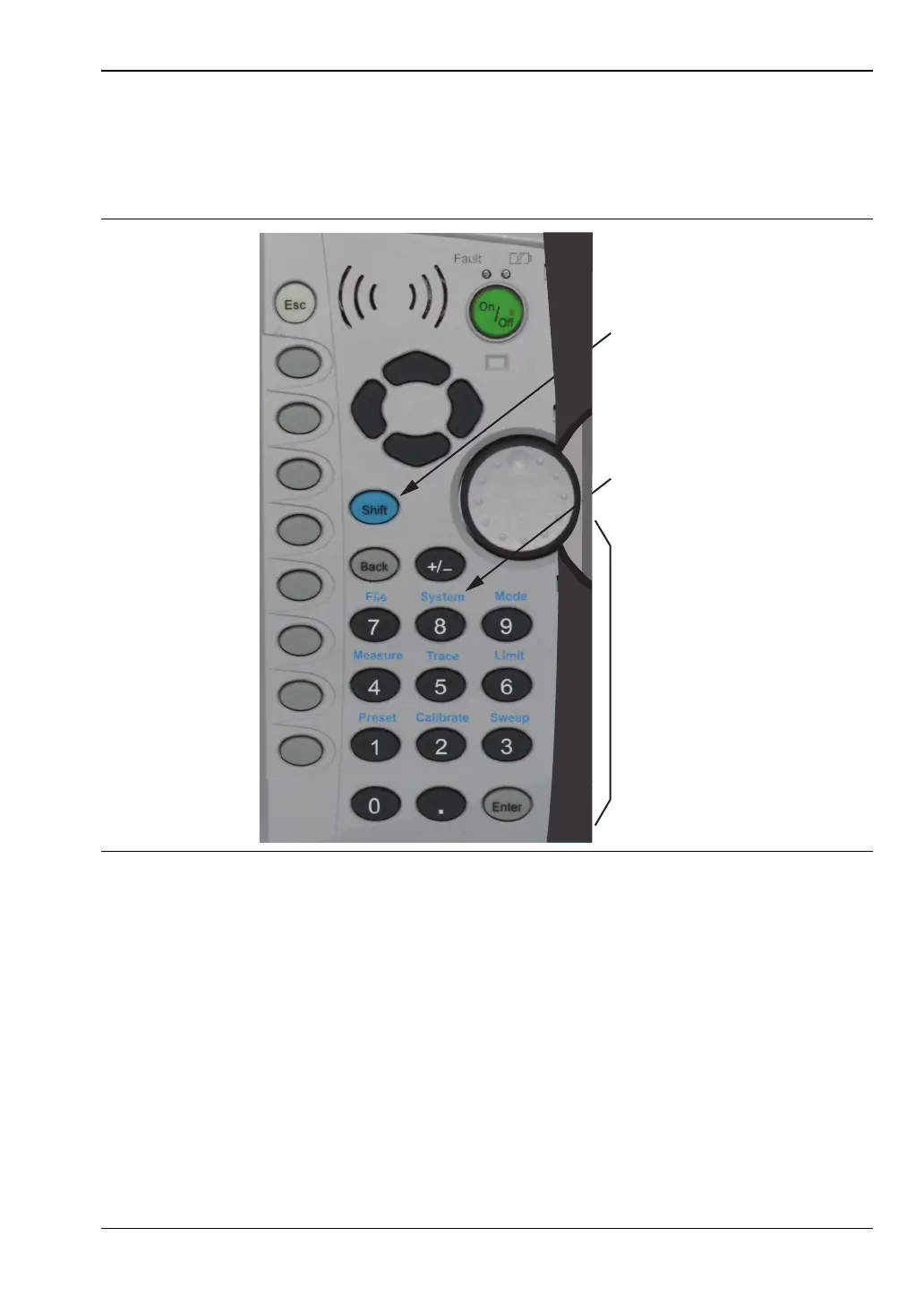
Pressing the Shift key and then a number key selects the menu function that is printed in
blue characters above the number key. The instrument that is shown in Figure 2-5 has
controls that are identical to those on the Spectrum Master MS272xB.
Not all Secondary Function Menus are active in all operation Modes. If any one of these
9 menus is available in a specific instrument Mode of operation, then it can be called from the
number keypad. It may also be available from a main menu key or a submenu key. The
Secondary Function Menus are: Preset (1), Calibrate (2), Sweep (3), Measure (4), Trace (5),
Limit (6), File (7), System (8), and Mode (9).
2-7 Display Overview
Typical measurement displays are shown for the basic Spectrum Analyzer mode of the
MS272xB. Note that the images shown in this manual may be different from any images that
are displayed on your Spectrum Master.
Figure 2-5. Keypad and Secondary Function Menus
Shift
Key
Number
Keypad
Secondary
Menu
Function
“System (8)”














 To Next Page