Chapter 3 — Quick Start Guide 3-9 Selecting a Measurement Type
MS272xB + MS8911B UG PN: 10580-00175 Rev. N 3-11
3-9 Selecting a Measurement Type
1. Change the measurement mode (if required). Press Shift then Mode (#9).
2. Select the measurement type. Press Shift then Measure (#4). Select the appropriate
measurement type with the submenu key.
3-10 Saving Measurements
1. Press Shift then File (7).
2. Press the Save Measurement submenu key.
3. Use the submenu keys and number keypad to enter a filename.
4. Press the Change Save Location submenu key and set the current location to be the USB
flash drive or internal memory, and then press Set Location.
5. Press Change Type (Setup/JPG/…) if you decide to save Limit Lines or the setup.
6. Press Enter to save.
You can also press the Save submenu key and use the Change Type submenu key to select
Measurement.
Refer to Chapter 4, “File Management” for additional information. File management in
ISDB-T SFN mode differs from all other modes (refer to Chapter 5, “File Management—
ISDB-T SFN”).
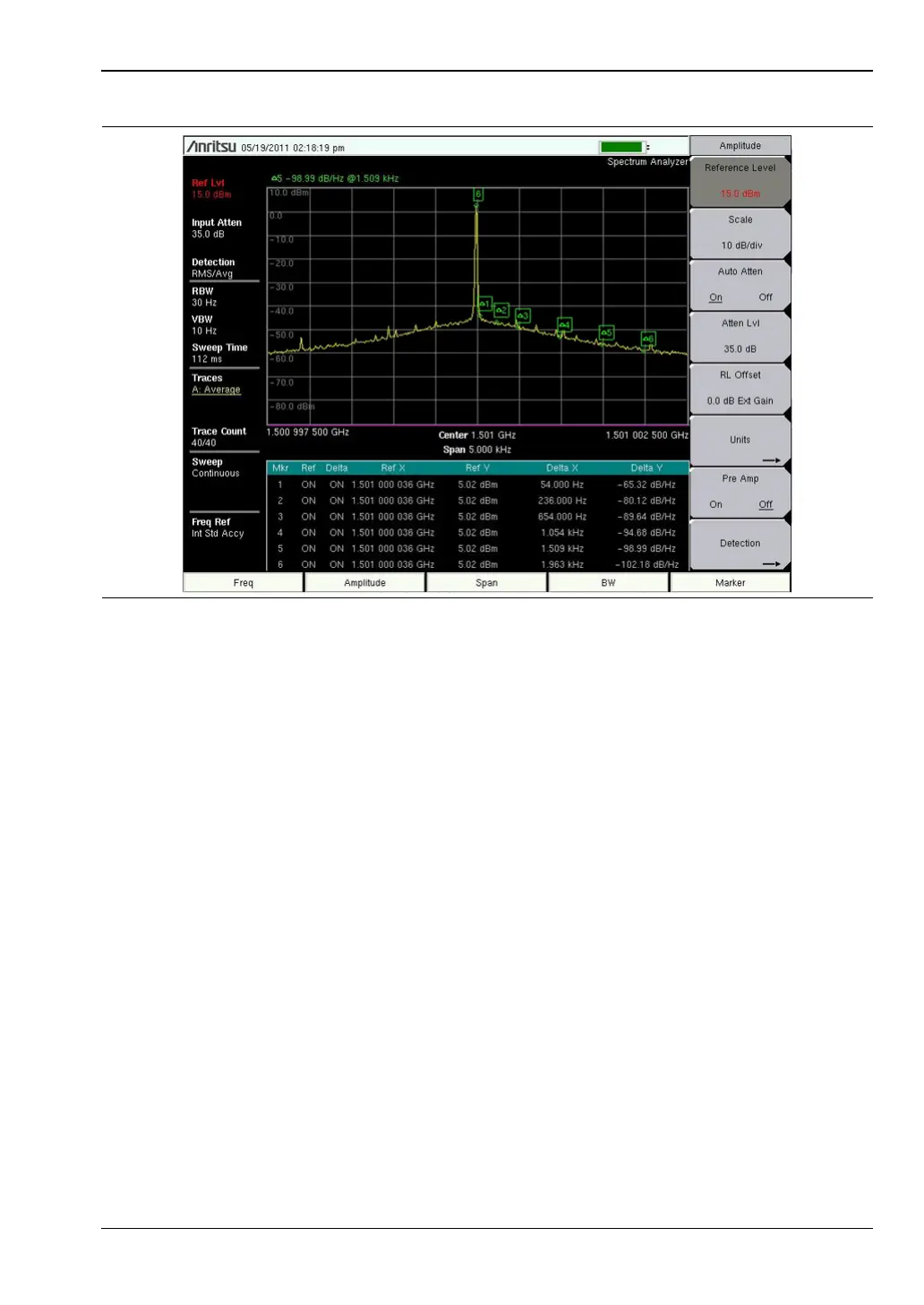
Figure 3-3. Six Noise Markers














 To Next Page