Chapter 6 — System Operation 6-4 Preset Menu
MS272xB + MS8911B UG PN: 10580-00175 Rev. N 6-7
6-4 Preset Menu
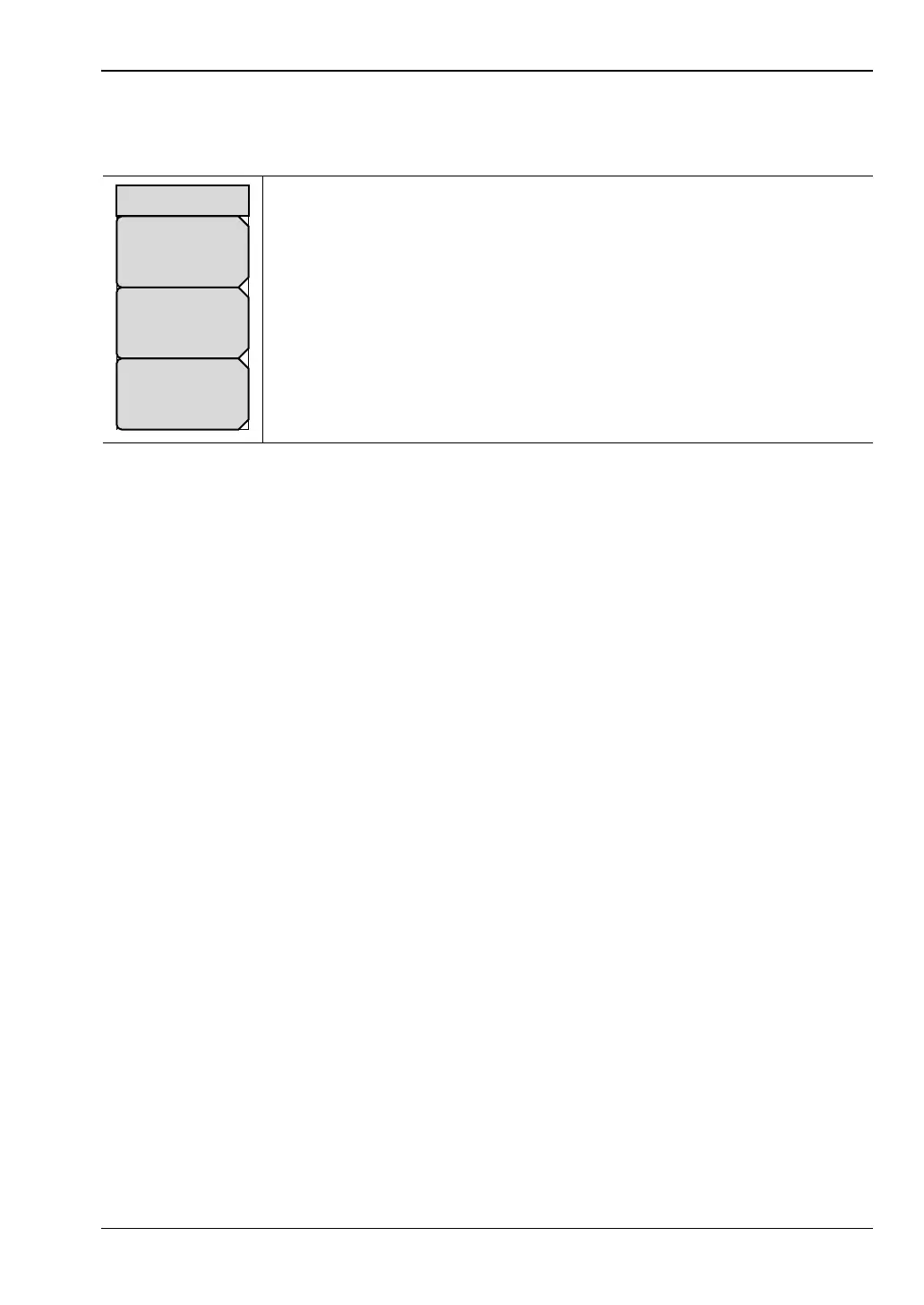
Key Sequence: Shift, Preset (1)
6-5 Self Test
The Spectrum Master takes approximately sixty seconds to complete power-up and to load
the application software. A Power On test checks battery power and the Real Time Clock. At
the completion of this process, the instrument is ready to be used. This Power On test is
separate from the Self Test, as described in Section 6-3 “System Menu” on page 6-2.
To initiate a Self Test when the system is already powered up:
1. Press the Shift key and then the System (8) key.
2. Press the Self Test submenu key. The Self Test results are displayed.
Press the Esc key to continue.
Preset: This key resets the instrument to the default starting conditions.
Save Setup: Opens the Save dialog box to name and save the current
operating settings, allowing them to be recalled later to return the instrument
to the state it was in at the time the setup was saved.
Recall Setup: This key allows the selection and recall of a previously stored
instrument setup. All current instrument settings are replaced by the stored
setup information.
Figure 6-8. Preset Menu
Recall
Setup
Preset
Save
Setup
Preset








 To Next Page