Chapter 5 — File Management— ISDB-T SFN 5-4 File Menu
MS272xB + MS8911B UG PN: 10580-00175 Rev. N 5-5
5-4 File Menu
Key Sequence: File (7)
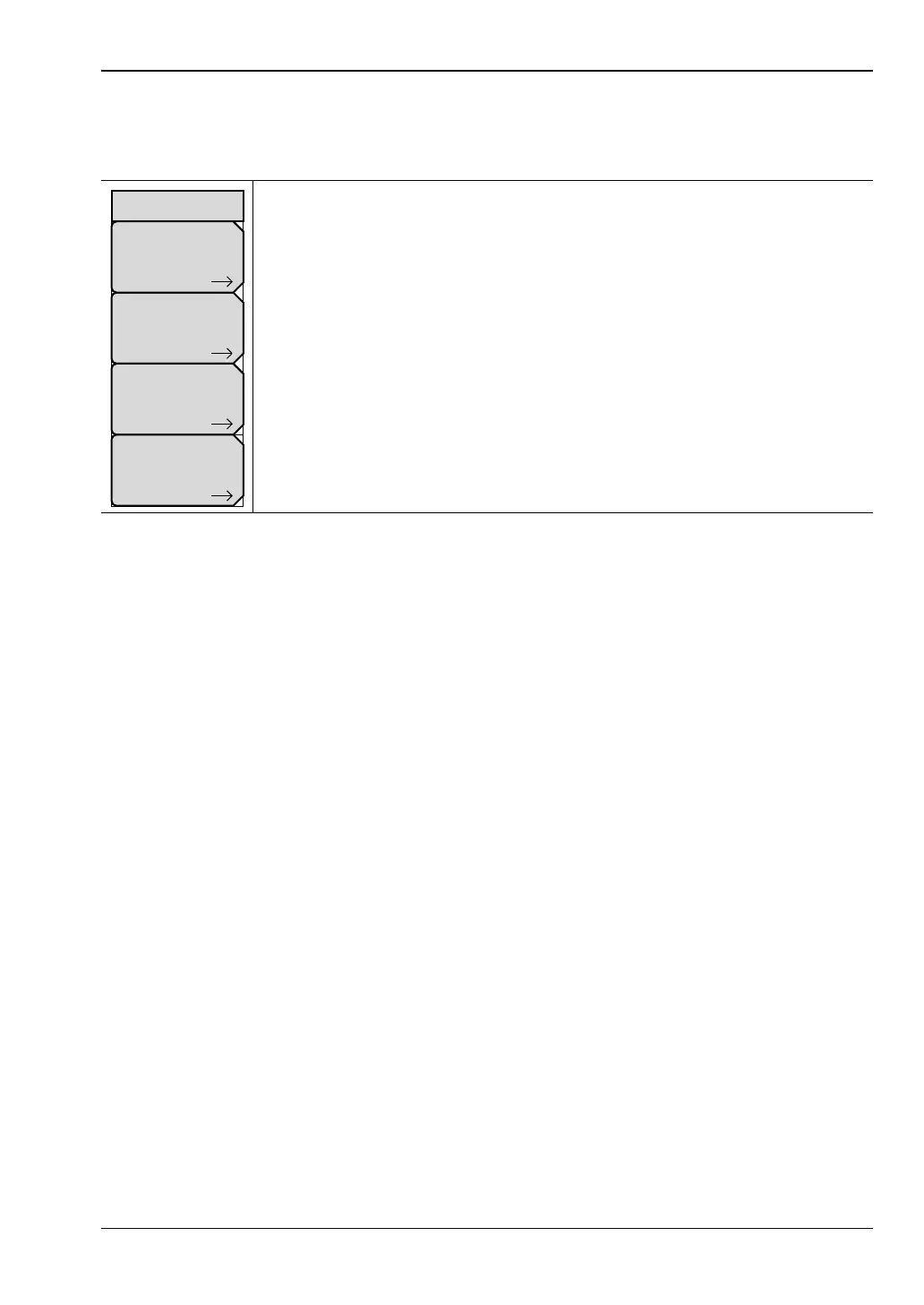
Save: Press this submenu key to display the “Save Menu” on page 5-6. Files
can be saved to internal memory, to a USB flash drive, or to a Compact Flash
Card. The destination is set in the “Directory Management Menu”. The saved
setup file or JPEG file can be named by using the text entry menu (refer to
section “Text Entry” on page 2-9).
Note: ISDB-T SFN measurements cannot be saved in this menu. Save
measurements by pressing the Save Files main menu key.
Recall: Press this submenu key to display the “Recall Menu” on page 5-8.
Delete: Press this submenu key to display the “Delete Menu” on page 5-9
and a selection box that shows all stored files in the currently selected
location (refer to “Directory Management Menu” on page 5-10).
Directory Management: Press this submenu key to display the
“Directory Management Menu” on page 5-10).
Figure 5-2. File Menu
File
Recall
Save
Delete
Directory
Management








 To Next Page