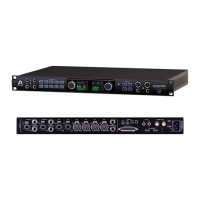
16 Analog Out + 16 Optical In I/O Module
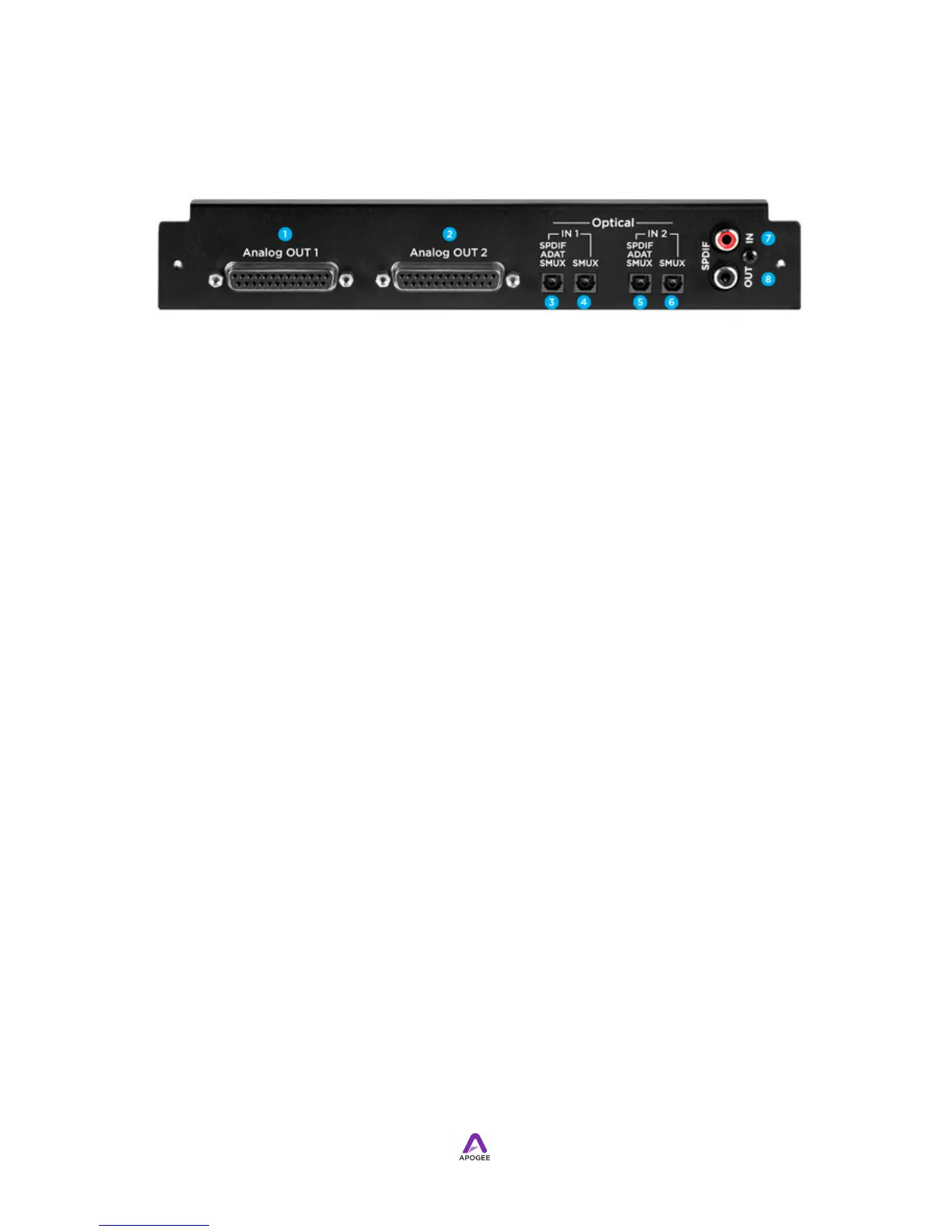
1. Analog OUT 1 - This DB-25 connector provides analog balanced line level outputs
1-8. The connector is wired to the "Tascam" 8 channel format. The hex screw (to
secure mating connectors) accepts a 4-40 threaded thumbscrew. See Analog OUT
Pinout for detailed wiring information.
2. Analog OUT 2 - This DB-25 connector provides analog balanced line level outputs
9-16, with similar characteristics to the Analog OUT 1 connector.
3. Optical IN 1 S/PDIF-ADAT-SMUX -This Toslink connector accepts optical inputs
1-8 in S/PDIF, ADAT or SMUX format. When optical format is set to SMUX, this
Toslink connector accepts channels 1-4 of the SMUX input stream.
4. Optical OUT 1 SMUX - When optical format is SMUX, this Toslink connector
accepts channels 5-8 of the SMUX input stream.
5. Optical OUT 2 S/PDIF-ADAT-SMUX -This Toslink connector accepts optical inputs
9-16 in S/PDIF, ADAT or SMUX format. When optical format is set to SMUX, this
Toslink connector accepts channels 9-12 of the SMUX inpuput stream.
6. Optical OUT 2 SMUX - When optical format is SMUX, this Toslink connector
accepts channels 13-16 of the SMUX input stream.
7. S/PDIF IN - This coaxial RCA (Cinch) connector accepts a S/PDIF stereo input.
Routing of the S/PDIF input is set with the S/PDIF Replaces drop down menu, found
in Maestro’s Input tab window.
8. S/PDIF OUT - This coaxial RCA (Cinch) connector provides a S/PDIF stereo output.
Routing of the S/PDIF Output is set with the S/PDIF Mirrors drop down menu, found
in Maestro’s Output tab window.


 To Next Page