Configuration Settings in Apple GarageBand
!
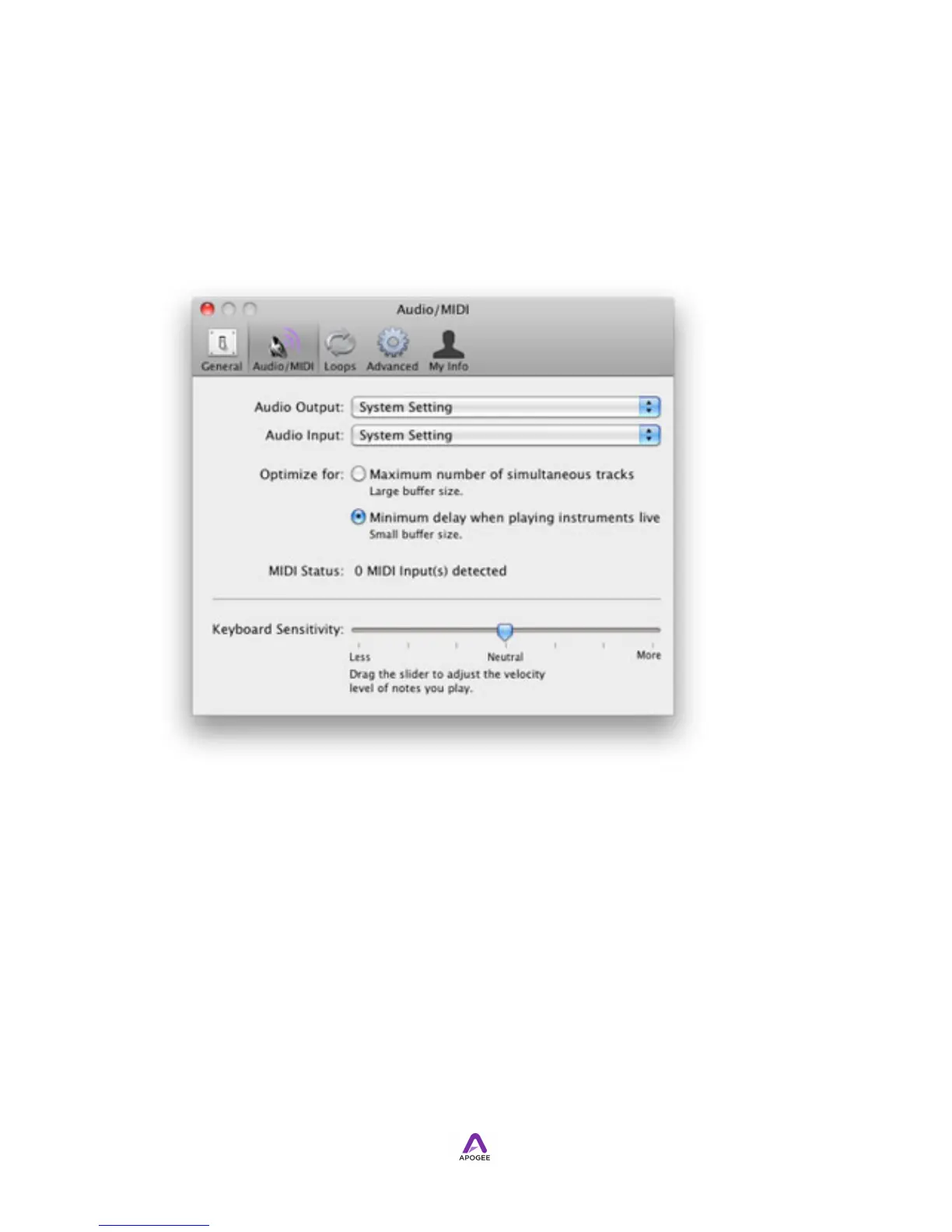
1. In GarageBand, choose GarageBand > Preferences.
2. In the Preferences pane, click Audio/MIDI.
3. Select Symphony64 in the Audio Output and Audio Input drop down menus.
4. Show the Track Info pane by double-clicking the track icon, then click Real
Instrument.
5. At the bottom of the pane, set the Input Source to the desired Symphony I/O
input (or input pair).
6. Set Monitor to On.
!


 To Next Page