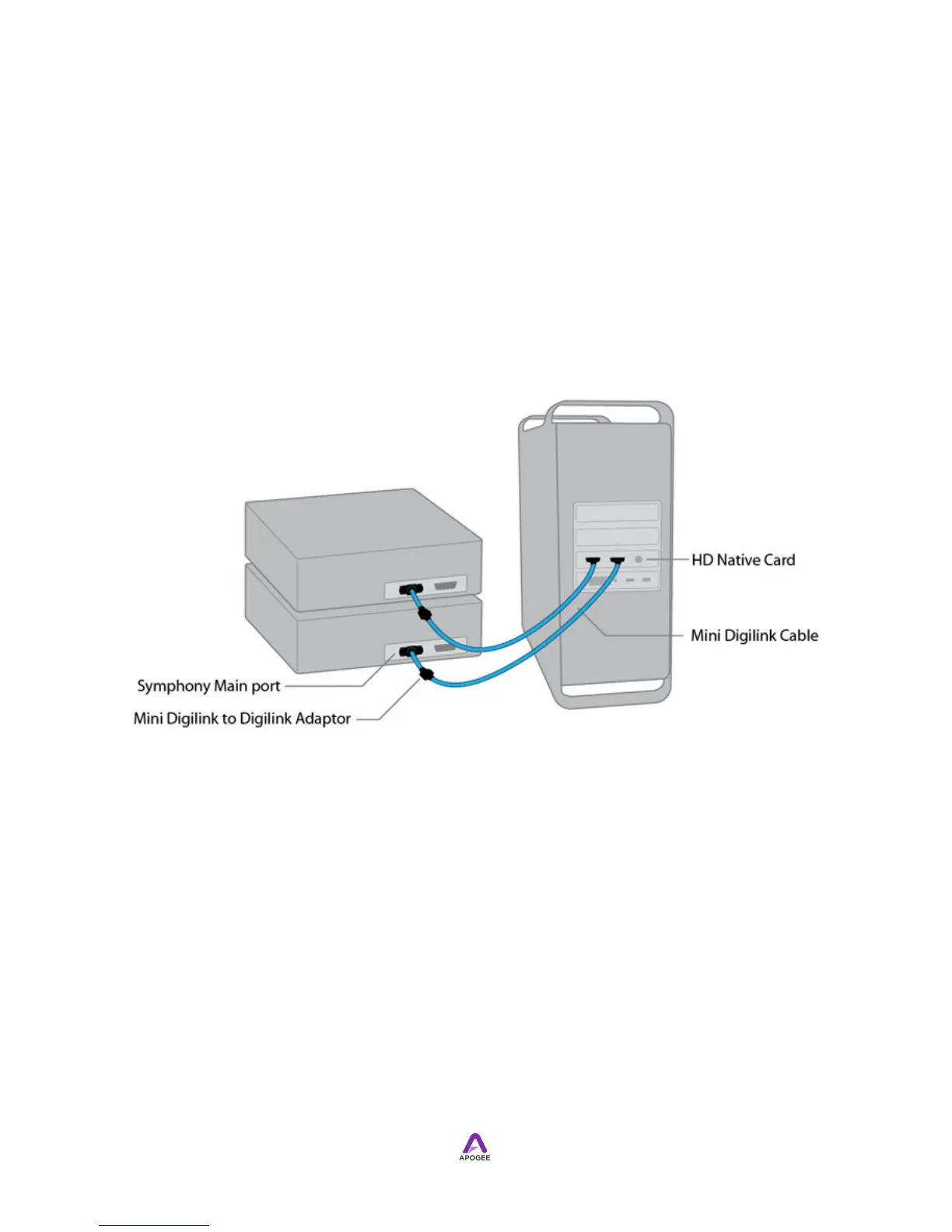
Connecting to Pro Tools HD Native cards
!
When Symphony I/O's Audio Interface Mode is set to Pro Tools HD, one (1) Symphony
I/O with up to 32 channels of input and output may be connected to each port of a Pro
Tools HD Native PCI card. Connect one end of an Apogee PC-32 (or Avid DigiLink)
multichannel cable to the Symphony I/O Main port and the other end to Port 1 of the
HD Native PCI Core card. Connect a second Symphony I/O to Port 2.
!
PC-32 cable lengths of up to 30 meters between the Mac and Symphony I/O are
supported at sample rates of 44.1-96 kHz. Lengths up to 5 meters are supported at
sample rates of 176.4-192 kHz.
Symphony I/O Release 3 - The connection of one Symphony I/O per Pro Tools HD Core
(or HD Accel Core) is currently supported. The connection of multiple units, including
Avid 192 I/Os, X-HD-equipped AD16Xs, DA16Xs and Rosettas, will be supported in a
future Symphony I/O update.
!
Apogee Maestro Software Control via USB
!
A USB connection between Symphony I/O and an Intel Mac provides the link between
Apogee Maestro software and Symphony I/O. See Connecting to a Mac's USB Port for
details.
Connecting to a Mac’s USB Port
!



 To Next Page