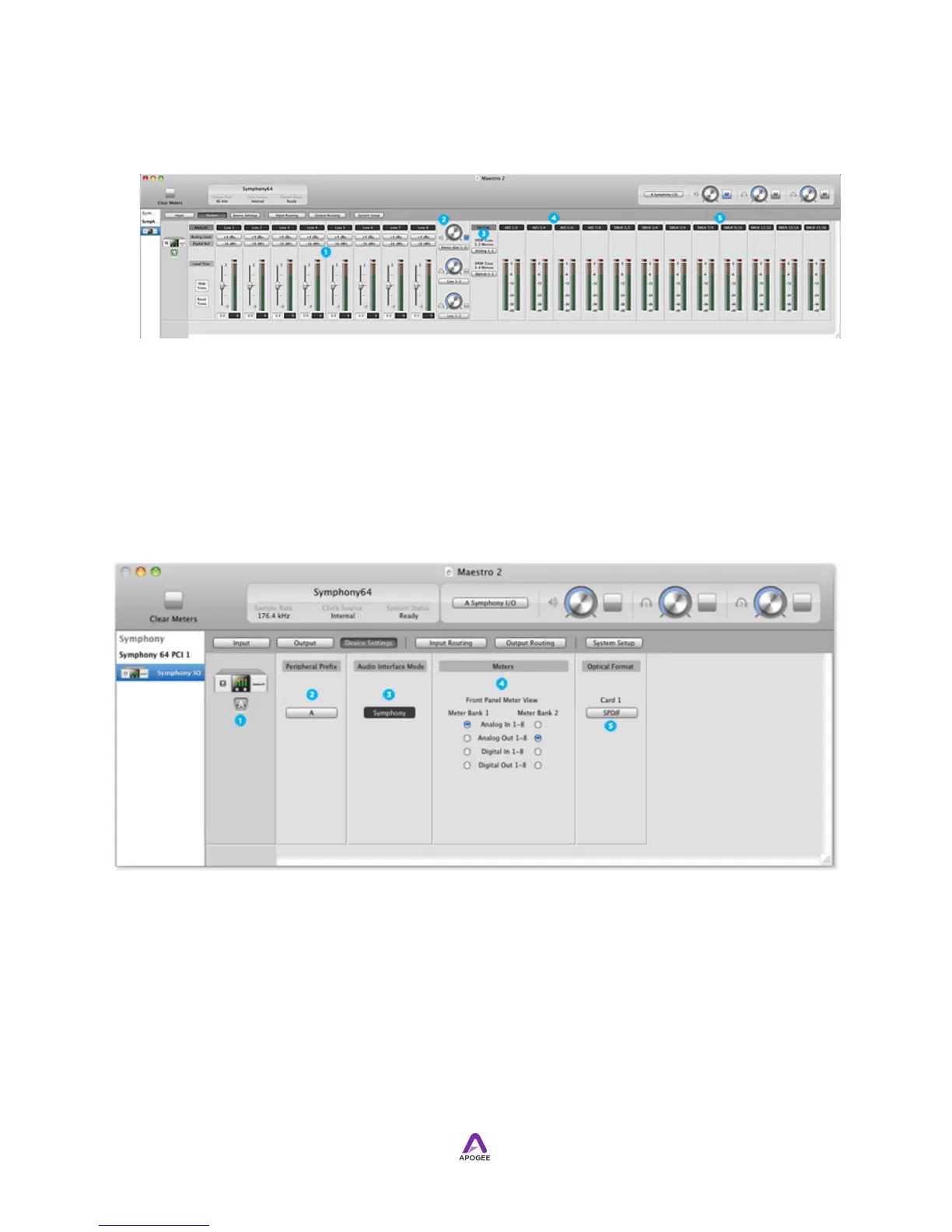
Parameters appear in the Output tab window in the following order:
1. 8 Analog output controls
2. analog speaker and headphone controls
3. one S/PDIF Mirrors drop-down for each I/O Module
4. 8 AES output meters
5. 16 Optical output meters.
!
Device Settings Tab Window
1. Device icon & ID button - see the description above.
2. Peripheral Prefix - Use this drop down menu to assign a letter prefix (A-Z) to
each peripheral device displayed in the Devices Sidebar. The letter prefix is
included in all graphic representations of the peripheral as well as I/O labels in
Maestro and Core Audio compatible applications.
3. Audio Interface Mode - This window displays the currently selected Audio
Interface Mode. The Audio Interface Mode must be selected from Symphony I/
O's front panel.



 To Next Page