Chapter 2 Design the Standard Curve Experiment
Set Up the Targets
25
Applied Biosystems 7500/7500 Fast Real-Time PCR System Getting Started Guide for Standard Curve
Experiments
Notes
4. Click Next.
Note:
Leave blank the (Optional) Enter Gene Name field. You can search for the gene/assay
ID when you order your materials (see “Order Materials for the Experiment” on page 37).
Design
Guidelines
When you design your own standard curve experiment:
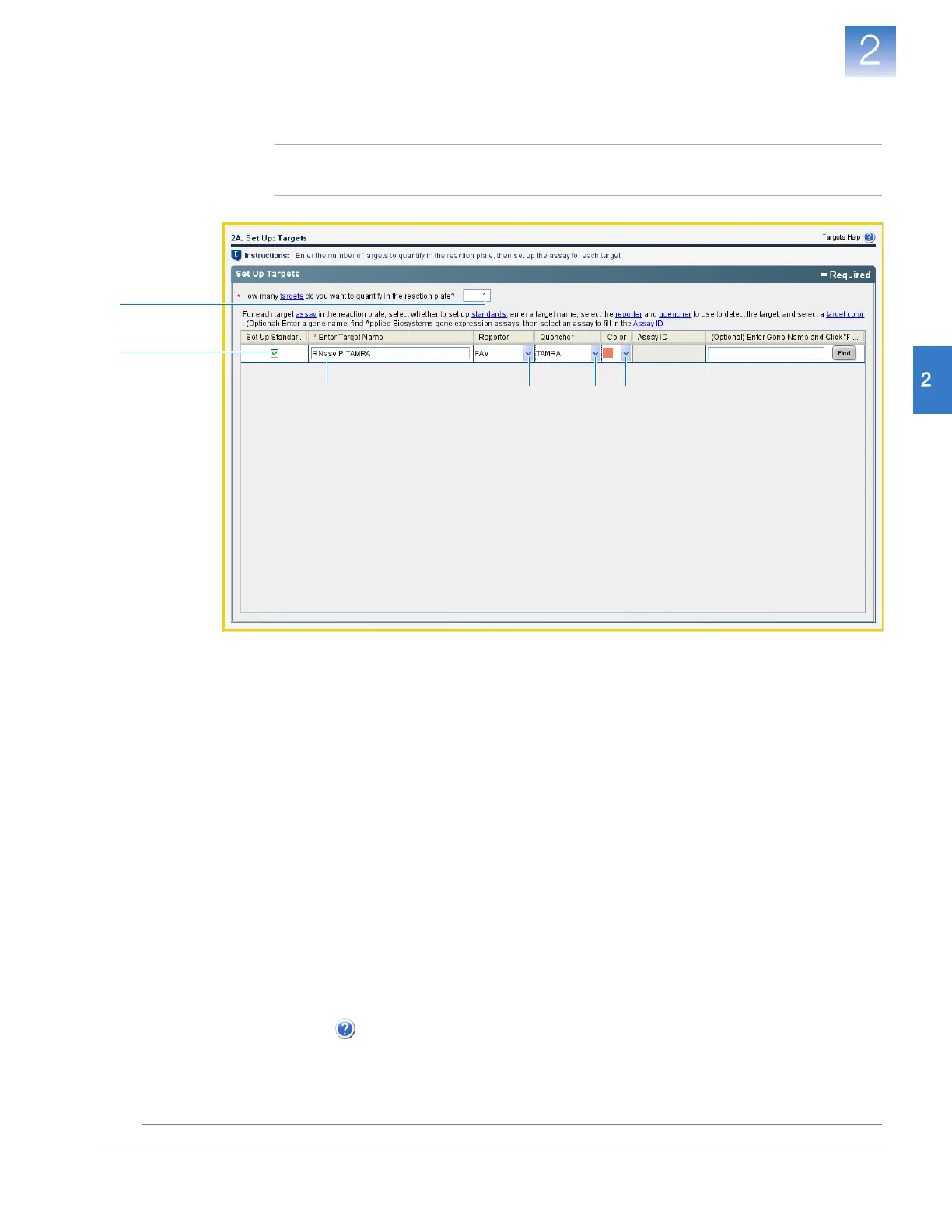
• Select the Set Up Standards check box. Applied Biosystems recommends that you
set up a standard curve for each target experiment in the reaction plate.
• Identify each target experiment with a unique name and color. You can enter up to
100 characters in the Target Name field.
• Select the reporter dye used in the target experiment. In the Methods & Materials
screen on page 22, if you selected:
–TaqMan
®
Reagents – Select the dye attached to the 5′ end of the TaqMan probe.
–SYBR
®
Green Reagents – Select SYBR.
• Select the quencher used in the target experiment. In the Methods & Materials
screen on page 22, if you selected:
–TaqMan
®
Reagents – Select the quencher attached to the 3′ end of the TaqMan
probe.
–SYBR
®
Green Reagents – Select None.
For More
Information
For more information on completing the Targets screen, open the 7500 Software Help by
clicking or pressing F1.
2
3a
1
3b 3c 3d












 To Next Page