EasyManua.ls Logo

Applied Biosystems 7300 - User Manual

Applied Biosystems 7300
174 pages
Print Icon
To Next Page IconTo Next Page
Loading...
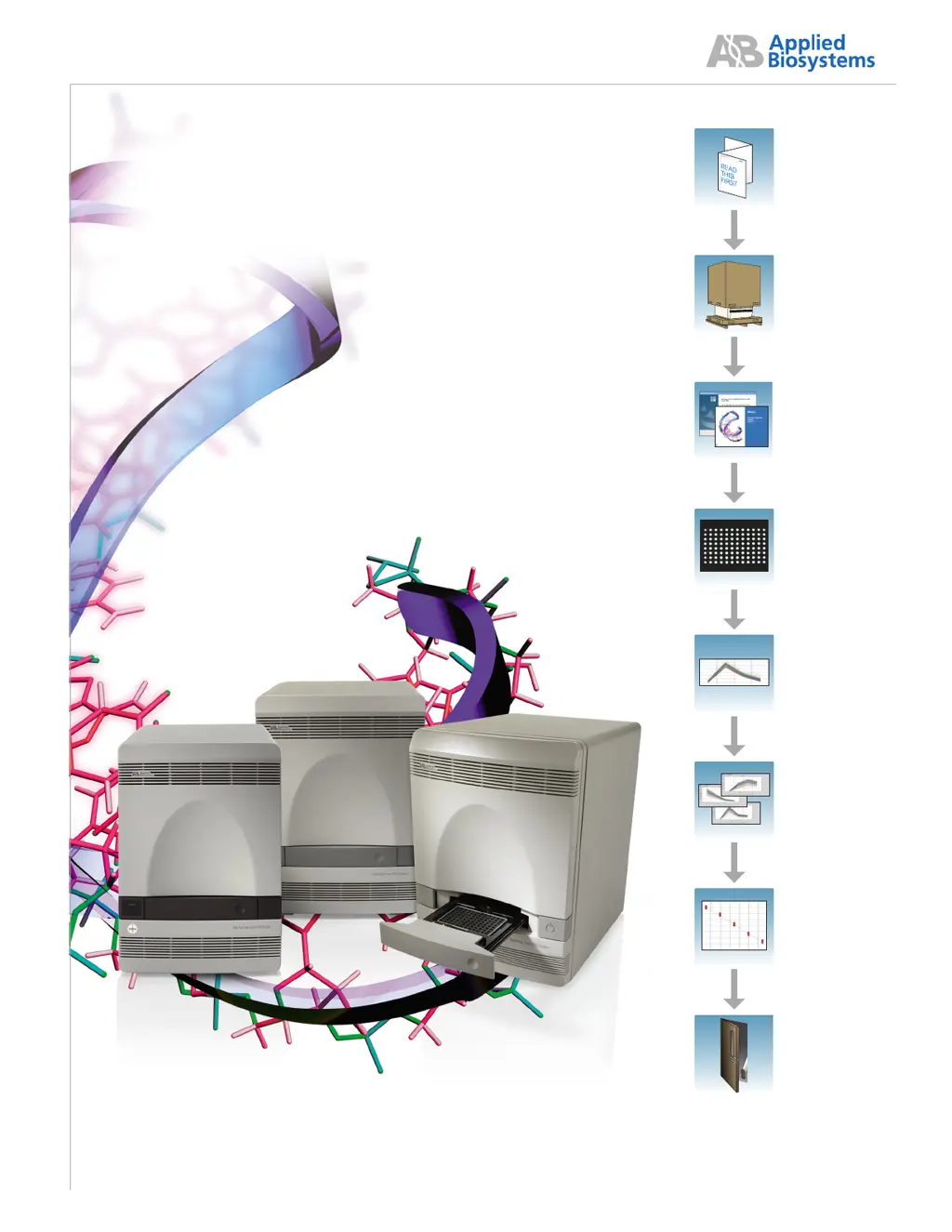
Before Starting
the Installation
Unpacking and
Setting Up
the Instrument
Installing
the Software and
Powering On the
Instrument
Performing the
Regions of
Interest (ROI)
Calibration
Performing the
Background
Calibration and
Optical Calibration
Performing the
Pure Dye
Calibration
Verifying the
Instrument
Performance
Powering Off the
7300/7500/7500
Fast System
Applied Biosystems 7300/7500/7500 Fast
Real-Time PCR System
Installation and
Maintenance Guide

Table of Contents

Other manuals for Applied Biosystems 7300

Questions and Answers

  • M
    Michelle GuerreroAug 4, 2025
    Why am I getting extremely high ?R or n R values with Applied Biosystems 7300?
    • K
      Karen HayesAug 5, 2025
      Extremely high ?R or n R values with Applied Biosystems Laboratory Equipment can be due to a couple of reasons. First, ensure that ROX dye was selected as the passive reference when setting up the plate document; if not, select it. Also, check for evaporation by making sure that the reaction plate is sealed completely, especially around the edges.
  • K
    Kurt PrinceAug 9, 2025
    Why is there high variability across the reaction plate with Applied Biosystems 7300?
    • D
      Denise MckenzieAug 9, 2025
      High variability across the reaction plate when using Applied Biosystems Laboratory Equipment can be caused by a couple of factors. First, ensure that ROX dye was selected as the passive reference when setting up the plate document; if not, select it. Evaporation can also lead to variability; make sure that the reaction plate is sealed completely, especially around the edges, and use reagents that contain ROX passive reference dye.
  • Q
    qjacksonAug 13, 2025
    What to do if I have low ?R or R values with Applied Biosystems 7300?
    • A
      Adrienne AdamsAug 13, 2025
      Low ?R or R values with Applied Biosystems Laboratory Equipment can occur due to a couple of reasons. If the extension time is too short, use the default thermal profile settings. Primer-dimer formation can also cause this; to ensure optimal results, run the reaction plate as soon as possible after completing the reaction setup. If you cannot run a reaction plate within 2 hours after completing the reaction setup, refrigerate or freeze the reaction plate until you can load and run it on the 7500 Fast instrument.
  • A
    Amber GoodwinAug 17, 2025
    Why does the Applied Biosystems 7300 run take more than 40 minutes?
    • T
      Tammy SmithAug 17, 2025
      If a run with Applied Biosystems Laboratory Equipment takes more than 40 minutes, it is likely because the thermal cycler mode is set to Standard or 9600 Emulation. Ensure that the thermal cycler mode is set to Fast.
  • J
    Joseph KaneAug 21, 2025
    What causes high variability across replicates in Applied Biosystems Laboratory Equipment?
    • B
      bmooreAug 22, 2025
      High variability across replicates in Applied Biosystems Laboratory Equipment can be caused by the reaction mix not being mixed well. To resolve this, mix the reaction mix gently by inversion, then centrifuge briefly before aliquoting to the reaction plate.
  • M
    Micheal SimpsonAug 26, 2025
    What to do if the Rn vs. Cycle plot is not displayed in Applied Biosystems 7300?
    • L
      Lauren BatesAug 26, 2025
      If the Rn vs. Cycle plot is not displayed when using Applied Biosystems Laboratory Equipment, it is likely because ROX dye was not selected as the passive reference when the plate document was set up. To fix this, select ROX dye as the passive reference when you set up the plate document.
  • L
    lisa58Oct 30, 2025
    Why do I get high C values or failed PCR reactions with Applied Biosystems 7300?
    • L
      Lawrence BowenOct 30, 2025
      High C values, poor T precision, or failed PCR reactions when using Applied Biosystems Laboratory Equipment can occur due to several reasons. It could be that the target is difficult to amplify; in this case, increase the annealing/extension time in the thermal cycler protocol or increase the annealing/extension temperature to 62 °C. It may also be due to insufficient cDNA template; use 10 to 100 ng of cDNA template per 20-µL reaction. Poor cDNA template quality can also cause this. Quantify the amount of cDNA template and test it for PCR inhibitors. Sample degradation is another potential cause, so prepare fresh cDNA and repeat the experiment. Ensure that you are using the correct Master Mix, specifically the TaqMan Fast Universal PCR Master Mix (2?), No AmpErase UNG, instead of the TaqMa...

Summary

Chapter 1 Before Starting the Installation

Setting Up the Computer

Instructions for setting up the computer system prior to instrument installation.

Planning the Installation

Provides a recommended workflow and timeline for the installation process.

Chapter 2 Unpacking and Setting Up the Instrument

Uncrating and Placing the 7300;7500;7500 Fast System

Instructions for safely uncrating and positioning the instrument.

Checking the Shipped Materials

Procedure to verify that all required components have been received.

Setting Up the 7300;7500;7500 Fast Instrument

Steps to physically set up the instrument components.

Setting Up the System

Detailed steps for connecting and powering up the system.

Chapter 3 Installing the Software and Powering On the Instrument

Installing the SDS Software for the 7300;7500;7500 Fast System

Step-by-step guide to installing the SDS software.

Powering On the Instrument

Instructions for powering on the instrument after software installation.

Performing the Instrument Function Test

Guides on running and interpreting the instrument function test.

Chapter 4 Performing the Regions of Interest (ROI) Calibration

Preparing the ROI Calibration Plate

Steps for preparing the calibration plate.

Creating a Plate Document for the ROI Calibration

Guides on creating the necessary plate document in the software.

Performing the ROI Calibration

Detailed steps for executing the ROI calibration process.

Chapter 5 Performing the Background Calibration and Optical Calibration

Preparing the Background Calibration Plate

Instructions for preparing the background calibration plate.

Creating a Plate Document for the Background Calibration

Guides on creating the plate document for background calibration.

Performing the Background Calibration

Step-by-step guide for performing the background calibration.

Analyzing the Background Calibration Data

Procedure for analyzing the data obtained from background calibration.

Performing the Optical Calibration for the 7500;7500 Fast System

Specific steps for optical calibration on 7500/7500 Fast systems.

Creating a Plate Document for the Optical Calibration Run

Guides on creating the plate document for optical calibration.

Performing the Optical Calibration

Detailed steps for executing the optical calibration process.

Analyzing the Optical Calibration Data

Procedure for analyzing the data obtained from optical calibration.

Chapter 6 Performing the Pure Dye Calibration

Preparing for the Calibration

Steps to prepare for performing the pure dye calibration.

Creating a Plate Document for the Pure Dye Calibration

Guides on creating the plate document for pure dye calibration.

Preparing Plates and Performing the Pure Dye Calibration

Instructions for preparing plates and running the calibration.

Analyzing the Pure Dye Calibration Data

Procedure for analyzing the data from pure dye calibration runs.

Evaluating Pure Dye Calibration Spectra

Guides on verifying the spectral peaks for pure dyes.

Chapter 7 Verifying the Instrument Performance

Preparing the TaqMan RNase P Verification Plate

Steps for preparing the RNase P verification plate.

Creating a Plate Document for the RNase P Verification Run

Guides on creating the plate document for RNase P verification.

Performing the Verification Run

Instructions for running the instrument verification test.

Troubleshooting

Solutions for issues encountered during verification.

Appendix A Maintaining the Instrument

Appendix B Creating a Background Plate

Appendix C Creating a Custom Pure Dye Plate

Appendix D Setting Up the Computer

Applied Biosystems 7300 Specifications

General IconGeneral
TypeReal-Time PCR System
Detection MethodFluorescence
WeightNot found in official specification
Temperature Uniformity±0.5°C
Dimensions (W x D x H)Not found in official specification
Detection Channels4
Sample Capacity96-well
Temperature Range4°C to 100°C
Temperature Accuracy±0.25°C
Ramp Rate (heating)3.5°C/sec
Ramp Rate (cooling)2.5°C/sec
Thermal Cycler Block96-well
Heating Rate3.5°C/sec
Cooling Rate2.5°C/sec
Power Requirements100-240 V, 50-60 Hz

Related product manuals