Chapter 6 Performing the Pure Dye Calibration
Analyzing the Pure Dye Calibration Data
Applied Biosystems 7300/7500/7500 Fast Real-Time PCR System Installation and Maintenance Guide 77
Notes
6
Analyzing the Pure Dye Calibration Data
When you run each pure dye plate, the SDS Software
automatically creates and saves a plate document for
each dye. After you calibrate all of the pure dye
plates, the plate documents remain open behind the
plate document displayed by the software. To
complete the calibration, analyze all open pure dye
documents as explained below.
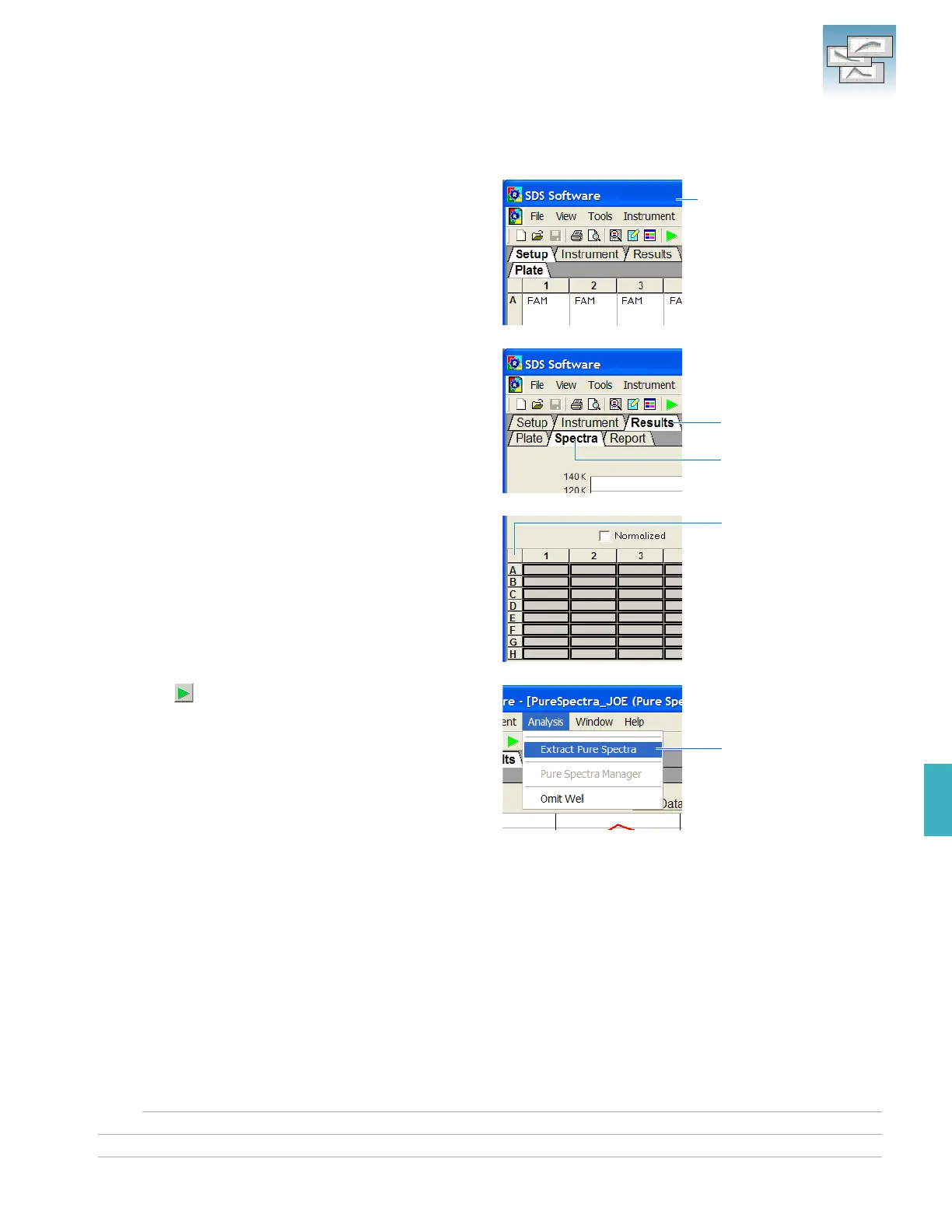
1. From the Windows menu, select the plate
document to analyze.
2. Select the Results tab, then select the Spectra
tab.
3. Select all wells of the plate document by clicking
the upper-left corner of the plate grid.
4. Click (or select AnalysisExtract Pure
Spectra).
The SDS software completes the extraction, then
displays a message (see next page).
The SDS Software creates a
plate document for each
calibrated dye (behind the
visible plate document)
Select
Select
Click
Click











 To Next Page