WorldCast Equinox - Release 3.1 - user manual – 07/2011
Page 151
Whiterock Business Park - 729 Springfield Road - Belfast BT12 7FP - Northern Ireland
Tel.: +44 28 9067 7200 | Fax: +44 28 9067 7201 | http://www.aptcodecs.com | contact@aptcodecs.com
6.6. Audio Mode
Audio Setup
Folders button
Clicking on the “Audio” button opens the Audio Configuration folder which
provides a set of configuration tabs. These configurations are related to the
network audio codec settings of the unit.
6.6.1. Audio - Status
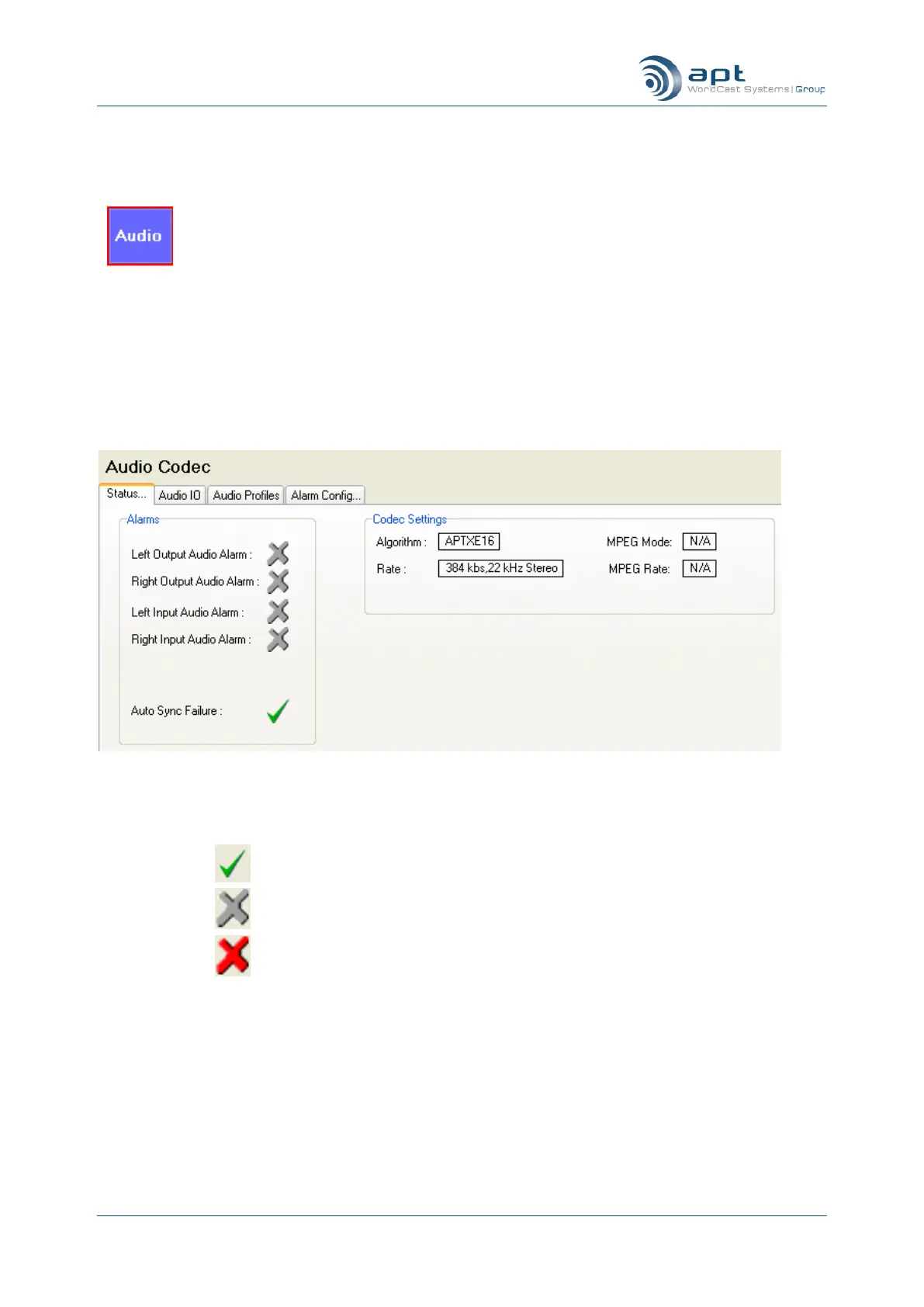
Click on the Status tab to view the current audio profile and any alarm conditions occurring in the WorldCast
Equinox.
Audio Status
The screen displays the currently active audio profile. Alarm conditions are denoted in the following ta-
ble:-
Indicates alarm is enabled and no alarm condition exists
Indicates alarm has not been enabled
Indicates alarm is enabled and alarm condition exists
6.6.2. Audio - Audio IO
Click on the Audio IO tab to set up the audio parameters.



 To Next Page