WorldCast Equinox - Release 3.1 - user manual – 07/2011
Page 91
Whiterock Business Park - 729 Springfield Road - Belfast BT12 7FP - Northern Ireland
Tel.: +44 28 9067 7200 | Fax: +44 28 9067 7201 | http://www.aptcodecs.com | contact@aptcodecs.com
6. WORLDCAST CODEC MANAGEMENT SYSTEM
The WorldCast Codec Management System (CMS) is a powerful Windows
TM
graphical user interface (GUI)
which communicates with and controls a network of WorldCast series codecs. This section outlines this appli-
cation and provides a detailed description of all aspects of the WorldCast Equinox configuration options.
6.1. The WorldCast Codec Management System - Overview
The CMS software allows you to view and control multiple WorldCast Equinox units (as well as other members
of the WorldCast series) from one central point. The application has an intuitive look and feel that is easy to
understand by both the experienced technician and the casual user. All configuration instructions described in
this manual relate to the CMS interface. This section provides detailed step-by-step instructions on how to set
up the WorldCast Equinox.
The CMS provides access to all configuration parameters and monitor facilities for each WorldCast Equinox
unit connected to the network.
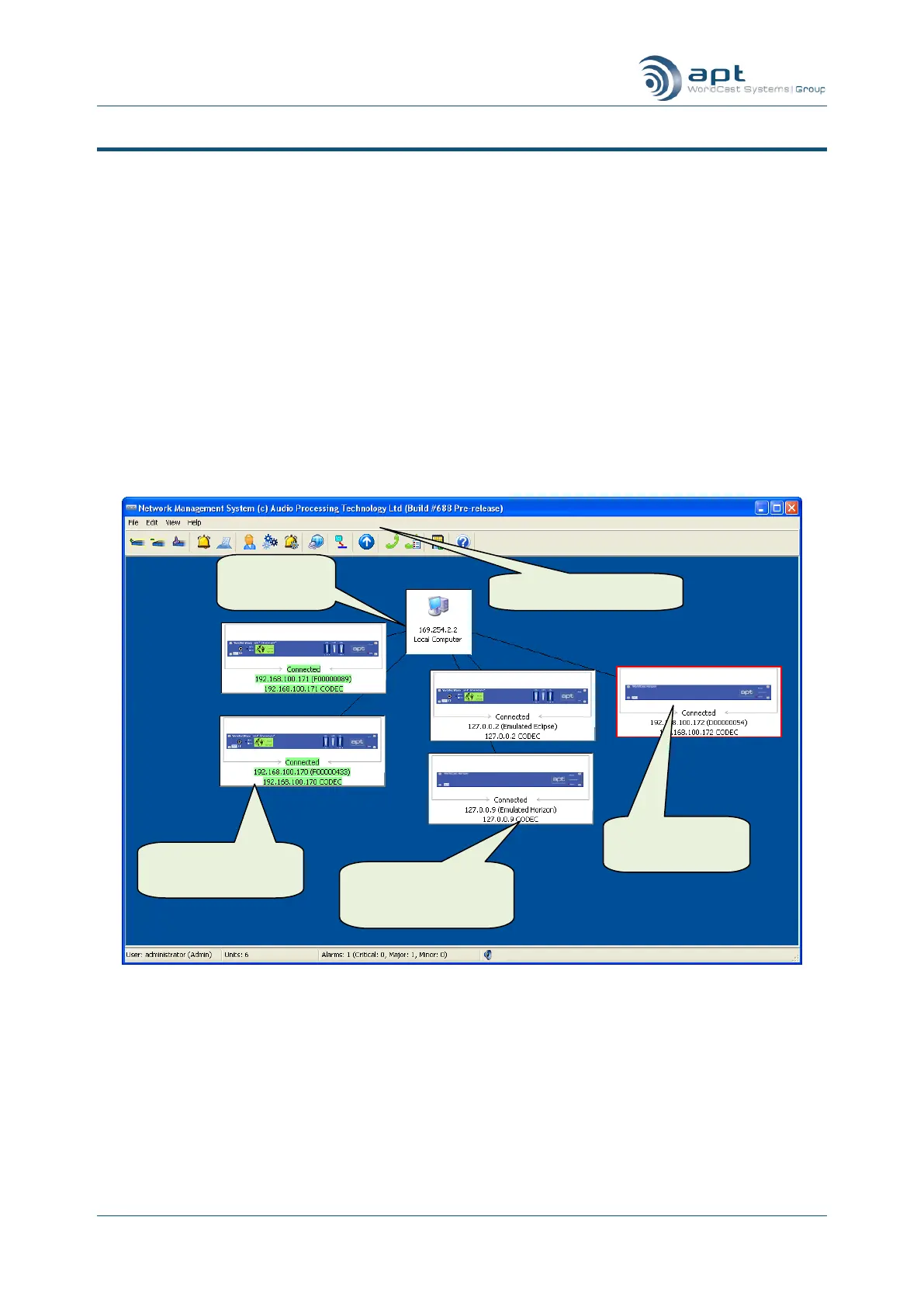
Shows the User Interface of the CMS – Family Tree
The WorldCast Equinox CMS makes it easy to:
visually check system status
interrogate for alarm conditions
monitor and log hardware and communication links
configure and set up the entire transmission network
APT Horizon Con-
nected to the Net-
work
Double Click to
configure unit
Equinox connected
to the network



 To Next Page