WorldCast Equinox - Release 3.1 - user manual – 07/2011
Page 161
Whiterock Business Park - 729 Springfield Road - Belfast BT12 7FP - Northern Ireland
Tel.: +44 28 9067 7200 | Fax: +44 28 9067 7201 | http://www.aptcodecs.com | contact@aptcodecs.com
If the 7 Relay option is selected this is the same as previous operation in that all 7 relays will be active.
Input Pulse stretching is described in section 5.6.6. This setting is off by default and should be set to on if
pulse stretching is required.
6.8. One File Configuration
This feature allows the user to backup the complete configuration of a codec and apply this to another
codec. This would be useful for customers who wish to put standby codecs into operation or if a unit fails.
The file can be stored locally on the PC or USB etc.
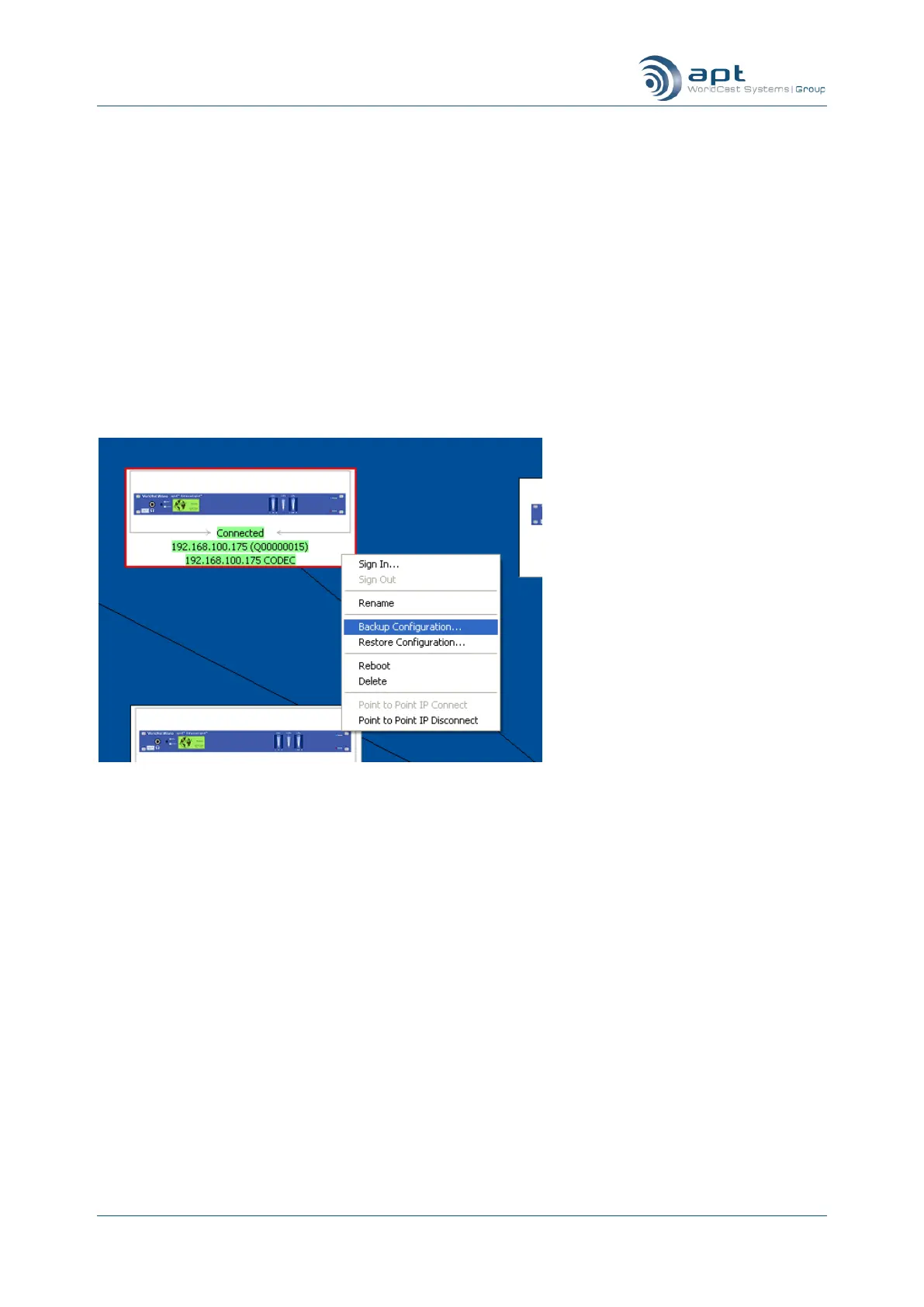
To backup the configuration, right click on the codec in the family view and choose „Backup Configura-
tion‟.
This then brings up a location to store the file. Click on „Backup‟ and this will then begin to write the con-
figuration.



 To Next Page