WorldCast Equinox - Release 3.1 - user manual – 07/2011
Page 17
Whiterock Business Park - 729 Springfield Road - Belfast BT12 7FP - Northern Ireland
Tel.: +44 28 9067 7200 | Fax: +44 28 9067 7201 | http://www.aptcodecs.com | contact@aptcodecs.com
3.5. Selecting analog or digital audio
* With front panel option only.
Move to the Main Setup Audio menu by pressing Menu until the following screen appears: -
Audio configuration screen
Press the key to move to the Audio I/O option and press Ent. You are then presented with a choice of ei-
ther analog or digital audio – select the appropriate entry and press Ent.
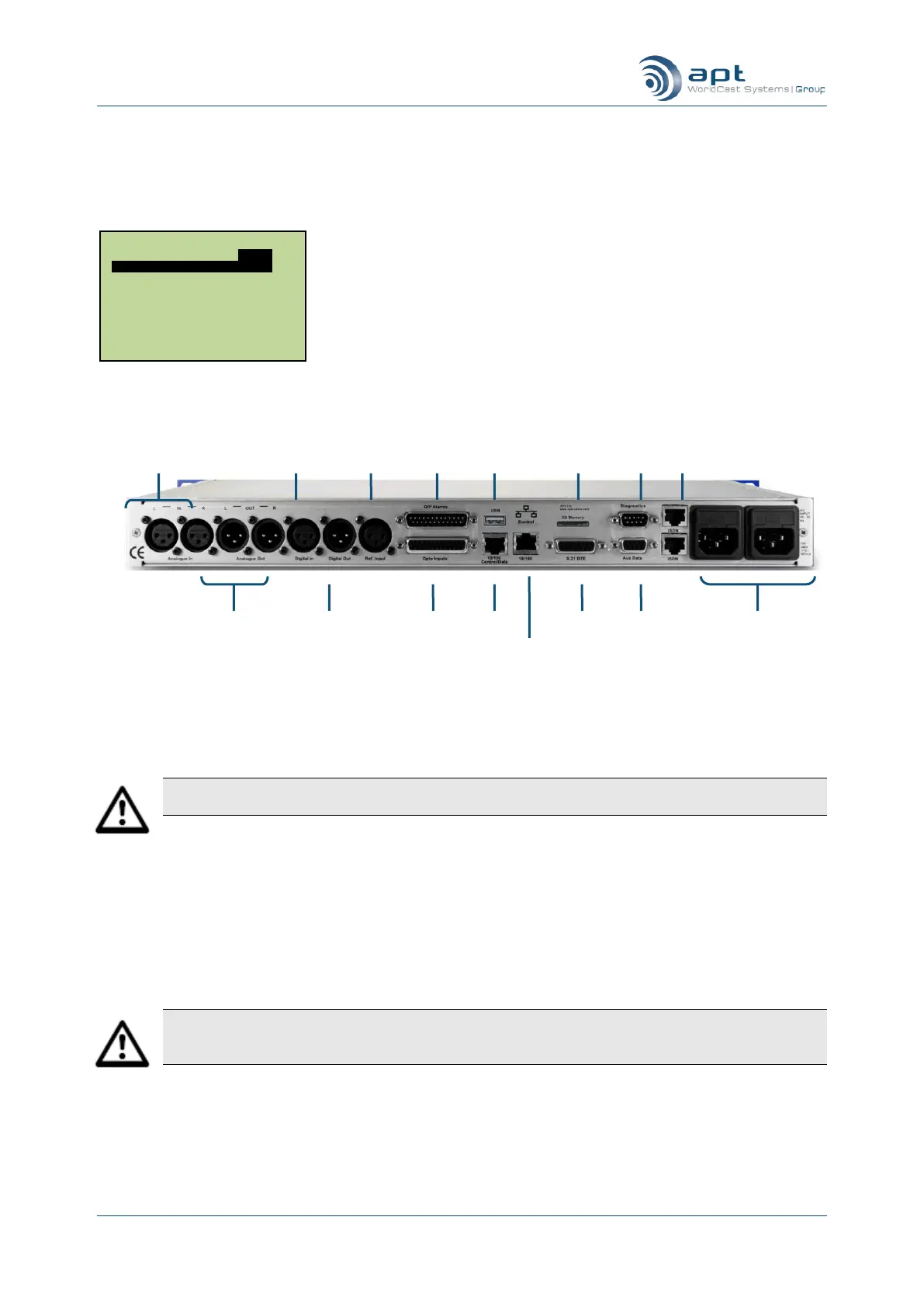
Audio connectors on rear panel
The audio connections are made on the rear panel using XLR-3 connectors. The XLR-3 connector for left ana-
log audio in is also used for digital audio in.
Note: The WorldCast Equinox will still provide analog audio output when switched to digital audio.
This has the added benefit in that you can use simultaneous analog monitoring of the digital outputs.
Now press Esc to get back to the Idle screen.
3.6. Selecting an audio profile
* With front panel option only.
The following instructions allow you to select the codec algorithm, bit rate and network interface type.
Caution: These instructions will work only if you are in administrator mode – this is the default setting
when the WorldCast Equinox units are shipped from the factory. If you are not in administrator mode
then the codec algorithm and bit rate can only be selected from a predefined profile.
Move to the Main Menu AUDIO screen by pressing the Menu key until the following screen appears: -
Main Menu.
USER ISDN IP AUDIO
Algorithm Eapt-X16
Loopback Mode Off
Headphone Volume 10
Audio I/O Analogue
Dig O/P 48K
I/O Impedance 10K/50R
Power sockets (2 with
redundant PSU option)
SD Card
Backup (op-
tional)



 To Next Page