118
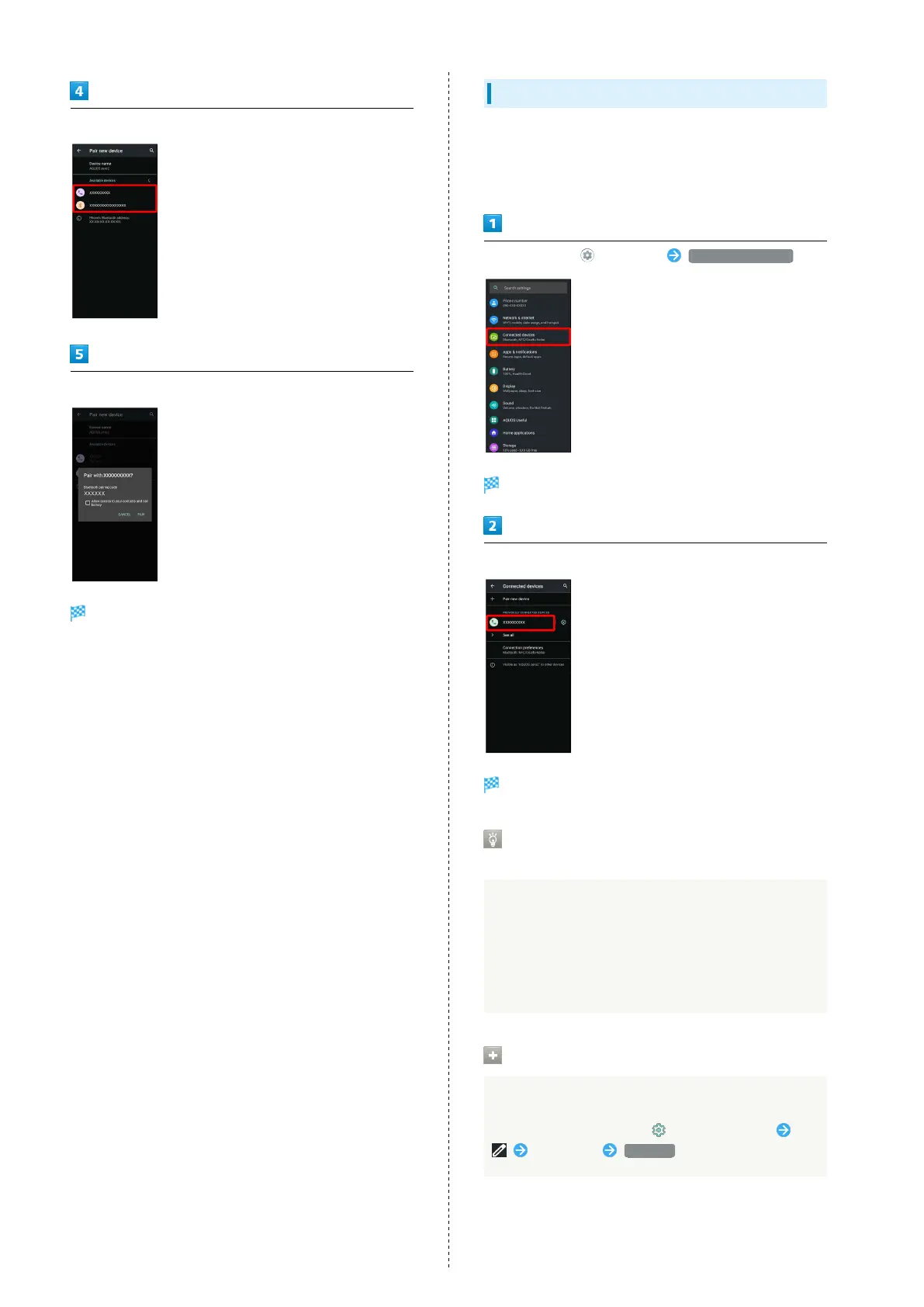
Tap target device
Continue by following onscreen prompts to authenticate
Pairing completes; handset connects to some devices (e.g.,
handsfree devices) automatically.
・Authentication procedure varies by device. Passkey entry
may be required.
・Passkey is a 1 to 16-digit number or a set of characters/
symbols required for authentication between handset and
other devices.
Connecting to Paired Bluetooth
®
Devices
Connect handset and paired Bluetooth
®
device.
・Enable the Bluetooth
®
function on handset and the paired
Bluetooth
®
device beforehand.
In Home Screen, (Settings) Connected devices
Connected devices menu opens.
Tap target device
Handset connects to the device.
Connection by Accepting Connection
Requests
Handset automatically accepts connection requests from
paired devices. For unpaired devices, set handset to be
discoverable, then perform pairing operation on other
devices. When connection request arrives, follow onscreen
prompts.
・If confirmation appears, follow onscreen prompts.
Paired Bluetooth
®
Device Operations
Renaming Paired Devices
In Connected devices menu, for paired device
Enter name RENAME



 To Next Page