86
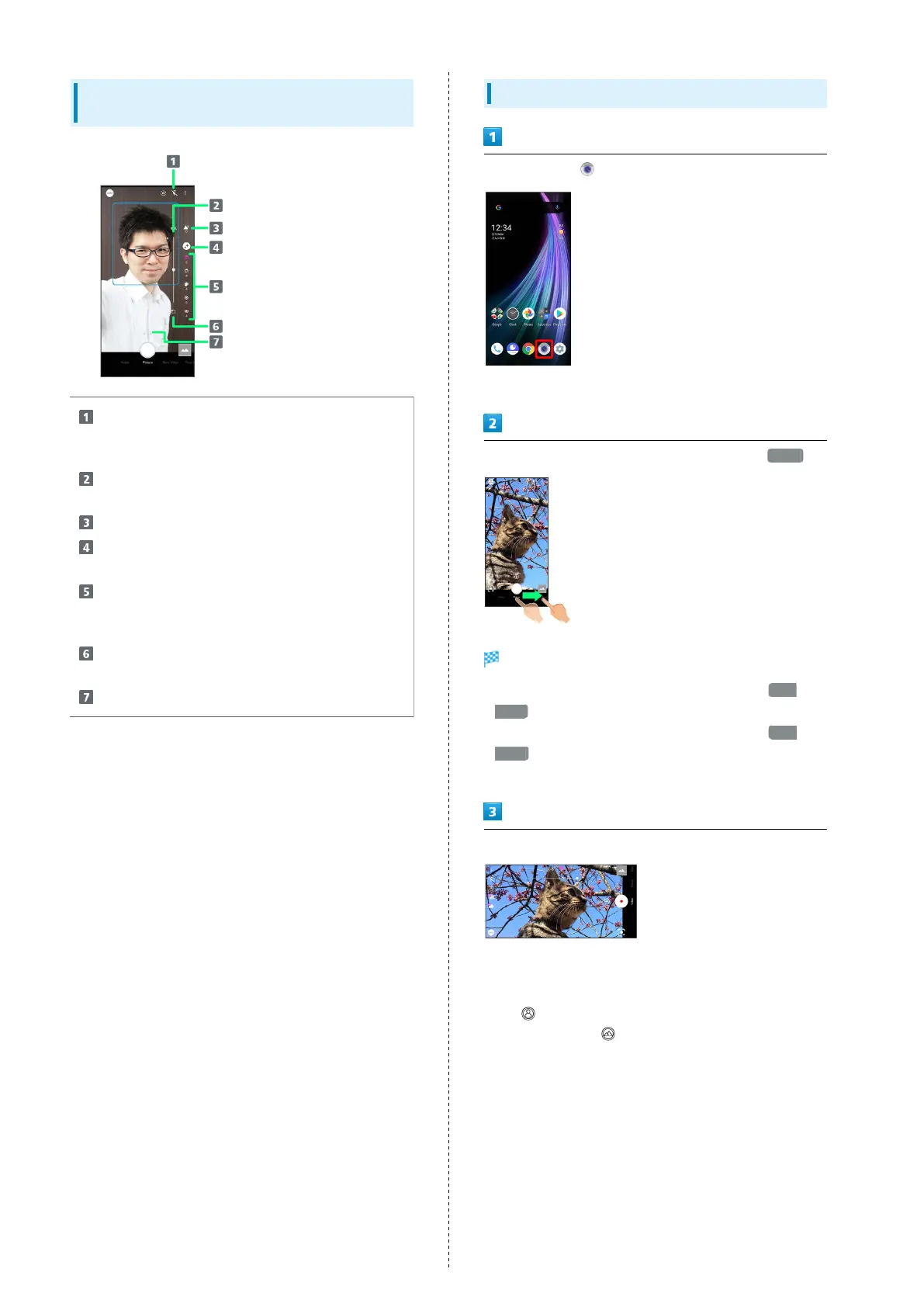
Photo Viewfinder (Front Camera)
Layout
Selfie Flash
Enable so entire screen fires in place of a flash; people
appear bright in selfies taken at night.
Adjustment bar
1
Set manually.
Bokeh background soft focusing
2
AQUOS beauty
2
Set whether to use AQUOS beauty function.
AQUOS beauty setting icon
3
Adjust skin tone, diminutive features, color, brightness,
and large eyes.
Reset icon
Reset manual adjustments.
Zoom ratio
1 Appears after Tapping Bokeh icon or AQUOS beauty setting
icon.
2 Appears when Flicking right edge of Display to the left.
3 Appears when AQUOS beauty function is enabled.
・Indicators shown in Viewfinder and available functions/
settings vary depending on Camera type and shooting mode/
scene.
Recording Videos
In Home Screen, (Camera)
・If confirmation appears, follow onscreen prompts.
Drag shooting mode at bottom to right and select Video
Video Viewfinder appears.
・
Drag shooting mode at bottom to left and select Slow
Video to capture video with smoother motion than normal.
・
Drag shooting mode at bottom to left and select Time
Lapse to capture video where passage of time is sped up
for a compressed-time video.
Aim Back Camera at subject
・Drag left/right to adjust brightness.
・Pinch/Spread to zoom out/in. Also drag adjustment bar
shown during Pinch/Spread up or down to zoom out/in.
・
Tap for Wide-Angle Back Camera; capture with wide-
angle of view. Tap for Standard Back Camera; capture
with standard angle of view.
・With Back Camera, Tap subject for focus lock. To cancel,
Tap area outside the focus mark.



 To Next Page