Arkel ArLine User Manual V1.24
7. Connections
7.1. Arkel ArLine-M Connections
The external GSM antenna that is supplied with the Arkel ArLine-M must be used.
The antenna connector must be fully inserted into the threads in its housing and tightened completely.
The antenna should be placed away from the other electronic devices that may interfere with GSM
communication.
To prevent damage to the product, the GSM antenna must be connected to the connector before the supply.
In the “Installation of Arkel ArLine-M” section, information is given about the location of the antenna and the
It must be taken from the lift control panel.
The device has an internal battery. It is not necessary to supply via external battery or UPS.
The 100-1000 supply input must be connected even when using the CANbus connection.
CANbus serial communication connection.
Filtering inputs do not need to be made in parallel.
It works only with the compatible ARKEL control systems. In these systems, the necessary settings for the
Arkel ArLine are explained in the following sections. Car CANbus line must be used.
Arkel ArLine-S units supply output.
Can be used for cabin units.
Arkel ArLine-S units supply output.
Can be used for lift shaft and intercom units.
24V DC when there is power, 12V DC when there is no power.
Unit supplies must be connected to PWR and GND so that speech units can continue to operate from the supervised battery
in case of a power failure.
Arkel ArLine-M unit communication link for the group lifts (Design phase)
Communication link with the machine room/control panel intercom unit
Communication with the pit alarm unit
Communication link between the cabin (Cabin interior, top and bottom) and the alarm units
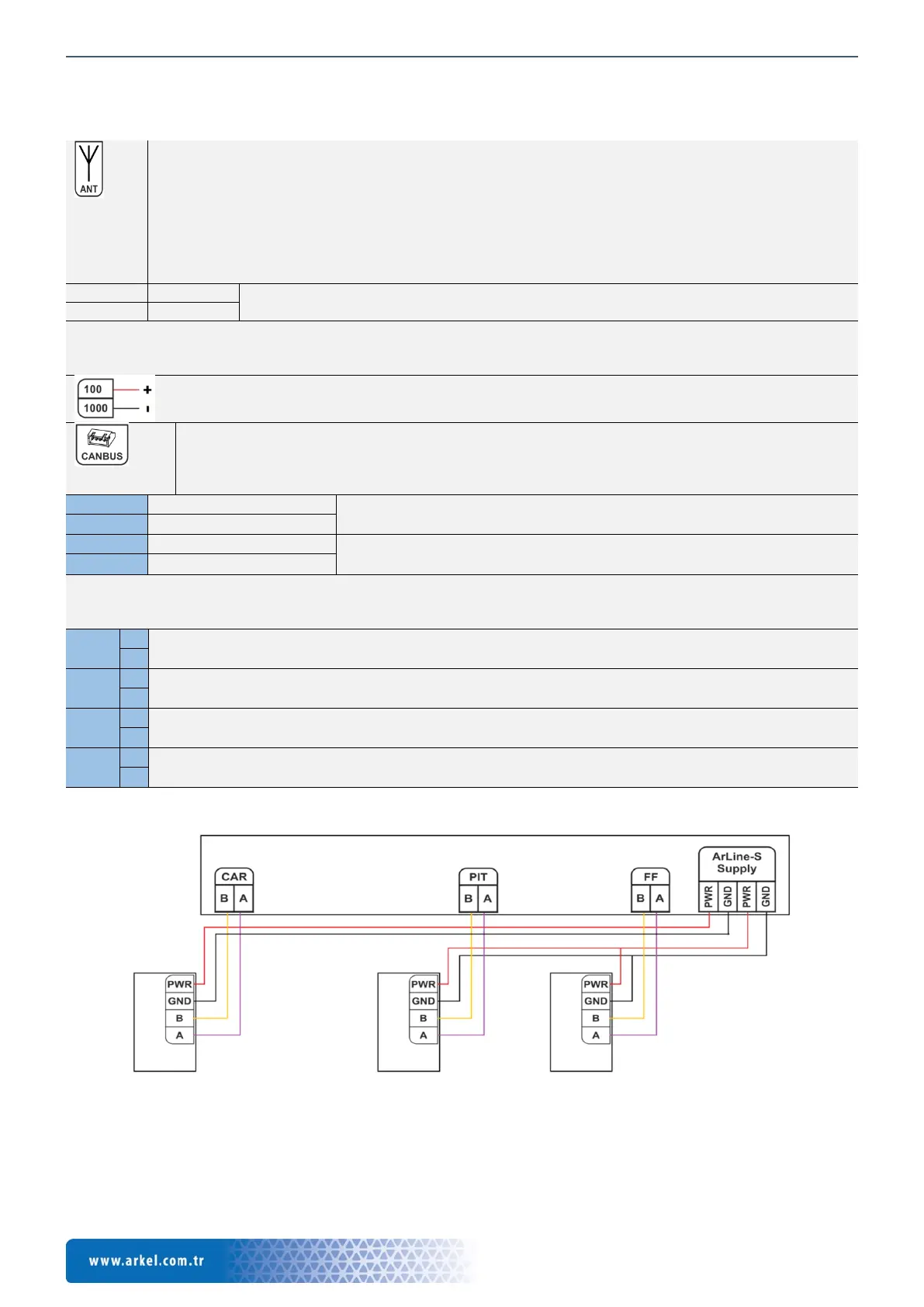
The connection between the Arkel ArLine-M supply connection and the Arkel ArLine-S devices is shown below.
Arkel ArLine-S-COP inside the car
Arkel ArLine-S-TP car top
Arkel ArLine-S-TP car bottom
Arkel ArLine-S-INT intercom
Figure 6 Connection between Arkel ArLine units


 To Next Page