Arkel ArLine User Manual V1.24
13. Output (Relay) Functions
There are 2 programmable relay outputs (OU1-OUT2) on the Arkel ArLine-M main unit. There is no programmable output on
other units. The functions that can be assigned independently to the relays are listed below.
Unidentified
If the relay is not to be used, this function must be assigned to the relay.
All relays are set as undefined at the factory setting.
The relay pulls when a real alarm is triggered. When the alarm is terminated properly, the relay
releases.
test alarm
The relay pulls if the automatic communication test performed at regular intervals fails. The relay
continues to pull until the next successful automatic test. After a successful test, the relay releases.
Giving information to the lift owner/users that there is a fault, the lift can be made out of service. The
same information is made with yellow-green pictograms in the lift cabin.
call not answered
Relay pulls if the alarm calls or even if all the registered phone numbers are dialed (Two times) and
are not answered for 5 minutes. When the alarm call is answered, the relay releases.
It can be used to activate a local emergency siren used in the lift.
alarm
When a fault is detected on the battery or if the automatic battery capacity test performed at regular
intervals fails, the relay pulls. After a successful test, the relay releases.
It can be used for giving information to the lift owner/users that there is a fault, the lift can be made
14. SIM Card
14.1. SIM Card Specifications
SIM card is not supplied with the Arkel ArLine system. The SIM card must be provided by the user.
A SIM card and subscription service that provides the following features must be used:
• Nano SIM (4FF) card (Standard or micro SIM not available)
• 2G network support
• Mobile voice communication (Should be able to call each operator at least 100 min.)
• Data communication (At least 200 megabytes of internet)
The SIM card subscription service with long-term contract or automatic invoice payment may prevent the alarm system shut
down due to forgetting or delaying of the invoice payments.
14.2. Removing the PIN Code
The card password (PIN code) must be removed before the SIM card is inserted into the device. The SIM card must be connected
to a mobile phone and the PIN code request from the security settings menu should be set to 'off'. The phone must be turned off
and on to check that the PIN code has been switched off.
If the SIM card has not been removed and the SIM card is inserted into the device, the device will not make a PIN code trial.
This is indicated by the flashing of the SIM LED on the Arkel ArLine-M.
14.3. Inserting/Removing the SIM Card
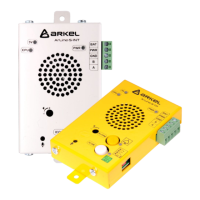
Inserting and removing the SIM card into and from the Arkel ArLine-M unit must be performed as shown below.
• Warning: Insert/remove the SIM card when the Arkel ArLine-M unit is switched off. The device may remain
powered via the internal battery even if the external 24V supply is unplugged. To turn off the device completely, press
and hold the button on the device for 5 seconds when the 24V supply is not connected.
• Warning: The device must not be powered before the antenna is connected.
The SIM card slot must be inserted with the contact surface facing down. It will lock when it is seated.
The SIM card must be pushed in until the lock is released again to remove it. The released SIM card can be removed by pulling
it.
15. Alarm
The stages of alarming via Arkel ArLine-S-COP alarm unit are as follows:
• Press and hold the button connected to the Arkel ArLine-S-COP external alarm button input for 3 seconds.
• It the filtering feature is enabled via ARKEL Cloud, filtering is checked.
• The alarm that fails to pass the filter is removed.
• If the alarm passes the filter, the alarm information is transmitted to the recovery service via ARKEL Cloud and
optionally via SMS. The yellow pictogram LED output is activated.
• The ALARM LED on the Arkel ArLine-M unit is activated.
• The alarm call is started. A beep will be heard until communication with the rescue service is established.


 To Next Page