Arkel ArLine User Manual V1.24
11.4. Arkel ArLine-S-INT LED Information
External 12 / 24V DC supply is present.
Built-in 5V DC supply is present.
The device processor is operating normally.
Intercom talk is taking place.
12. Input Functions
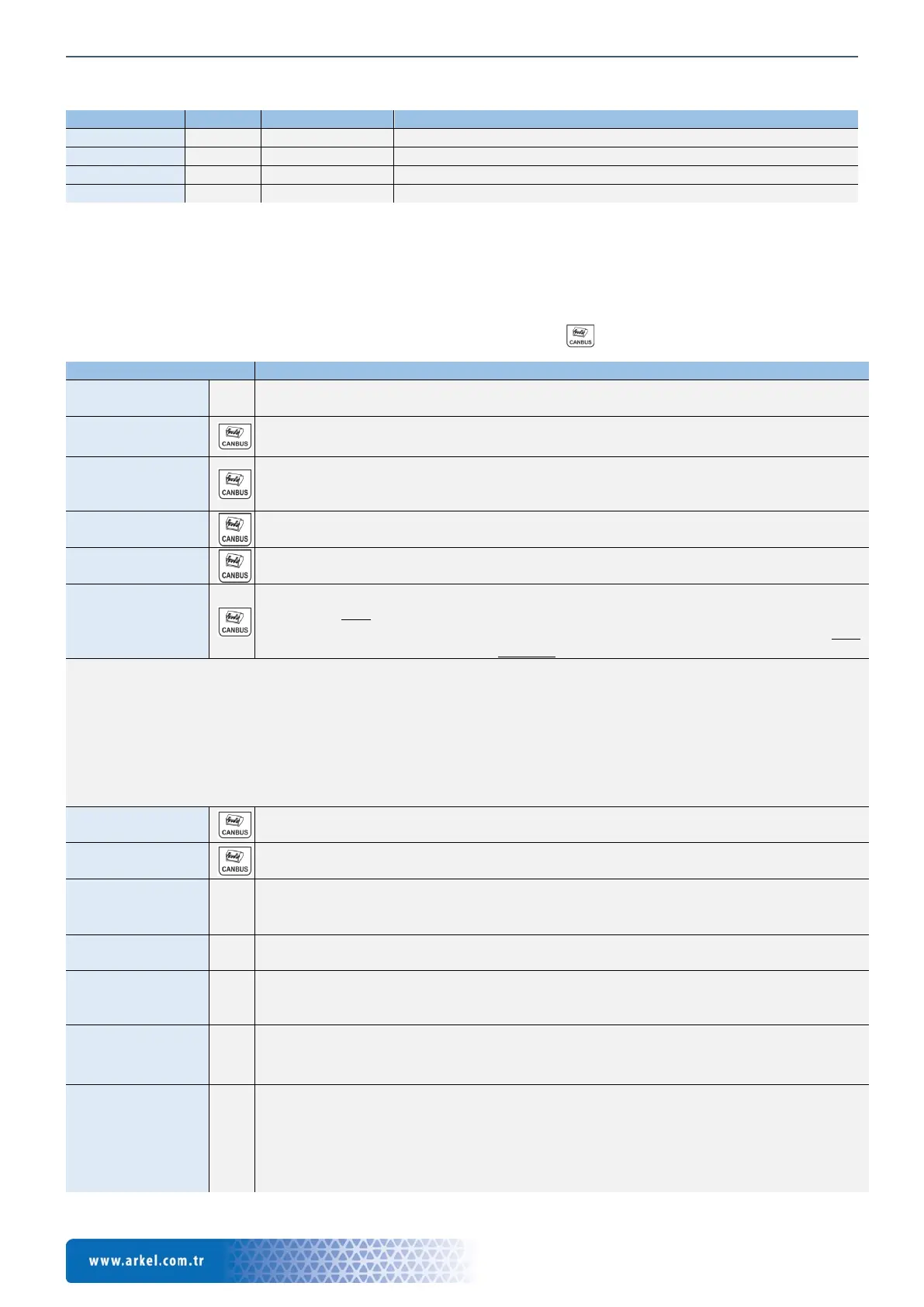
There are 5 programmable inputs (IN1-IN5) on the Arkel ArLine-M main unit. There are no programmable inputs on the other
units. The functions that can be assigned independently to the inputs are listed below.
The active when there is signal (NO) or active when there is no signal (NC) function settings can be made via ARKEL Cloud
menu.
When using CANbus serial communication, the inputs which are indicated with symbol will not be connected.
If no input is used, this function must be assigned to the input.
All inputs are set undefined at the factory setting.
filter
Used to prevent unnecessary occupation of rescue service / personnel by passenger alarm. An
alarm filtering connection must be made to meet the requirements of EN 81-28: 2018, 4.1.6.
The alarm filtering function must be deactivated during maintenance and / or repair.
The corresponding maintenance signal is connected from the control panel (Car top inspection,
pit inspection or recall.)
It is the input function that indicates that the car is in motion.
LVL - Cabin is on
the floor
It is the input function that indicates that the car is in an unlocking zone (Floor level).
open
• For automatic doors: It is the input function which indicates that the car and floor doors
are fully open.
• On hinged floor doors: It is the input function which indicates that the car door is fully
open and the landing door is unlocked.
• As the alarm filtering requires different signals, it is preferable that the lift controller card outputs this function directly. In
this case, the use of a single input assigned to the AFLT function will be sufficient.
• If the AFLT function cannot be used; the alarm filtering function specified in EN 81-28: 2018, 4.1.6 shall be fulfilled using
the 4 inputs assigned to the REV, RUN, LVL and DOOR functions.
• Which method is used for alarm filtering is set in the ARKEL Cloud menu.
• In the event of a power failure, the alarm filtering input is disabled (The alarm is not filtered.), considering that the signals
from the control panel may be interrupted.
It is the input function that indicates that the lift is out of service.
The ARKEL Cloud system can be used to remotely monitor the fault status of the lift.
It is the input function that indicates that a fire is detected in the facility where the lift is located.
ARKEL Cloud system can be used for remote monitoring of fire situation in the facility.
Alarm Button
This function can be used when an external alarm button connection is required. This function
is not disabled by alarm filtering. When the alarm input is activated, two-way voice
communication is provided with the Arkel ArLine-S-COP unit in the car.
ALB/T - Top the
Car Alarm Button
This function can be used when an external alarm button connection is required for the Arkel
ArLine-S-TP unit mounted top the car. This function is not disabled by alarm filtering.
the Car Alarm
This function can be used when an external alarm button connection is required for the Arkel
ArLine-S-TP unit mounted under the car. This function is not disabled by alarm filtering.
Terminating the
alarm
It is the input function that can be used to terminate the alarm.
Arkel ArLine-M unit can be pressed for 3 seconds or ARKEL Cloud can be used to terminate the
alarm.
monitoring
It is an input function that allows remote monitoring to be reported to the rescue service and
authorized maintenance personnel.
When the input is active, the ARKEL Cloud screen displays an external alarm warning and
optionally sends an external alarm SMS message to the corresponding mobile phone.
For example, a switch connection can be made to the lift machine room door or to the control
panel doors. Thus, entries in these fields can be monitored.


 To Next Page