Arkel ArLine User Manual V1.24
23. Setting Parameters with SMS
Points to consider while setting paramameters with SMS;
• It is enough to send an SMS to the number recorded for the SIM card on the device which the parameters will
be set.
• To Arkel ArLine-M receive the SMS, “SIM” led must be turned off and “GSM” led must be turned on. If these
two led status is not correct, “Errors and Possible Solutions” should be checked.
• After sending the SMS, “FILTER”, “GSM” and “INTERCOM” leds on the device will be flashing for 10 seconds.
In this case it is clear that the device is receiving the SMS.
• After sending the SMS, Arkel ArLine-M will send the adjusted parameters back to the number that sent the SMS within
30 seconds at the latest. If you do not receive the SMS, you should check if the line has the SMS package.
• After typing a parameter, you must press “ENTER” or you must insert “;” (semicolon).
• From the SMS reply check if the serial number of the Arkel ArLine-M is correct.
• You can check the SMS reply to check the parameters.
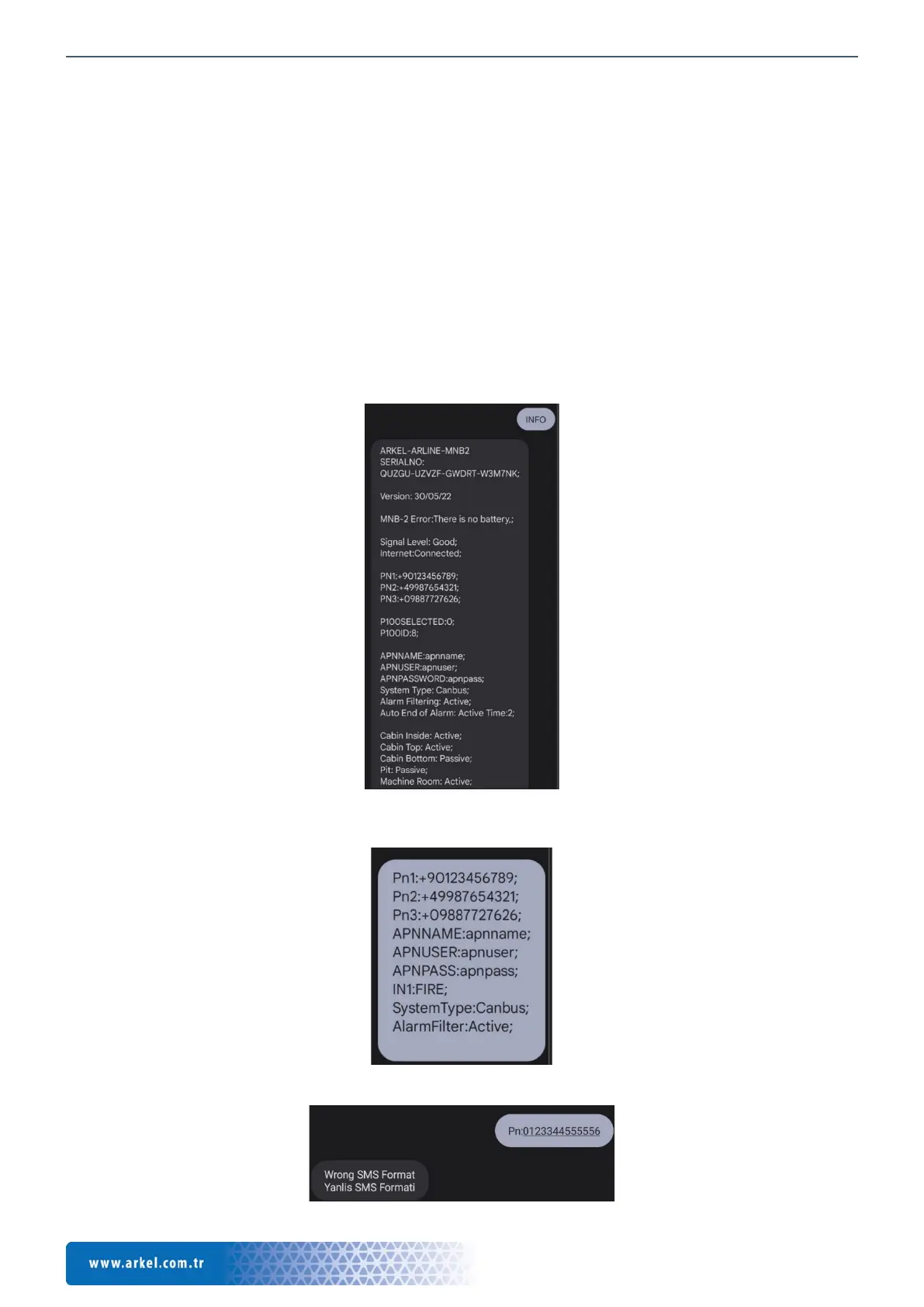
In order to set the requested parameters, you should sent the SMS in the format shown below.
Note: Parameters can be adjusted collectively as well as by changing a single parameter.
*In order to learn the parameters and different information on the Arkel ArLine-M board, you can send an SMS by typing
“INFO” or “Info” on the SIM Card inserted in the Arkel ArLine card.
If you receive the following message in response to the SMS you sent, you should check the SMS format and send it again.


 To Next Page