124 MENU > Monitoring
18.3 Frame lines
NOTICE
The camera contains a set of default frame lines with standard aspect ratios. You
can also create import external frame lines in XML format.
Try the frame line composer on the ARRI website.
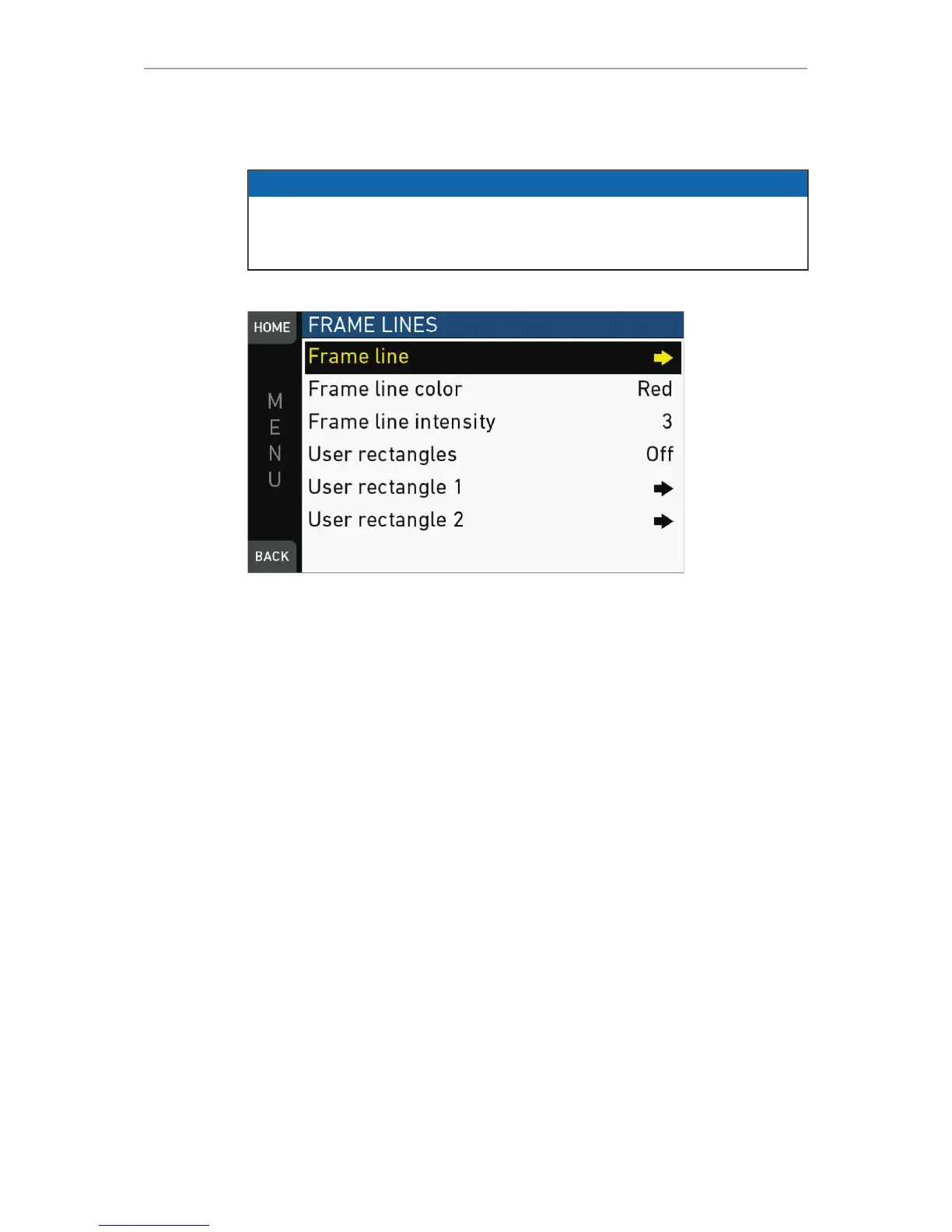
MENU > Monitoring > Frame lines
Frame line: Sets the aspect ratio of a frame line.
Frame line color: Sets the color of frame, center mark, user rectangle, surround mask
(if mask is set to Colored line).
Frame line intensity: Sets the brightness of frame line components.
User rectangles: Allows you to add two user-defined frame line rectangles.
User rectangle 1 & 2: Configures user rectangle sizes and positions.


 To Next Page