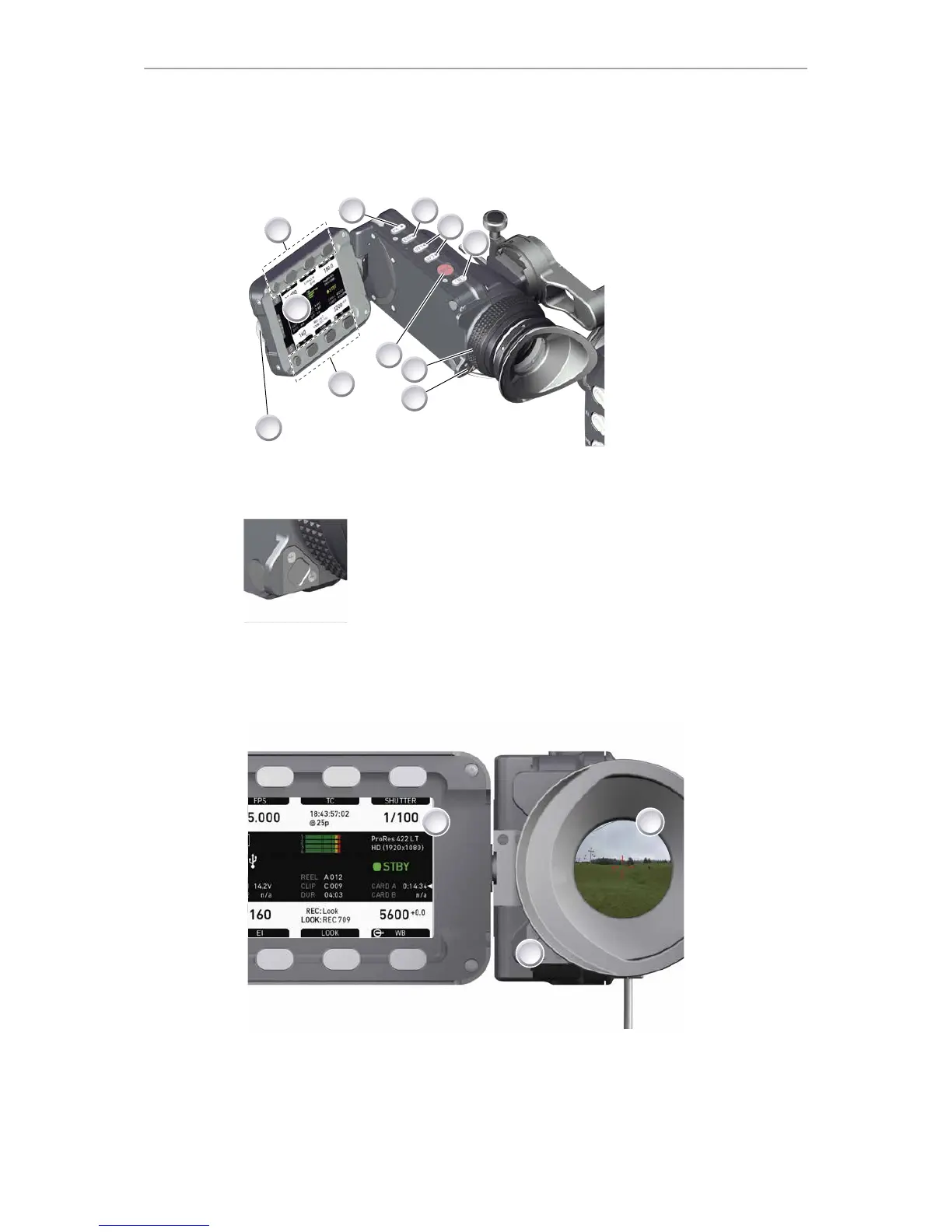
46 Main controls and viewfinder
11 Main controls and viewfinder
1 Monitor (Live & GUI)
2 Peaking button
3 Exposure tool button
4 VF1 & VF2 user buttons
5 Monitor button
6 Proximity sensor
7 Diopter control
8 Recording button
9 Screen buttons
10 Jogwheel
Proximity sensor
This infrared sensor automatically deactivates the viewfinder's in-
ternal OLED panel when you withdraw your eye.
Note: To avoid hardware damage, always keep the sensor unob-
structed.
Note: Left-eye or camera right-side operation of the EVF may
degrade the sensor function .
11.1 EVF image/monitor
When you look through the eyepiece, the sensor (3) activates the EVF display (2).
You can add status data from the home screen (1) to the viewfinder image (2).
If activated, overlays around the EVF image show essential camera, audio, and
recording statuses.
You can modify/deactivate these status bars via the EVF overlays and EVF status
components menu. See page 119 and page 120.











 To Next Page