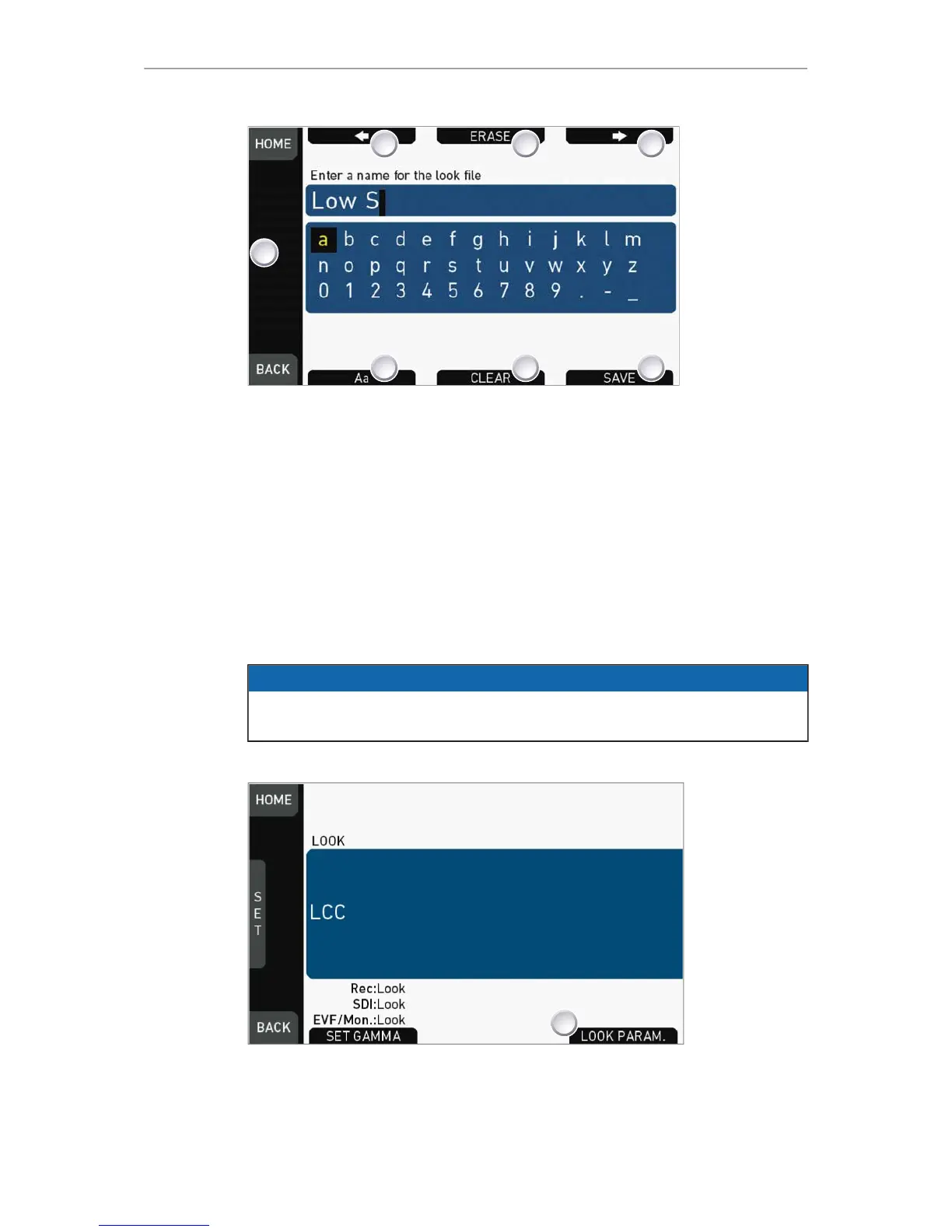
5. An editor opens:
°
Aa (7) toggles between upper/lower case.
°
ERASE (3) deletes the selected character.
°
ARROW buttons move the cursor back (2) and forth (4).
6. Via jogwheel (1), select/confirm characters to form a name.
7. Press SAVE (5) when complete.
8. Note: Saving a file with an already existing name is not allowed.
9. You can also CLEAR (6) an entire string/name.
14.7.7 LOOK editing
NOTICE
Editing will overwrite and existing look file and its values. To prevent this, duplicate
the look first, and then edit the duplicate. REC 709 cannot be edited.
HOME > LOOK
1. Via the home screen, open either the active LOOK (see above) ...
2. ... or the current LOOK SWITCH position (see below):





 To Next Page