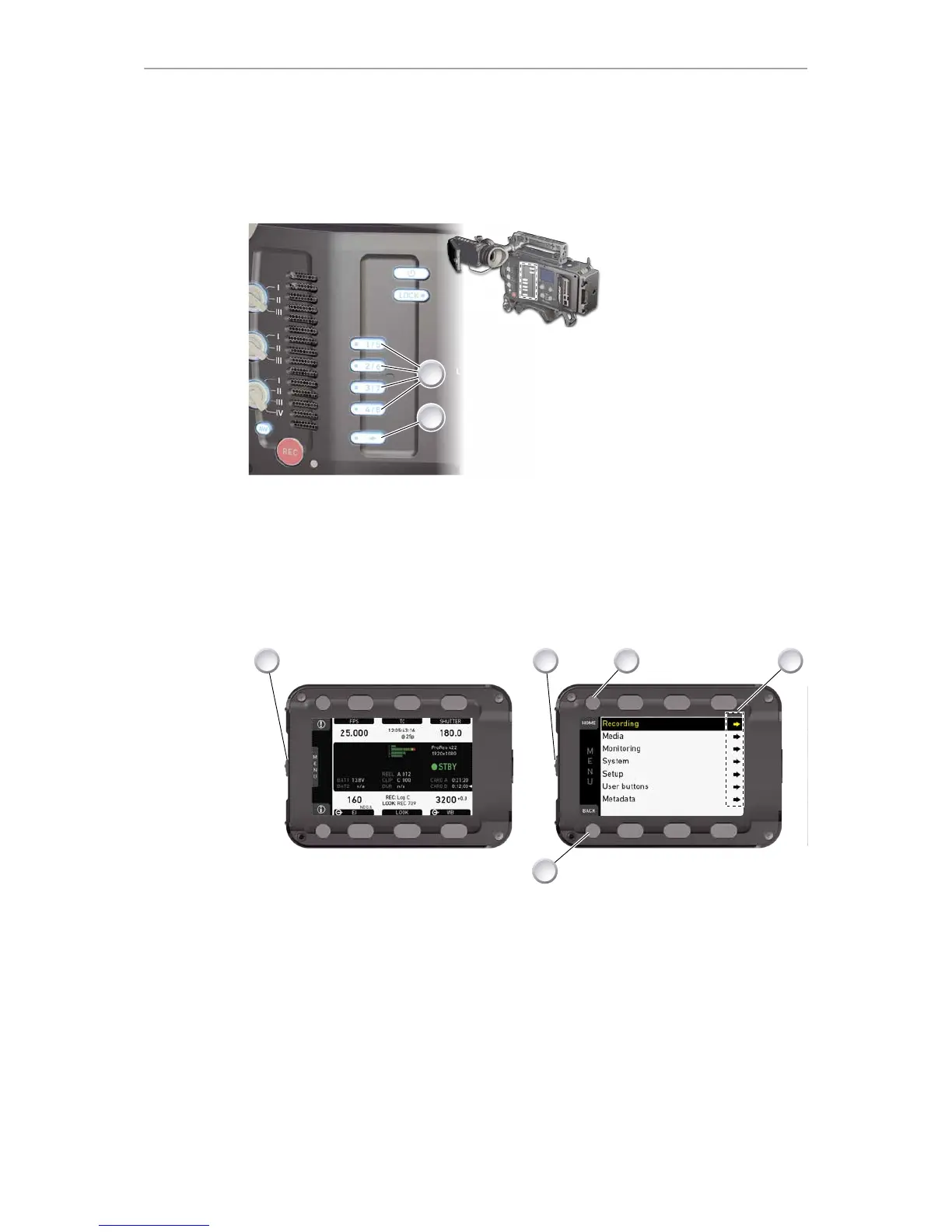
1. Press a button (1) to trigger its function.
2. For buttons five to eight: Press and hold SHIFT (2); then press a button (1).
3. An LED on each button reflects the functional status.
4. To check the functional status of buttons five to eight (1): Press SHIFT (2).
Presetting user (and VF) buttons
1. Toggle from live monitor to home screen. See page 54.
2. Press wheel (1) for MENU.
3. Wheel-navigate (2) to User buttons (4) and enter (2).
4. Enter the desired sub-menu for EVF, camera or WCU user buttons.
5. Wheel-navigate to the desired button and press the jogwheel (2).
6. Select the desired function with the jogwheel (2).
7. To cancel: Press BACK (5).
8. To confirm: Press the wheel (2).
9. To conclude: Press HOME (3).
10. If applicable: Repeat for all other buttons, including VF1 and VF2.











 To Next Page