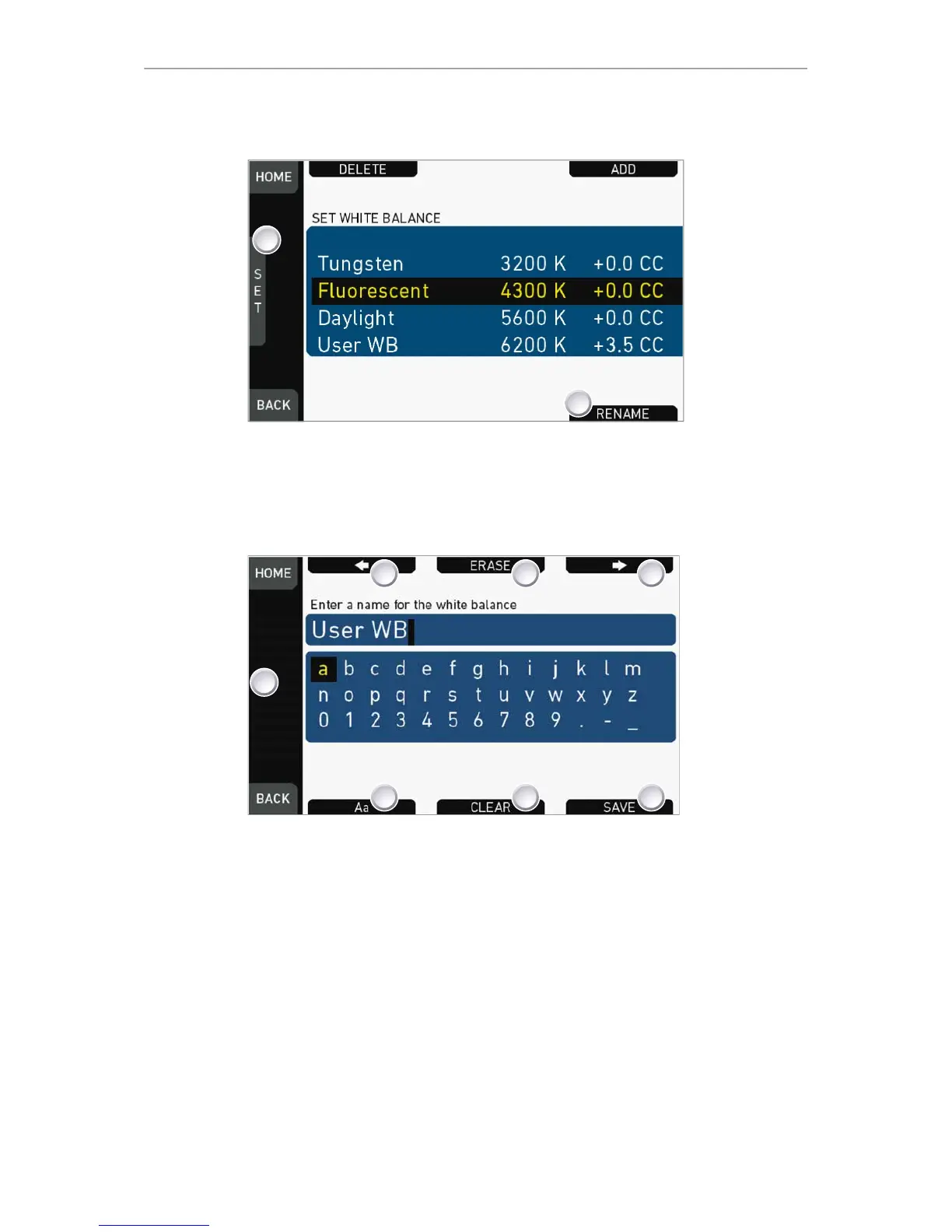
1. Open the WB list.
2. Via jogwheel (1), scroll to the required file.
3. Confirm by pressing the jogwheel.
4. Press RENAME (2).
5. An editor opens:
°
Aa (7) toggles between upper/lower case.
°
ERASE (3) deletes the selected character.
°
ARROW buttons move the cursor back (2) and forth (4).
6. Via jogwheel (1), select/confirm characters to form a name.
7. Press SAVE (5) when complete.
8. Note: Saving a file with an already existing name is not allowed.
9. You can also CLEAR (6) an entire string/name.










 To Next Page