Audio menu 41
1. Turn the audio switch to 1/2 (1).
2. The left gain control (2) now addresses recording channel one. For channel two,
use the right gain control (3).
3. Select and change parameters with the SET jogwheel (4).
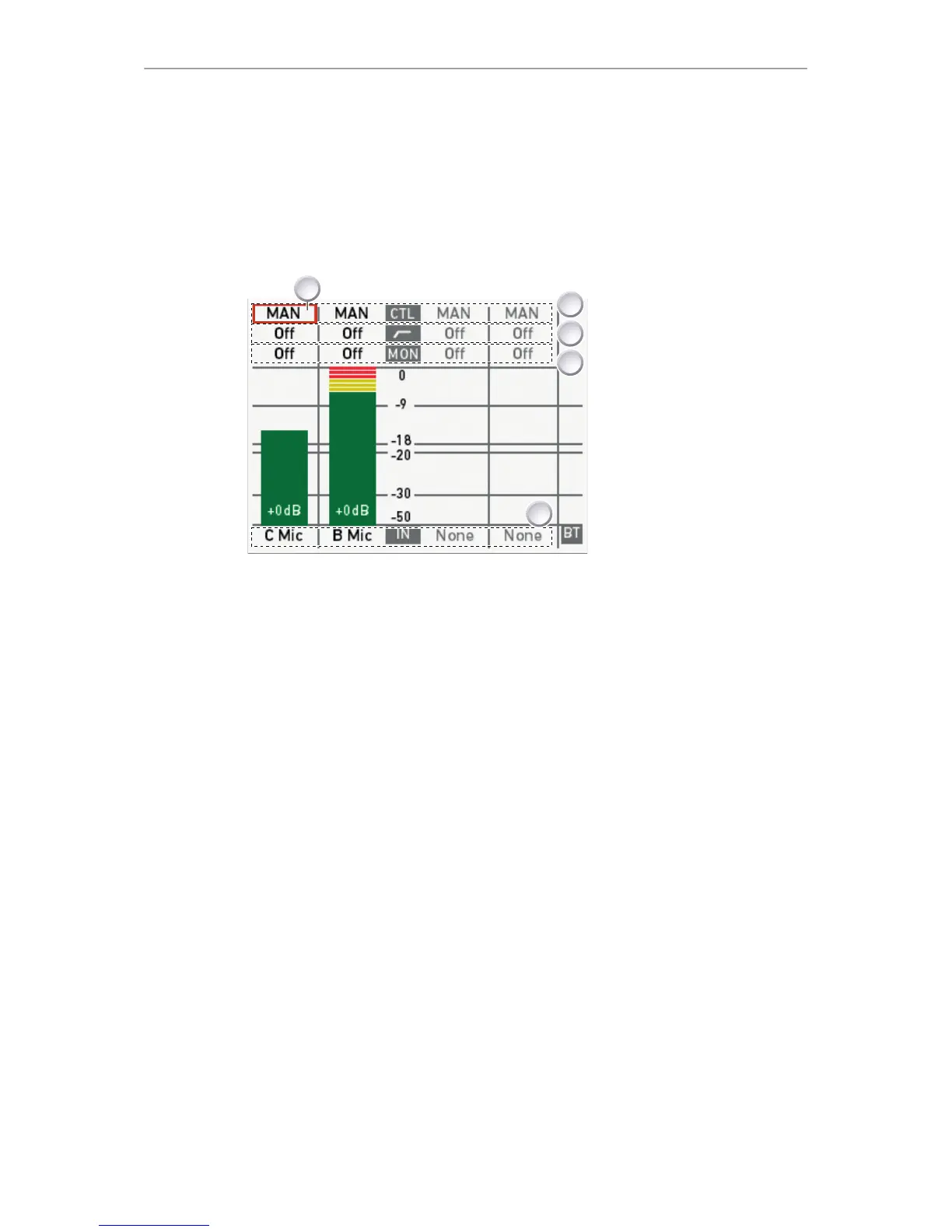
4. The audio 1/2 screen allows you to configure gain control mode, filtering,
headphone monitoring, and input selection for channel one and two:
1 Cursor (here: on channel
one)
2 CTL: Gain control mode per
channel
3 Highpass filter per channel
4 MON: Headphone
monitoring per channel
5 IN: Input selection
•
Cursor (1): Can be moved by turning the SET jogwheel.
•
Gain control mode (2): MAN (manual via L/R wheels, in 1-dB steps). MAN + L
(manual plus limiter, in 1-dB steps).
°
A limiter prevents the signal from clipping if the input signal level combined
with the set gain results in signal levels exceeding -6 dB FS.
•
Highpass filter (3): Frequencies below the set value are filtered from the signal.
Off (no filtering), 80 Hz, or 160 Hz.
•
MON (4) routing of audio channel to headphones: L (to left headphone channel
only). R (to right headphone channel only). L+R (mono mix on both). Off (no
routing).
•
IN: Input source mapping to the respective recording channel. Available
channels depend on the XLR input configuration. Setting e.g. IN B to LINE
enables B Line. As IN A is a stereo input, A1 and A2 are also available. Setting
IN B or IN C to AES provides AES1 and AES2.











 To Next Page