STANDARD 365-095-33577 Revision x.1 IPC4100 Release 1.0 Installation and Operation Guide
10
Chapter 4
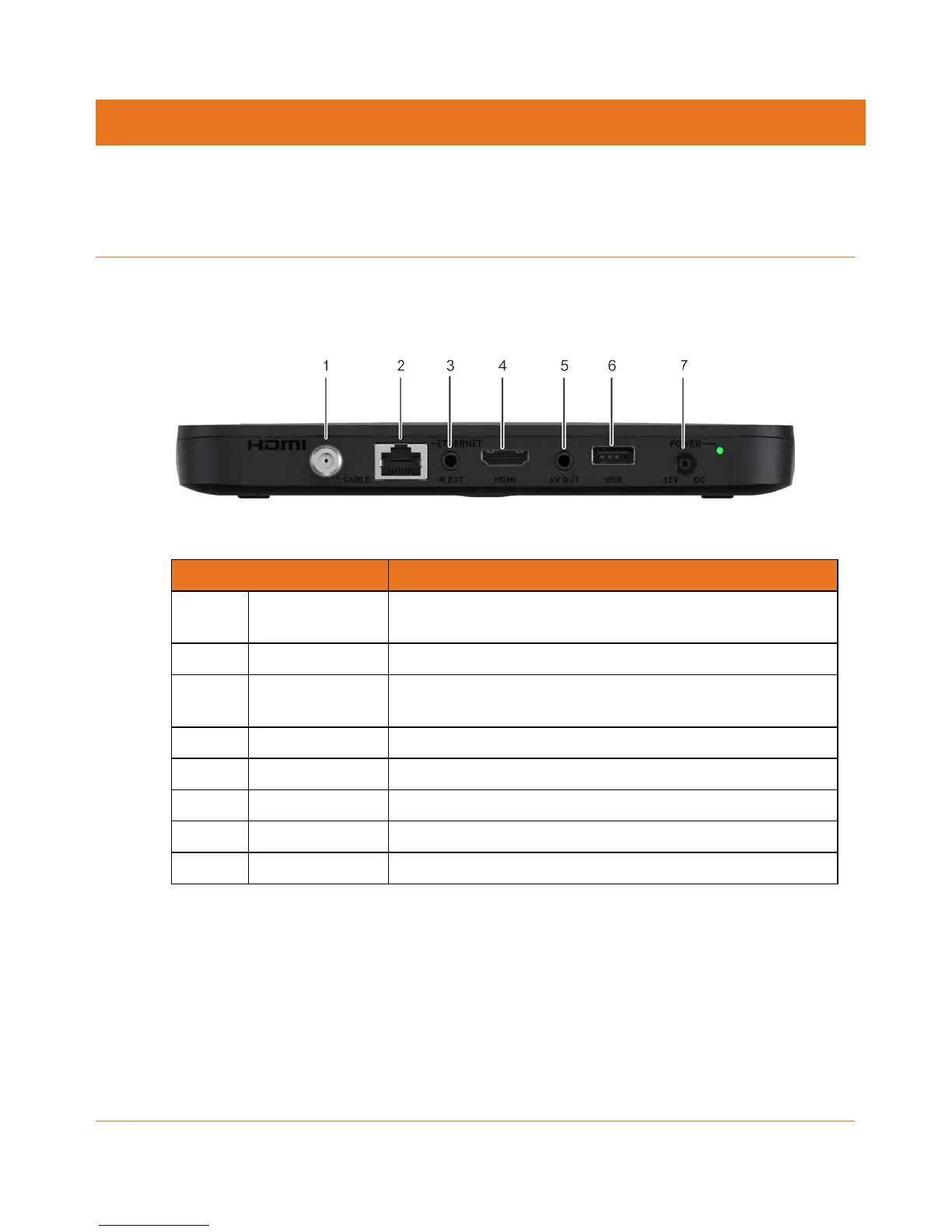
IPC4100 rear panel
The IPC4100 rear panel contains ports and connectors for video, audio, RF cabling, data
output, and data interface. Some connectors are not enabled and require application
software support.
Figure 1: IPC4100 Rear Panel
Port/Connector Description
1 Cable In Connects to a coaxial cable that delivers the signal from your
service provider
2 Ethernet* Connects to an Ethernet device
3 Optical Audio* Connects to the Dolby® Digital 5.1 audio or PCM output on a
digital audio device
4 HDMI Connects to a high-definition TV (HDTV)
5 IR Remote Input Connects to a remote-control set-top accessory cable
6 USB 2.0 Connects to a high-speed peripheral device
7 12V DC, 1.5A Connects the power cord to the IPC4100
8 Power LED Power supply indicator
*This option is dependent upon application setting and availability in content.



 To Next Page