STANDARD 365-095-33577 Revision x.1 IPC4100 Release 1.0 Installation and Operation Guide
26
Chapter 9
Optimizing High-Definition (HD) settings
This section describes how to optimize the SD and HD video settings and closed captioning
based on subscriber preferences.
Do the following before changing the output settings:
1. Connect the IPC4100 to the other home entertainment devices.
2. Plug the power cord on the IPC4100 into an electrical wall outlet.
3. Check that the IPC4100 has successfully completed the auto-provisioning process and
has connectivity to the IPC1100 set-top(s) through the home network.
4. Turn ON the TV.
Note: For an HDMI connection, check that the TV is ON and that HDMI is selected as the
input before adjusting the settings. ARRIS recommends using certified Standard (or
"category 1") HDMI cables for 1080i or 720p resolutions. A certified high-speed (or
"category 2") HDMI cable is recommended for resolutions of 1080p.
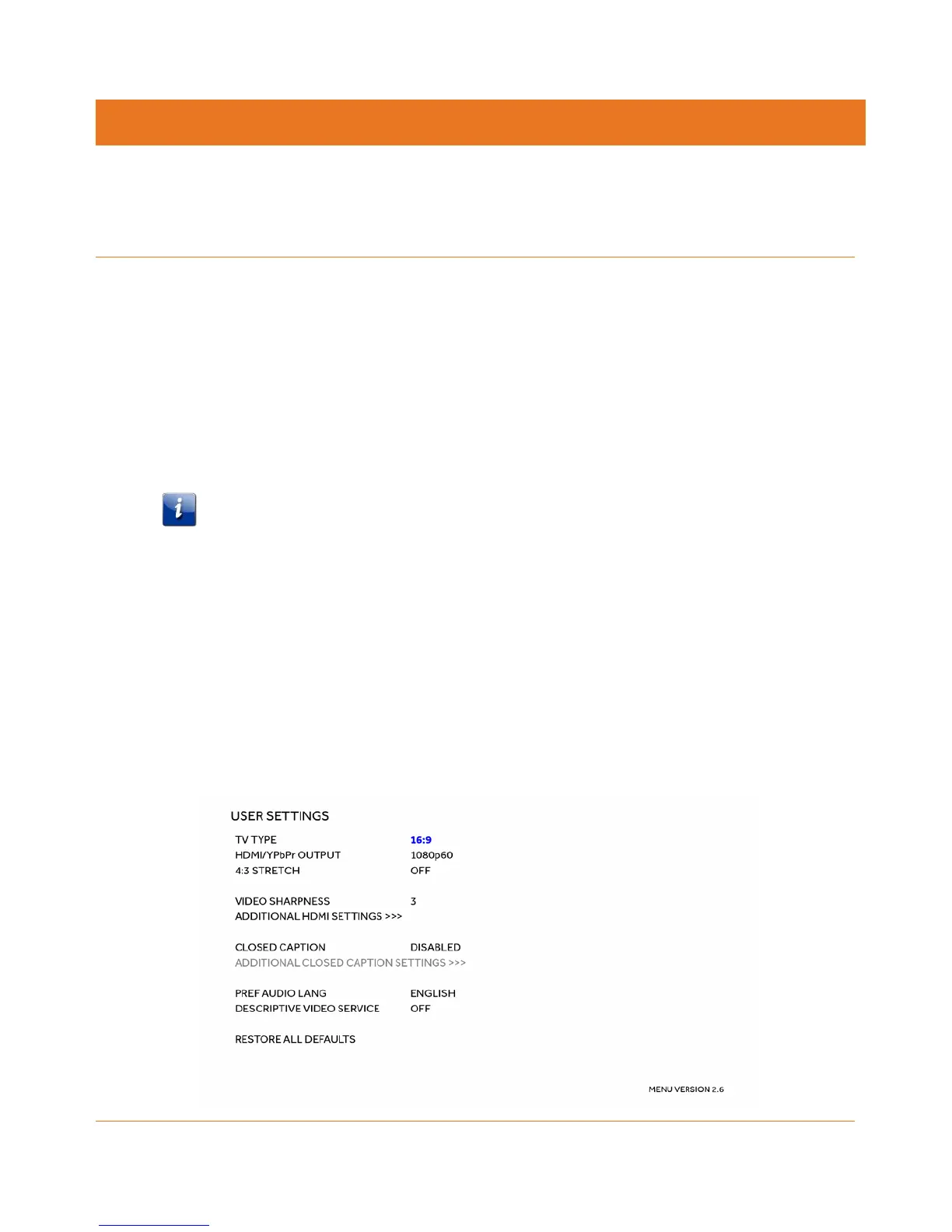
There are two methods for accessing the User Setting menu to optimize the output
settings:
• Use the BUI menu. See Accessing the Basic User Interface (BUI) (page 25) for more
information.
• Power OFF the IPC4100 and immediately press the Select key and then press the
Menu key on the remote control.
If the TV is ON, the on-screen menu will display the user settings that you can configure.



 To Next Page