Chapter 10:
STANDARD 365-095-33577 Revision x.1 IPC4100 Release 1.0 Installation and Operation Guide
73
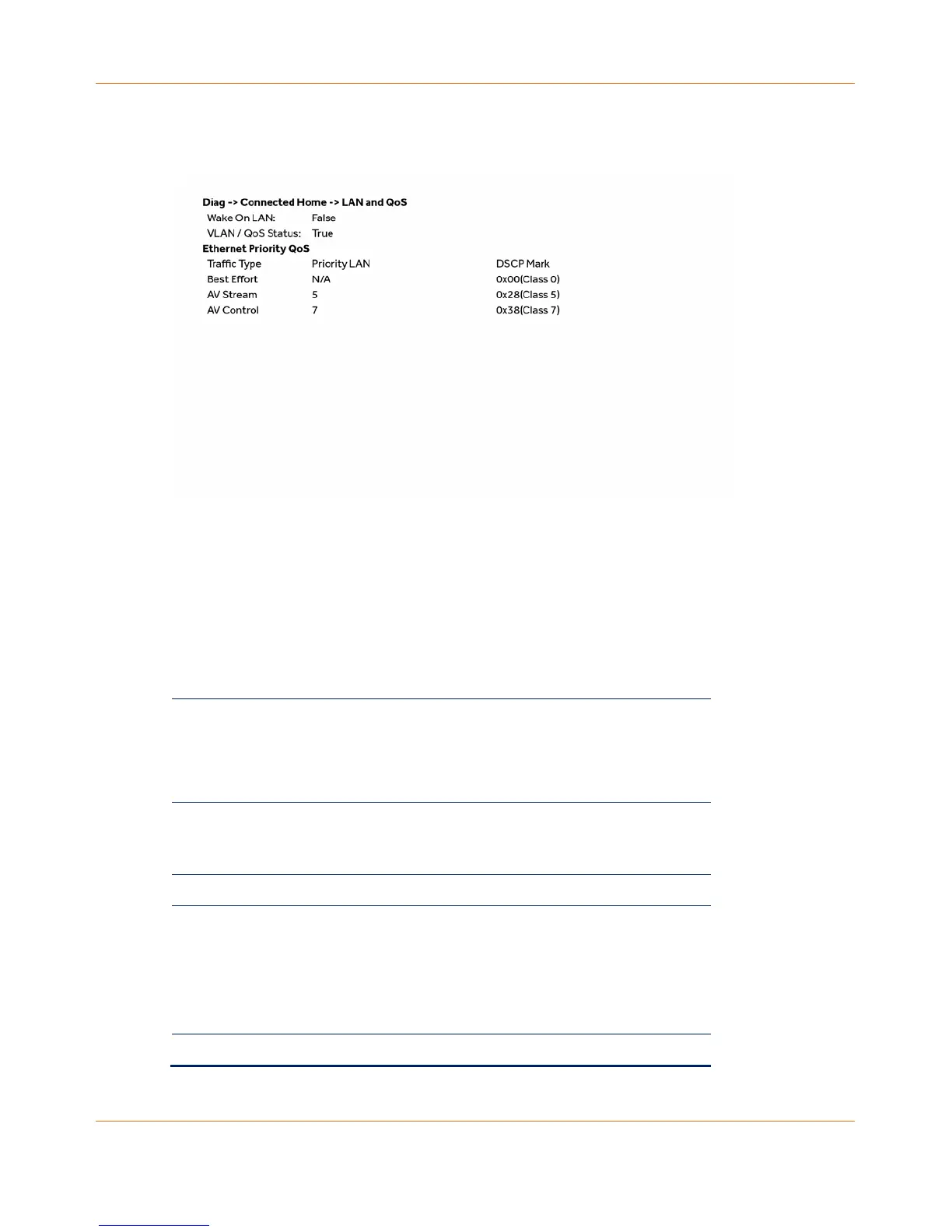
LAN and QoS
Connected Home – LAN and QoS fields
Field Description
Wake On LAN Indicates whether the WOL feature is enabled.
Possible values:
True = Enabled
False = Disabled
Status VLAN/QoS
status
Indicates whether VLAN 802.1p status is enabled.
Possible values:
True = Enabled
False = Disabled
Ethernet Priority QoS
table
Table of the Traffic Type and associated Priority
LAN and DSCP Mark
Traffic Type Traffic type that is to be tagged.
Priority LAN Priority code point setting of a particular traffic
type as defined by IEEE 802.1p.
Possible values:
0-7
N/A indicates Priority is Not Assigned Possible
DSCP Mark DSCP value to be used.



 To Next Page