ARTURIA – SPARK CREATIVE DRUM MACHINE – USER’S MANUAL
3 THE SPARKLE CONTROLLER: AN OVERVIEW
3.1 THE FRONT PANEL
In this overview we will focus on the features specific to the hardware controller.
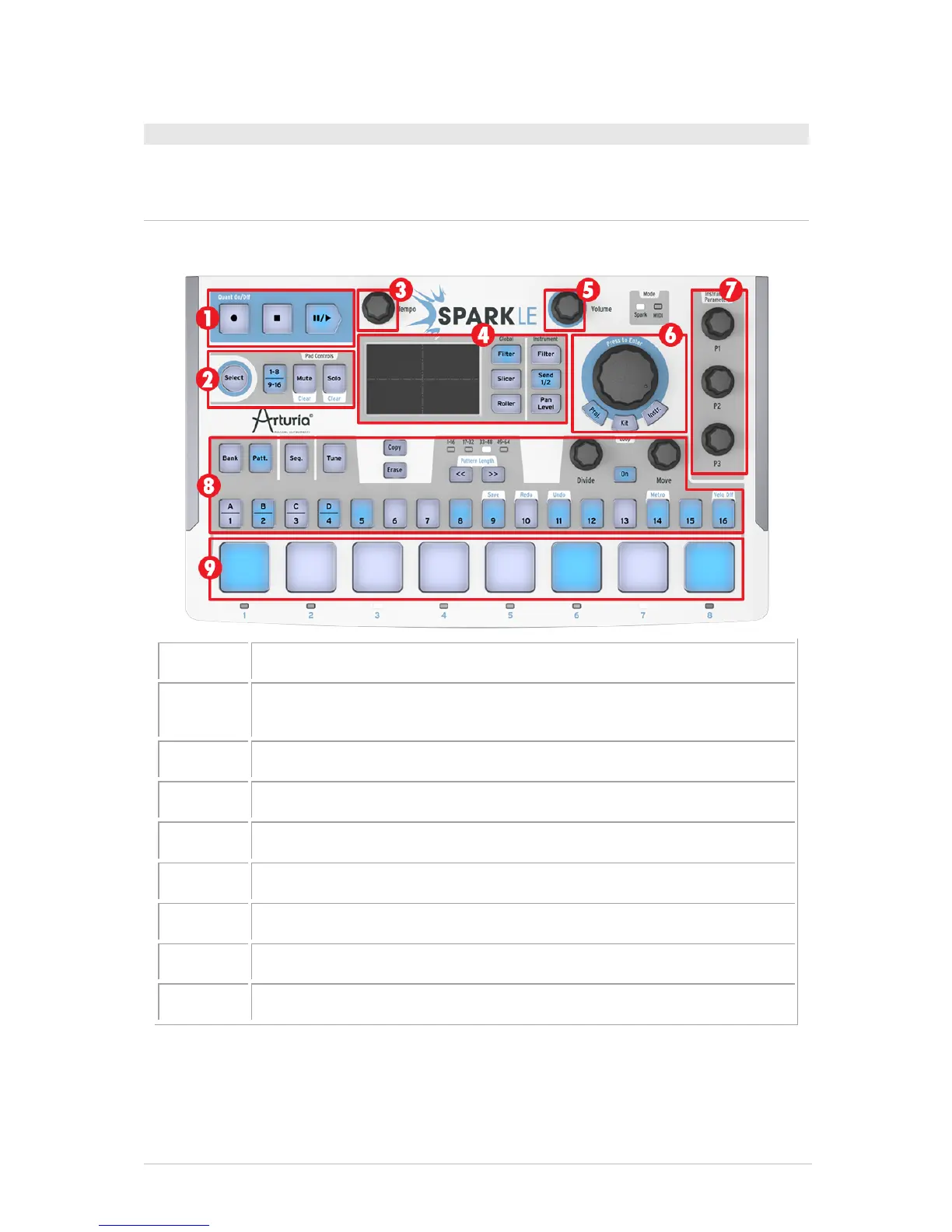
Pad controls: Select Instrument / Shortcut, Toggle Instrument page
(1-8, 9-16), Mute and Solo buttons
FX Live pad and FX Selection buttons
Master Volume control knob
Jog Dial and Project / Kit / Instrument mode buttons
Instrument parameter knobs
3.1.1 The Transport zone
Record, play, pause or stop a pattern or song with these buttons.



 To Next Page