If an Arturia plug-in poses problem in Logic, start by checking that this plug-in has
passed the compatibility test, and that it is actually selected.
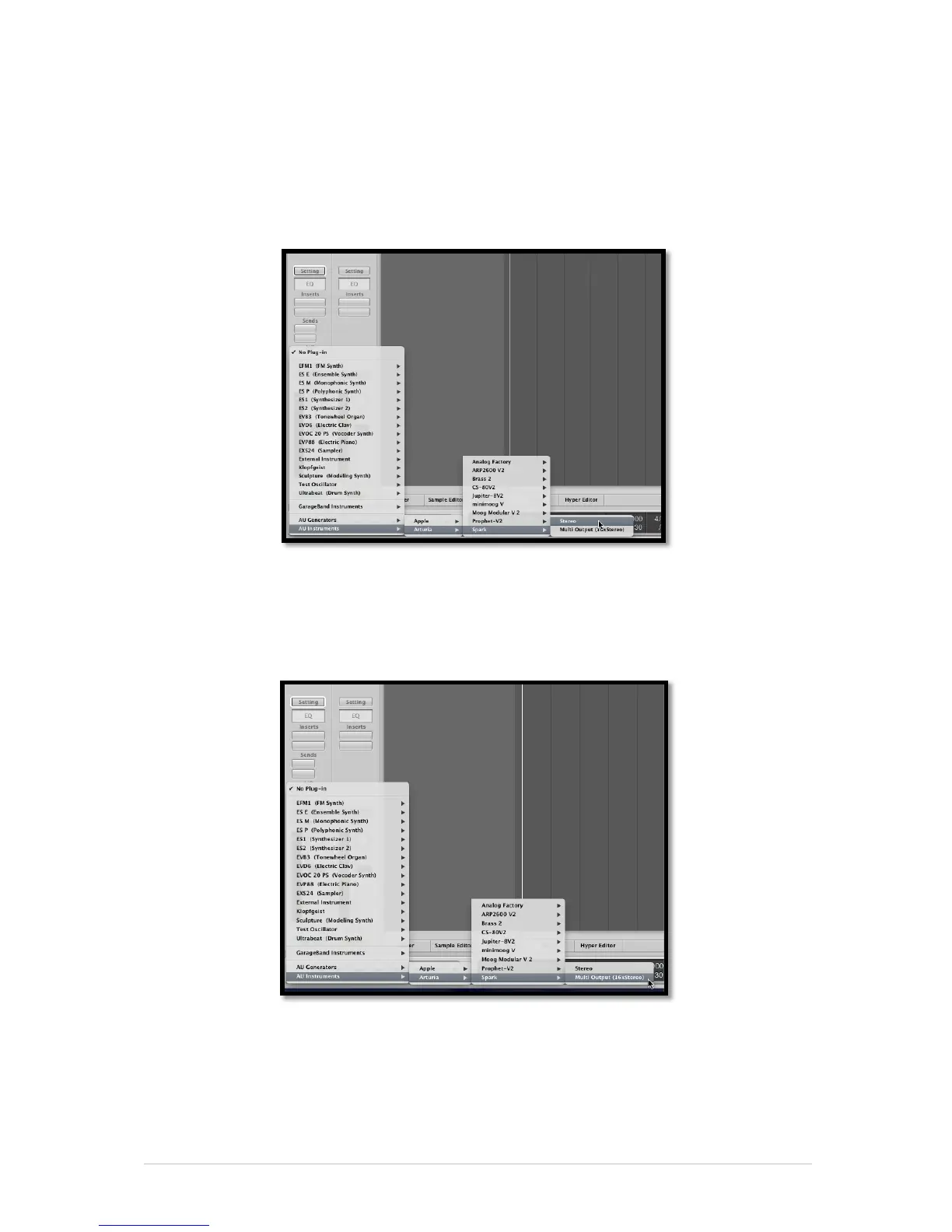
6.4.2.1 Stereo Mode
Select an Instrument track. On the mixer portion of the corresponding track, click on the
button “I/O” to obtain the list of plug-ins, then select AU Instruments > Arturia > Spark
> Stereo.
6.4.2.2 Multi Output Mode
To use the separate outputs:
Select an Instrument track. On the portion of the mixer corresponding to the selected
track, click on the button “I/O” to obtain the list of plug-ins, then select AU Instruments
> Arturia > Spark > Multi Output (16xStereo).
Then go to the mixer view and click on the “+” button at the bottom of the instrument
track to add Aux tracks.



 To Next Page