ARTURIA – SPARK CREATIVE DRUM MACHINE – USER’S MANUAL
5.4.2 The Sequencer area
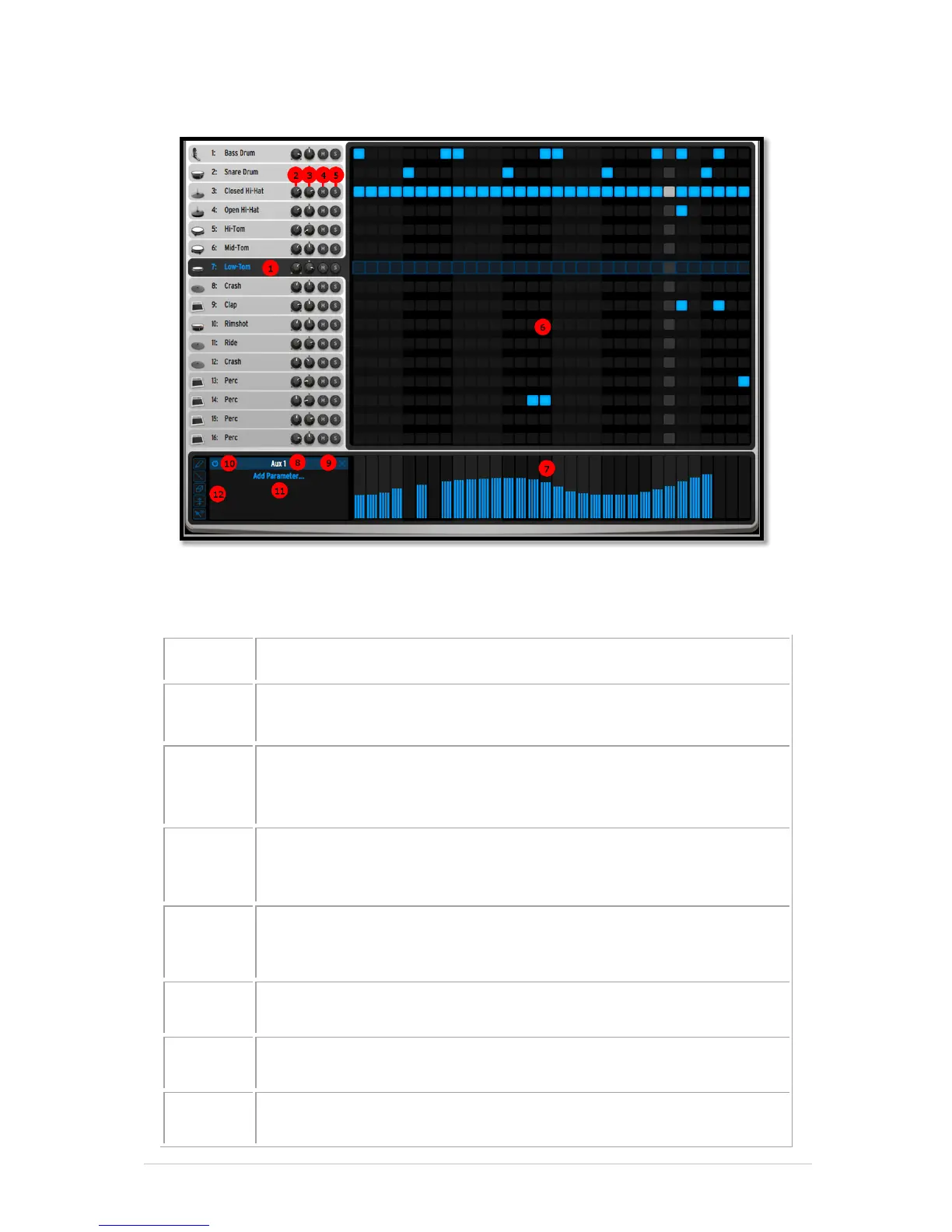
Underneath the toolbar described 5.4.1, the sequencer panel shows the 16 instrument
tracks as well as an automation edition area for the currently selected instrument.
Currently selected track. Click on the track name to select it
Set Solo on/off on one sequencer track in the current pattern. The
solo button in the center panel will flash to indicate that a solo has
been set from another panel (studio, mixer or sequencer).
Set Mute on/off on one sequencer track in the current pattern. The
Mute button in the center panel will flash to indicate that a mute has
been set from another panel (studio, mixer or sequencer).
Sequencing area. Write your patterns for all 16 instruments here
Currently editable automation



 To Next Page